Connect SocialMaker to ChatGPT
Connect SocialMaker in ChatGPT, choose what it can do and ask it to create your Instagram and Facebook automations, design your link in bio or handle your bookings and menus.
With SocialMaker connected, ChatGPT works in your account for you: you ask for what you want in plain words and it does it in SocialMaker, with the permissions you give it.
If it doesn't: add it as your own server
Open ChatGPT on a computer
Go to chatgpt.com and sign in.
Go to «Plugins»
It's at chatgpt.com/plugins. If you don't see how to add your own, turn on Developer mode in settings first.
Tap «+» and choose «Add custom MCP server»
Enter the name and the address
Name: SocialMaker. Under Connection → Server URL, paste https://socialmaker.ai/mcp.
Choose «OAuth» and create it
Read the warning, tap I understand and want to continue and then Create as a plugin.
Install it
SocialMaker opens so you can sign in and choose the permissions.
Choose what it can do
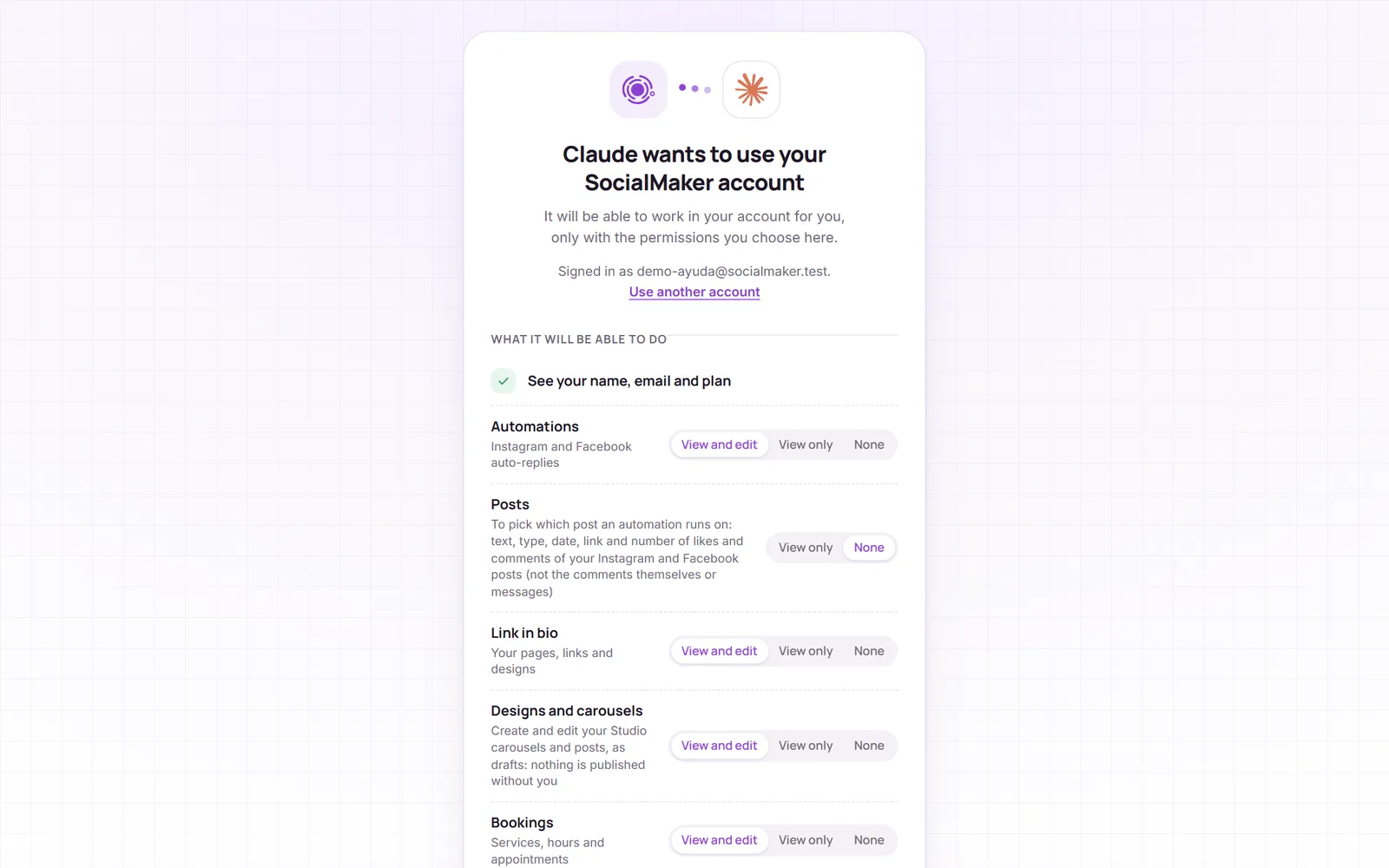
- View and edit: ChatGPT can see that area and make changes.
- View only: it can look, but it doesn't change anything.
- None: that area doesn't exist for ChatGPT.
- Posts starts at «None»: turn it on only if you want it to see your Instagram and Facebook posts to set up an automation on a specific post.
Tap Allow and you're back in ChatGPT, connected.
Use it in a chat
In a chat, type @ and pick SocialMaker (or tap it in the chat's apps). Then ask for what you need:
- Automation
When someone DMs me BOOK on Instagram, send them the booking card
- Custom design
Design a link in bio for my barbershop, modern and dark, and show it to me before applying it
- Bookings
Book a haircut for Laura on Friday at 4 pm
- Your catalog
Create a catalog with these products, prices and photos: …
See permissions or disconnect
In SocialMaker, go to Settings → Connected apps to see what ChatGPT can do and when it was used, and disconnect it with one tap. You can also remove it from ChatGPT's apps.
Can ChatGPT see my Instagram messages or comments?
No. We never give it the comments or messages you receive, your password, or your Instagram, Facebook or Google keys.
I don't see «Add custom MCP server»
Your ChatGPT plan doesn't allow custom servers yet, or you need to turn on Developer mode in settings. In the meantime you can use Claude, which allows it on all its plans.
Does it work with ChatGPT Dots?
Not yet: Dots only uses apps from the ChatGPT directory. Once SocialMaker is in the directory, you'll be able to ask your Dot too.
How much does it cost?
The connector is included in SocialMaker's Pro and Max plans, and what ChatGPT does for you doesn't use your SocialMaker AI credits.