Reconnect your Instagram or Facebook to see your insights
If you connected your account before November 24, 2026, reconnect it once to give us the insights permission. How to do it and what to do if the numbers don't show up.
Meta approved the permission to read your insights on November 24, 2026. Accounts connected before then don't have it yet, and Meta only grants it when you reconnect. You only do it once, and your automations keep working as usual.
Step by step
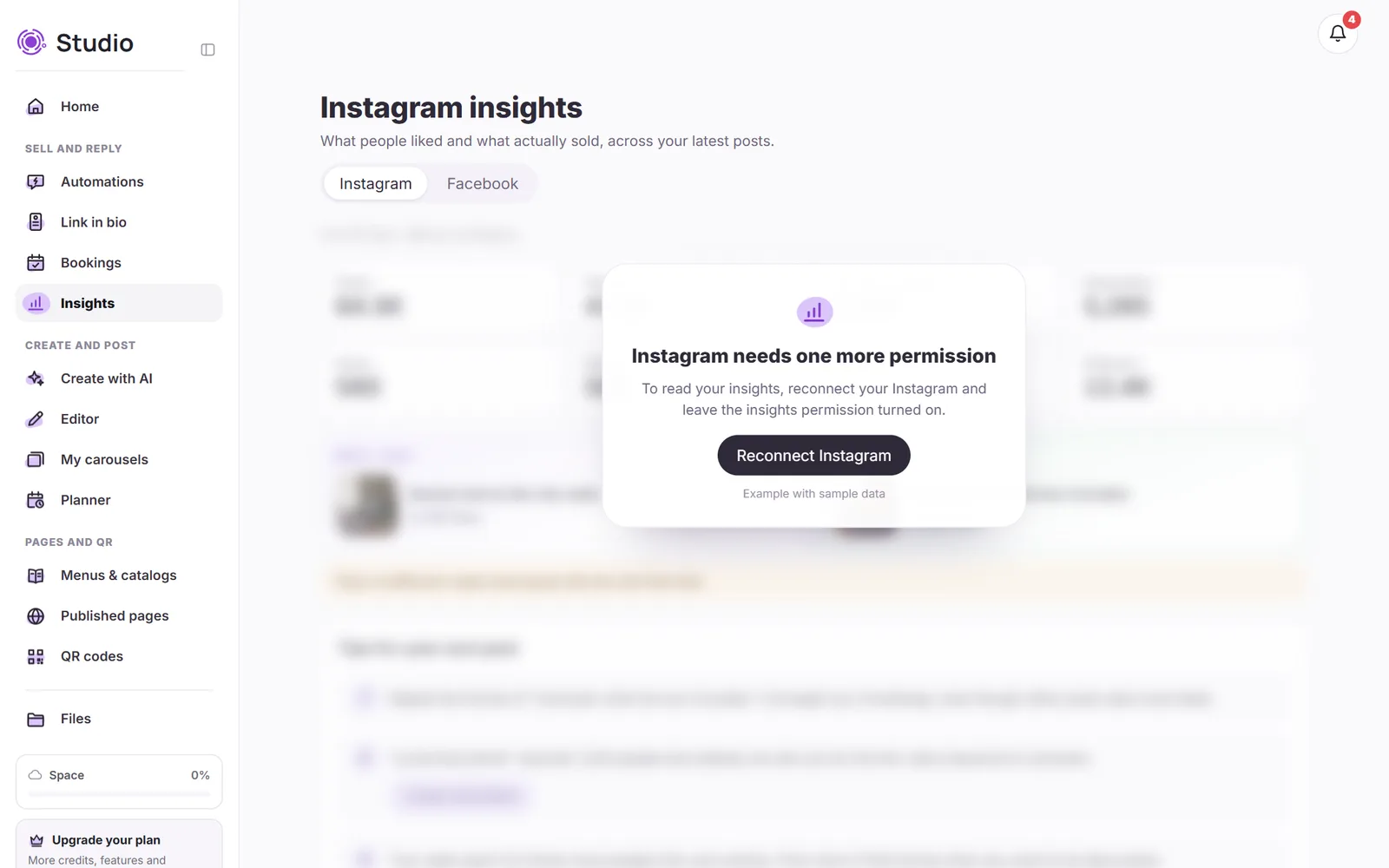
Open Insights in the Studio
If you see Instagram needs one more permission (or Facebook), tap Reconnect Instagram.
Sign in to the Instagram (or Facebook) window
Use the same account you already had connected.
Leave the insights permission turned on
It shows you the permissions SocialMaker asks for: leave them all on and accept.
Done
You're back in SocialMaker and your numbers show up in a few seconds.
If the numbers don't show up
| What you see | What to do |
|---|---|
| Instagram needs one more permission (or Facebook) | Reconnect and leave all the permissions turned on in the Instagram or Facebook window. |
| Connect your Instagram to see your insights | Your Instagram is connected only through your Facebook page. In Settings → Connections, tap Add Instagram account and connect it directly. |
| Instagram didn't respond | Meta took too long to answer. Try again in a few minutes. |
| Numbers at zero or from the day before | Instagram and Facebook update with up to a 48-hour delay. A brand-new account can take a little longer. |
Do I have to create my automations again?
No. Reconnecting only adds the permission: your automations, contacts and past stats are all still there.
Why can't you do it for me?
Because Meta requires you to grant the permission yourself, in its window. Nobody can do it on your behalf.
Does my AI assistant need anything too?
For Claude or ChatGPT to read your insights, the connector's Posts permission has to be set to View only. Read In-depth analysis with Claude or ChatGPT.