In-depth analysis of your Instagram and Facebook with Claude or ChatGPT
With SocialMaker connected, Claude or ChatGPT read your insights, your audience and up to 2 years of posts, and tell you what brings you customers and what to post. What to ask and how to turn it on.
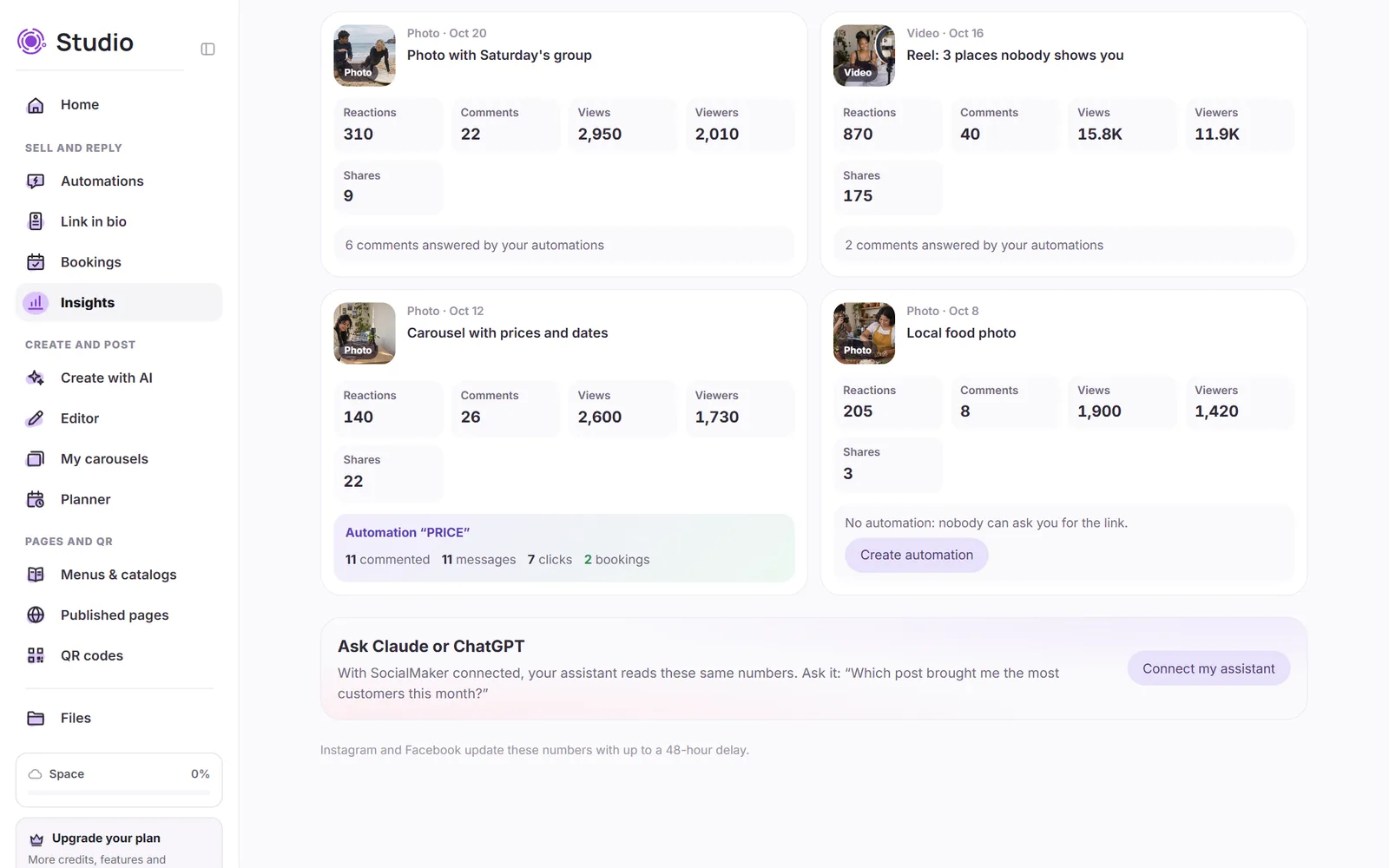
The Insights panel shows you what matters most. Your AI assistant goes further: it reads the same numbers and much more, matches them with your automations and explains in plain words what's working and what to change. It's on the Pro and Max plans.
What it can read
- Your account's numbers and where they come from: followers or non-followers, posts, reels or stories, which buttons on your profile people tap and how many followers you gained and lost.
- Up to 100 posts, going back up to 2 years, each with its numbers and its automation: comments with the keyword, messages, clicks and bookings.
- Your audience: countries, cities, ages and gender of your followers and of the people who engage with you.
- Day by day, up to 90 days: reach or views and new followers, to see which weeks grew.
- Your active Instagram stories (Meta keeps them for 24 hours).
How to turn it on
Connect SocialMaker to Claude or ChatGPT
Follow Connect Claude or Connect ChatGPT.
Set the Posts permission to View only
When you connect, you choose what it can do in each area. Posts starts at «None»: set it to View only so it can read your insights. If you had already connected it, reconnect it and change it.
Ask for the analysis
In plain words, the way you'd ask a person. Below are some ideas you can copy.
What to ask

 Prompt for Claude or ChatGPTWhat sells
Analyze my last 50 Instagram posts and tell me which formats and topics bring me customers (messages, clicks and bookings), not just likes.- Prompt for Claude or ChatGPTYour audience
Who is my audience? Tell me which countries, cities and age groups my followers come from, and whether the people who engage with me look like the people I want to sell to. - Prompt for Claude or ChatGPTThis month vs. last month
Compare my last 30 days with the 30 before: did I grow in reach and followers? Which posts explain the change? - Prompt for Claude or ChatGPTPlan for the week
Based on what worked best for me, put together a plan of 4 posts for next week, with the keyword to comment for each one. - Prompt for Claude or ChatGPTFacebook
Review my Facebook page: which posts had the most reach and what should I post more of?
Good to know
- Meta only shares your audience data (age, city and country) once you have 100 followers or more.
- Stories need enough viewers to have numbers.
- It only reads your numbers: it doesn't publish or change anything unless you ask.
- If you connected your Instagram or Facebook before November 24, 2026, reconnect your account first.