Choose or change your template
How to choose your link in bio template and change it later without losing your text, photos or links.
There are more than 40 templates, grouped by style: Cozy, Bold, Catalog, Classic, Real estate, Architecture, Vibrant and Video. They all adapt to mobile.
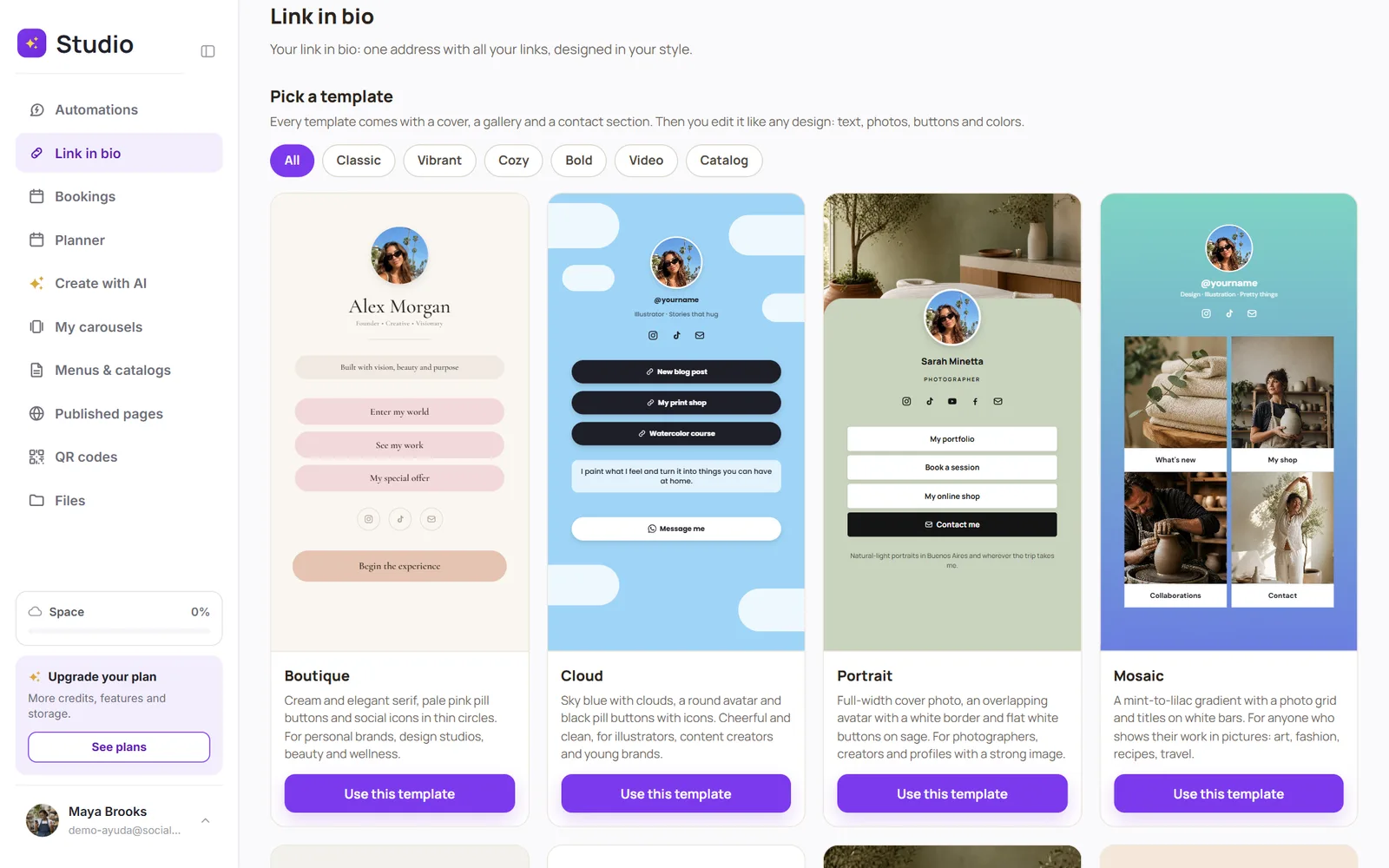
Change templates without losing anything
In Link in bio, tap “Change template”
Choose the new one and tap “Use this template”
SocialMaker carries your text, photos, buttons and links over to the new design. You don't have to type anything again.
Was this article helpful?
You might also like
Create your link in bioClaim your address (socialmaker.ai/yourname), choose a template, and publish it in minutes.Edit your link in bio: buttons, photos, products, video and mapHow to add WhatsApp or shop buttons, photos with links, products, a video, your map and the booking button.What the Free plan includesWith the Free plan, you try each SocialMaker feature once. Here's exactly what it includes and what happens when you use it up.