Schedule a post
Schedule a post, a carousel, a reel or a story on Instagram, Facebook and LinkedIn, or publish it right away.
The Planner publishes for you at the time you choose. First, you'll need to connect your accounts.
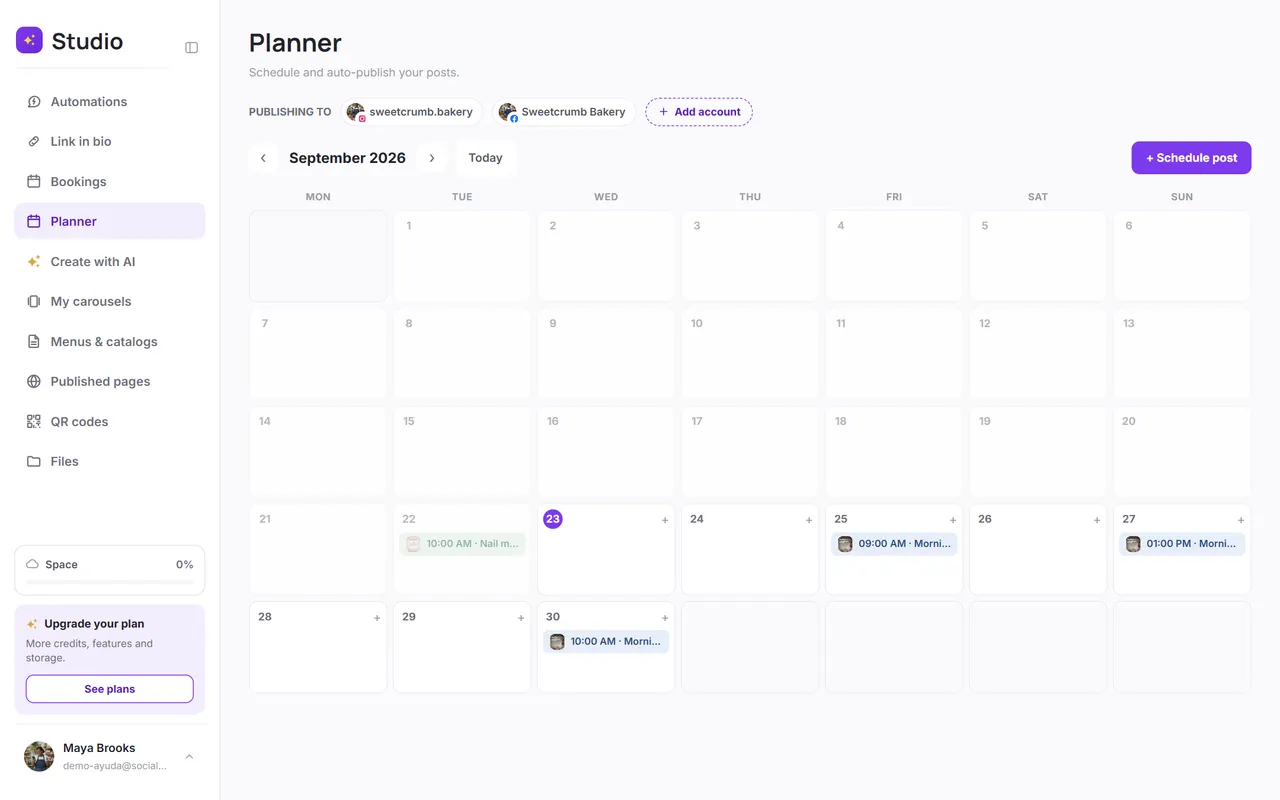
Step by step
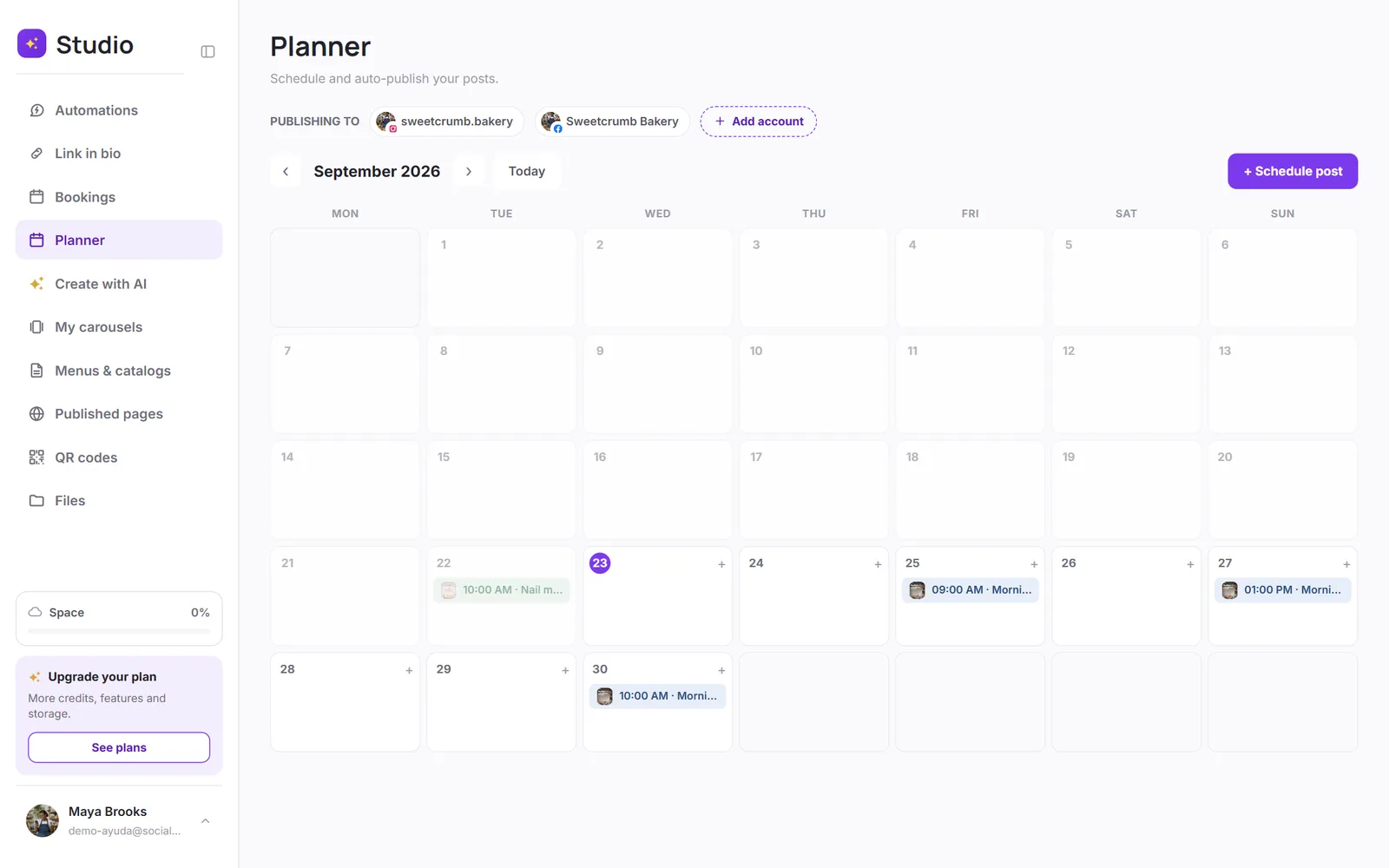
Open the Planner and tap “Schedule post”
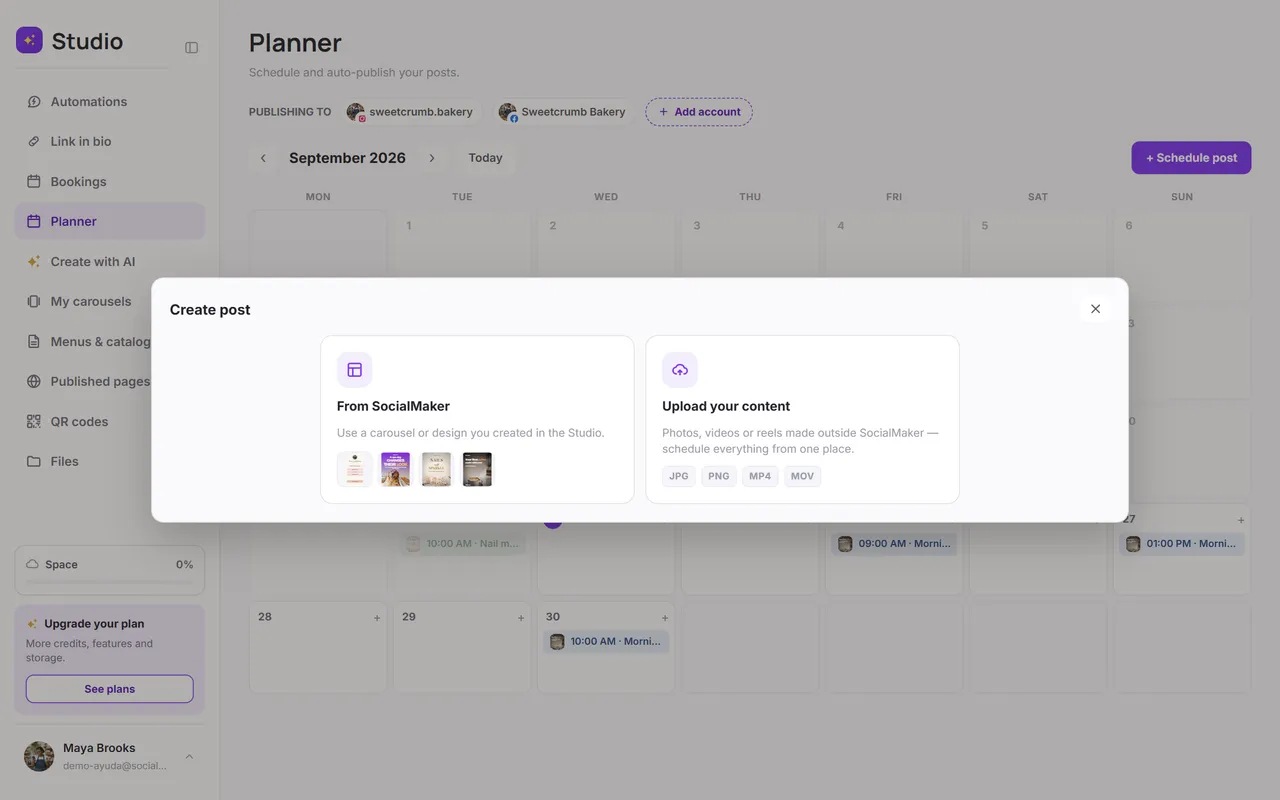
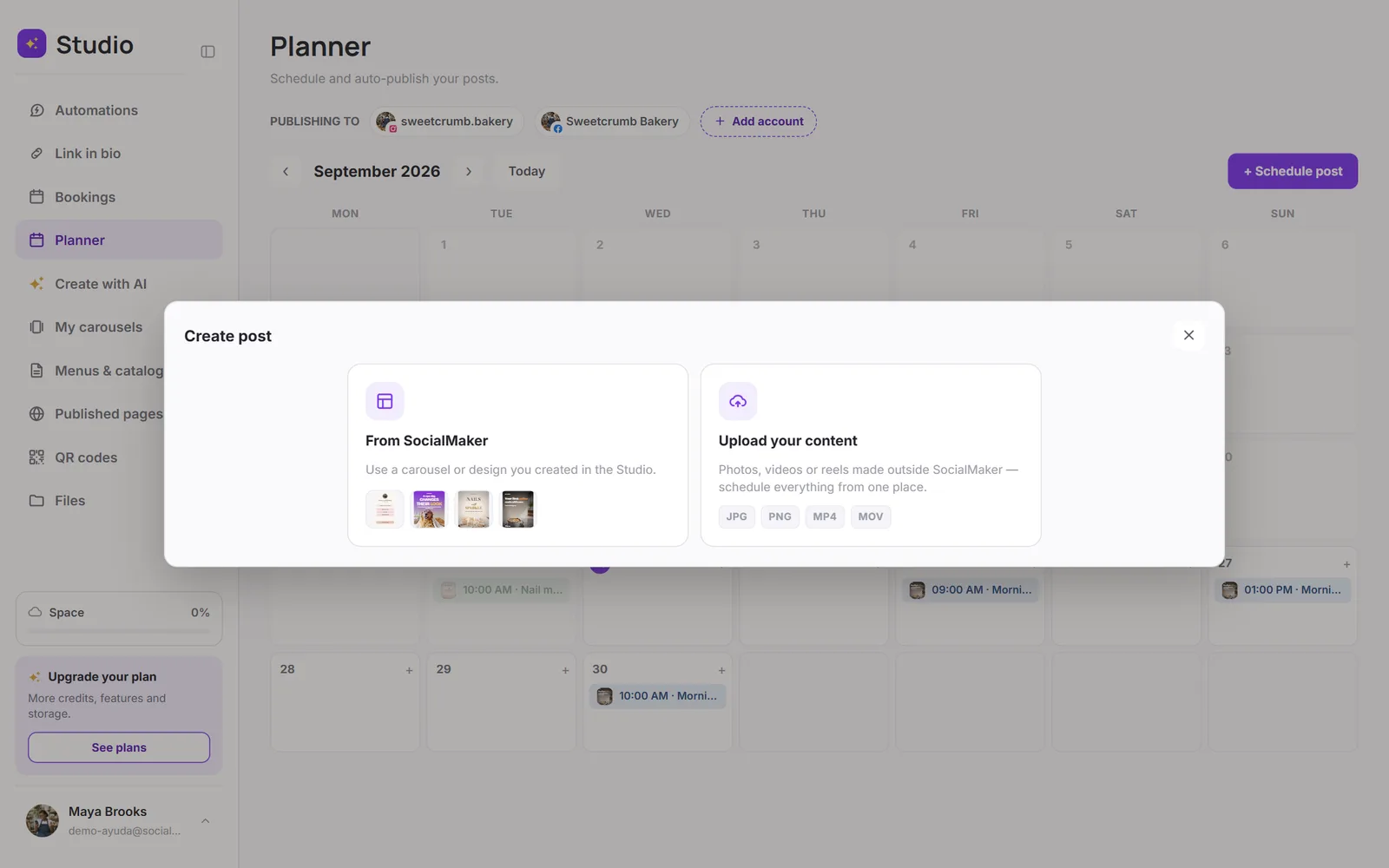
Choose your content
From SocialMaker uses a carousel or design you created in the Studio. Upload your content for photos, videos or reels made elsewhere. You can also choose From your Files.
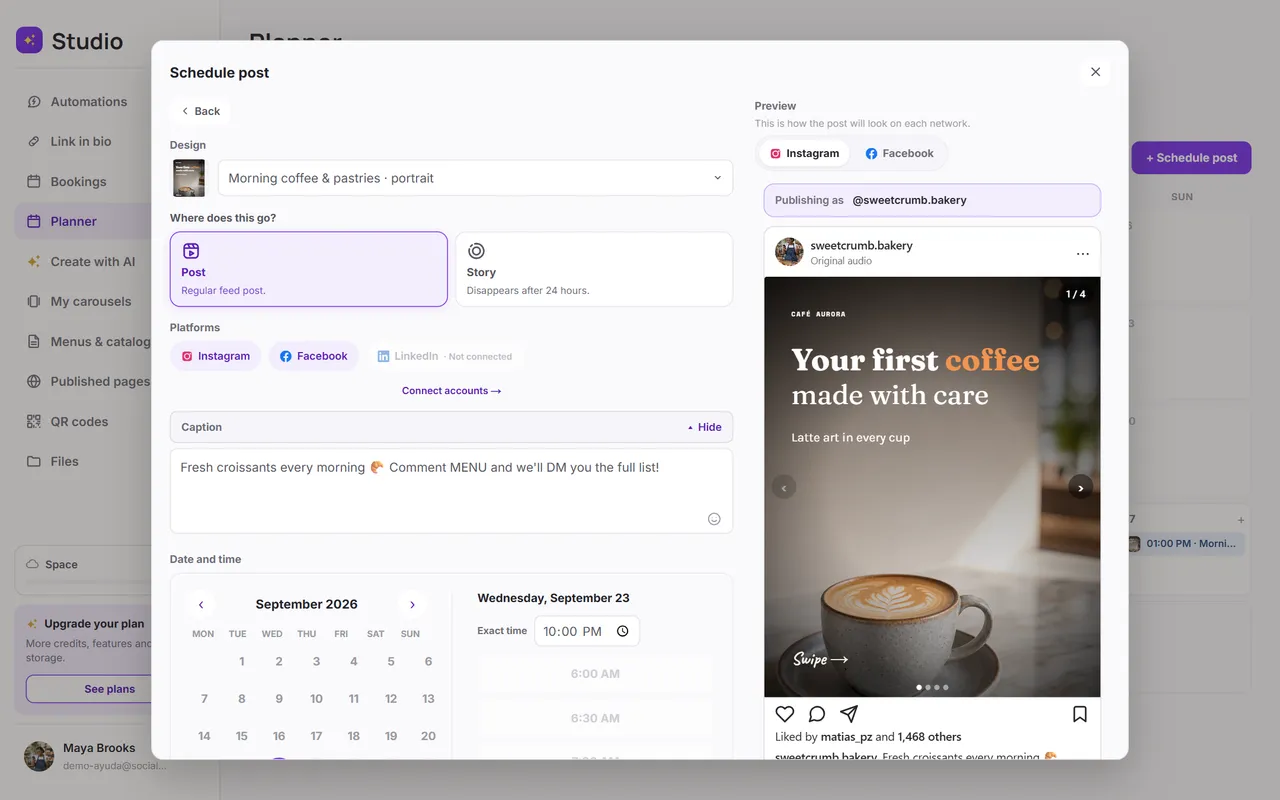
Choose where to publish and write the caption
Check off the accounts (Instagram, Facebook or LinkedIn). The preview shows you how it'll look on each network.
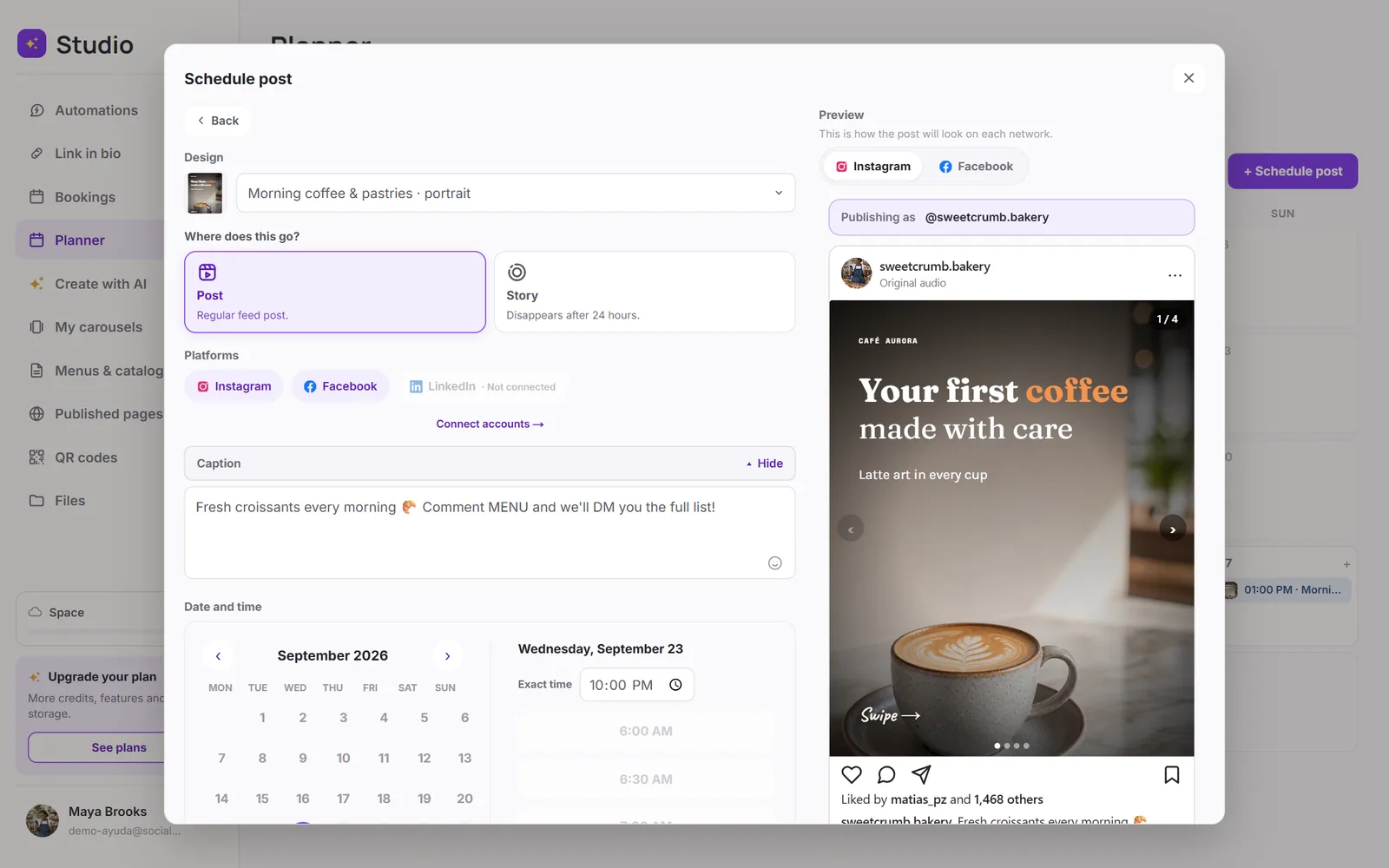
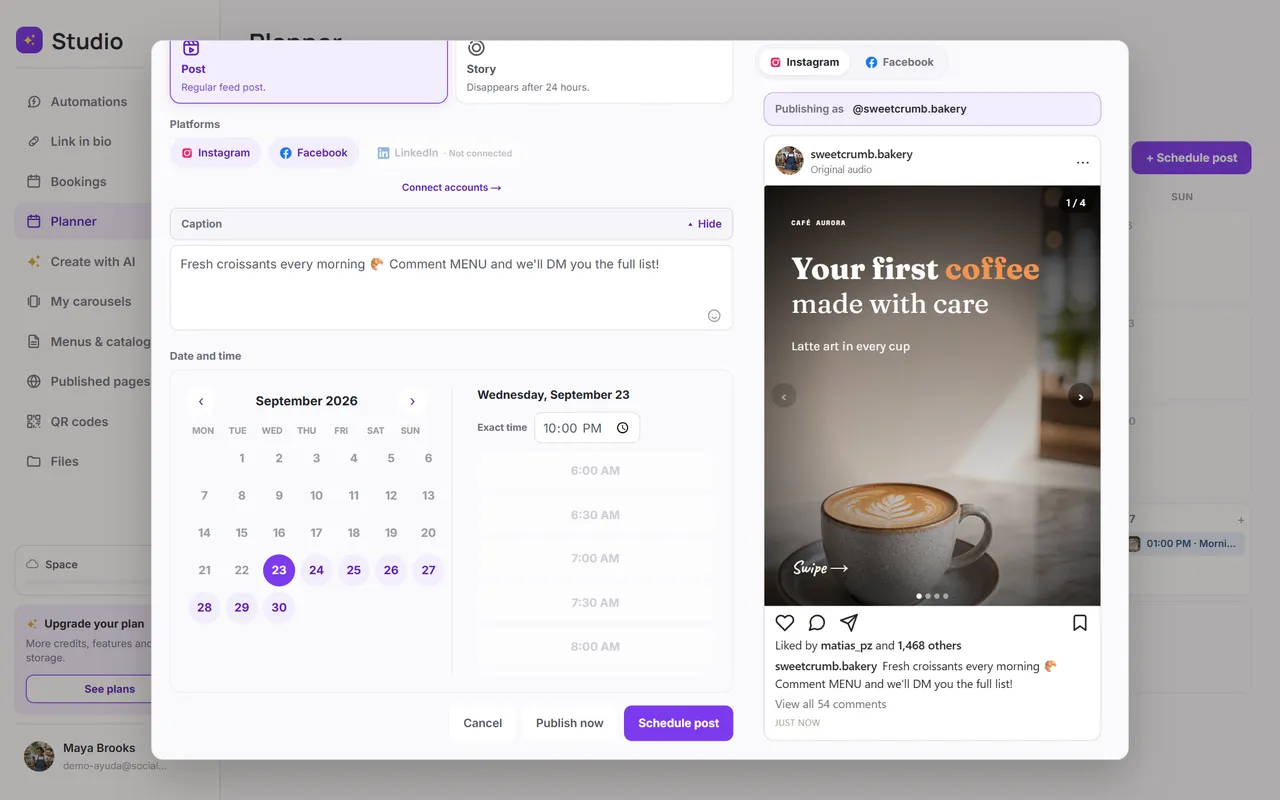
Choose the date and time
Tap Schedule, or Publish now if you want it to go out right away.
What you can publish on each network
| Image carousel | Yes | Yes | Yes |
| Video | Yes (posts as a Reel) | No | No |
| Story | Yes | Yes | No |
- Up to 10 files per post.
- For stories, each image or slide goes out as its own story, in order. Stories don't include text.
- Videos have a minimum and maximum length; if yours doesn't fit, SocialMaker lets you know before you schedule it.
Was this article helpful?
You might also like
The Planner calendarHow to read the calendar, what each status means, and how to change or cancel a scheduled post.Connect Instagram and FacebookHow to connect your professional Instagram account and your Facebook page to automate messages and publish from SocialMaker.A scheduled post failedWhy a post can fail, and how to retry it.