ChatGPT Skills for Instagram: install the free one and make trending carousels with editable text
How to install an Instagram skill in ChatGPT, step by step, and the proof: a trending carousel with ChatGPT images and text you can still edit.

If you already ask ChatGPT for your captions or your reel ideas, you know the problem: you have to explain everything again each time. Your tone, what works on Instagram, how a good carousel opens. A skill fixes that: you install it once and ChatGPT uses it whenever your request is about Instagram.
Here you'll install SocialMaker's free skill in a couple of minutes, with the steps exactly as they look today (we tested them on November 10, 2026 with ChatGPT Plus). Then comes the proof: a 6-slide trending carousel where ChatGPT generates the images and the text stays as elements you can change in SocialMaker whenever you want.

What is a ChatGPT skill?
A skill is a folder with instructions, examples and small tools that ChatGPT checks when your request calls for it. It isn't another app or a separate GPT: you upload it once and it stays saved in your account. You'll find them under Plugins, in the Skills tab, where one already comes installed, skill-creator, for building your own.
- A prompt is what you type every time. Want the same result tomorrow? You type it again.
- A skill is the craft, already written down: how a hook is built, what shows of a caption before “… more”, which carousel styles are working. ChatGPT reads it when it's needed.
- A connector gives it hands. With SocialMaker connected, ChatGPT creates the carousel, the automation or the post inside your account. The skill knows; the connector does.
How to install a skill in ChatGPT, step by step
Animation of the install in ChatGPT, in 4 steps. 1: in ChatGPT's sidebar, Plugins opens and the Skills tab is selected, where skill-creator is already listed. 2: Add is clicked and Upload from your computer is chosen; the Upload a skill window opens. 3: the instagram-socialmaker.zip file, still zipped, is dragged from the Downloads folder into the window; the upload bar reaches 100%, the window confirms Skill uploaded and the instagram socialmaker skill shows up first in the list, highlighted. 4: in a new chat, ChatGPT is asked for a 3-slide carousel for a coffee shop; it generates the image, builds the carousel in SocialMaker and shows it in its preview; Edit in SocialMaker is clicked and, in the editor, the headline “and vanilla” becomes “and caramel”.
 The file you upload to ChatGPT
instagram-socialmaker.zipDownload






Download the file
Save instagram-socialmaker.zip to your computer. Don't unzip it: you upload it as is.
Open “Plugins” and the “Skills” tab
Go to chatgpt.com, open Plugins in the sidebar and tap the Skills tab.
Tap “Add” and choose “Upload from your computer”
Tapping Add shows three options: Create with chat, Create with editor and Upload from your computer. Pick the last one.
Upload the ZIP
The Upload a skill window opens; it takes .zip, .skill or SKILL.md files. Choose the ZIP and wait for the Skill uploaded notice: instagram-socialmaker now shows in your list.
Try it
Open a new chat and ask for something about Instagram, for example: “Give me 5 carousel ideas for my coffee shop, with the hook for the cover”.
What's in the free Instagram skill
- Reel scripts and hooks. 16 hook formulas per language, and the script with its on-screen text.
- Captions with a review. It tells you what shows before “… more” and strips out the AI tone.
- Trending carousels. The recipes for the styles people are posting most, and how to ask for each image so it comes out right.
- Stories and replies. What to answer to comments and DMs without sounding like a bot.
- A review of your profile. A score and the specific changes for your bio.
- The plan for the week. What to post each day and which automation goes with each post.
It's free and open source (MIT license), it comes in English, Spanish, Portuguese and French, and it's the same one that works in Claude. The code is on GitHub. Without connecting anything, the skill writes. For ChatGPT to also get it done in your account, there's one more step.
Connect SocialMaker so ChatGPT does it in your account
With the connector, ChatGPT goes from writing to building: it creates your auto-replies, designs your link in bio, builds your carousels and schedules or publishes them on Instagram and Facebook. The details are in how to connect ChatGPT to Instagram, and every screen is in the guide to connecting ChatGPT. In short:
Connect your Instagram to SocialMaker
Go to Automations and tap Connect my Instagram. It uses Instagram's official window: we never ask for your password.
Add SocialMaker in ChatGPT
At chatgpt.com/plugins, tap + and choose Add custom MCP server. Name it SocialMaker, paste https://socialmaker.ai/mcp, choose OAuth, create it and install it.
Choose what it can do
On SocialMaker's permissions screen you pick, area by area, View and edit, View only or None, and tap Allow.
The proof: a trending carousel with ChatGPT images and editable text
When ChatGPT makes the whole carousel on its own, the letters are painted into the image: to change one word you have to generate everything again. Here we did it differently. ChatGPT generated the photos with no text on them and SocialMaker put the text on top, as elements. You change a word, the font or the color in seconds, without touching the image.
Animation in ChatGPT, in 4 steps. 1: ChatGPT is asked for a 6-slide carousel about 5 trending carousel styles, with realistic images of people and the text editable in SocialMaker. 2: ChatGPT shows Creating image with its grid of dots and the percentage, and the carousel appears: the cover in large and the 6 thumbnails, each slide with its text. 3: the reply is Continue; ChatGPT opens the SocialMaker preview with the carousel and the Have ChatGPT check it and Edit in SocialMaker buttons, and confirms it was saved. 4: in the SocialMaker editor, the headline is selected, Text color opens and the headline turns purple: every text can be changed.
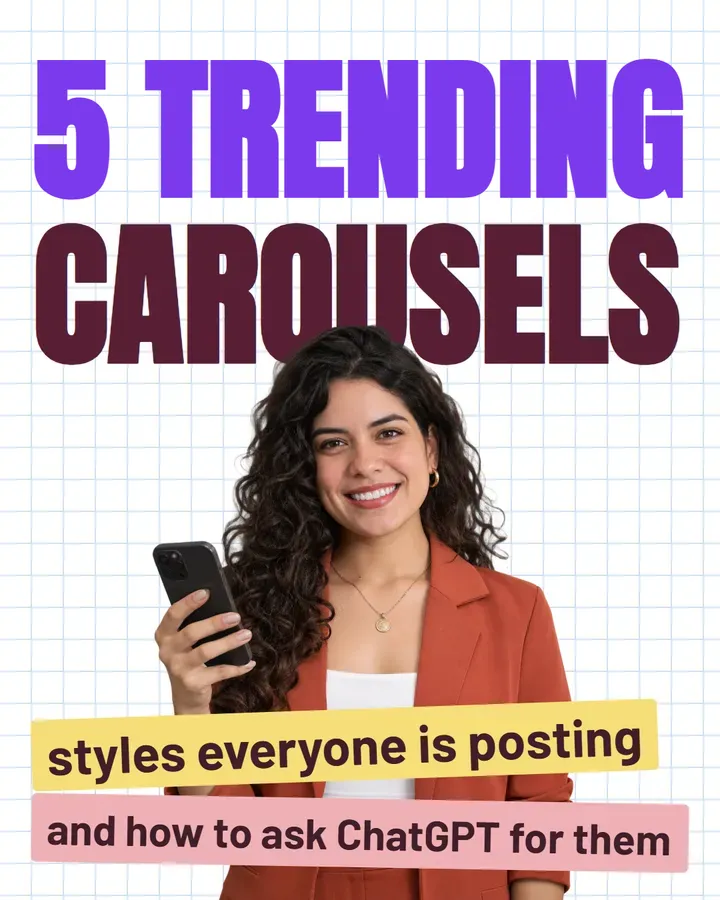
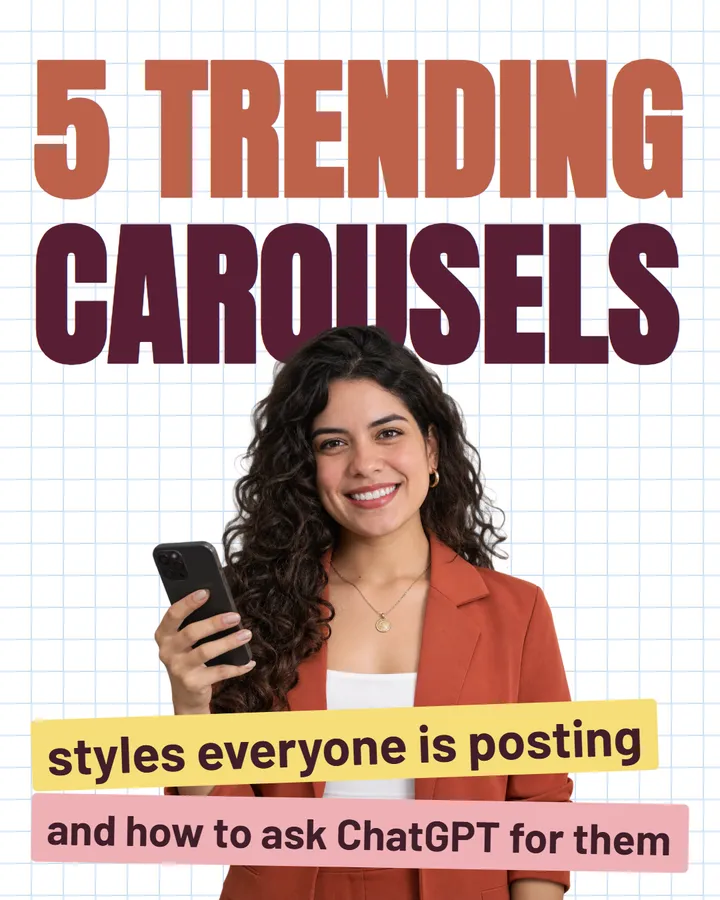

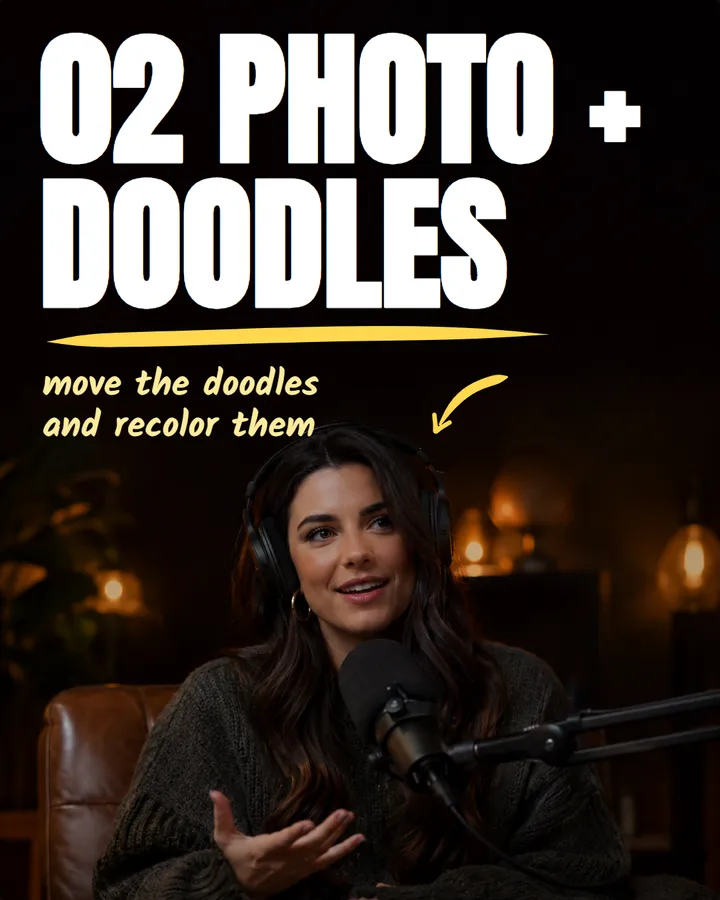
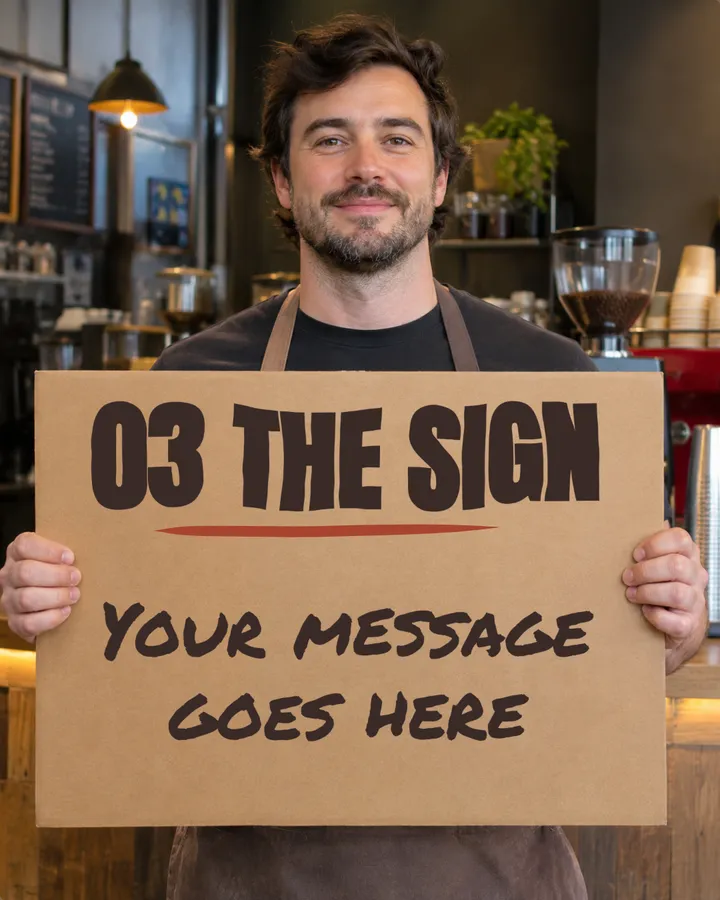

We made it with ChatGPT Plus. The images come out of your ChatGPT plan and don't use SocialMaker AI credits. Generating the 5 took about a minute, and building the 6 slides in SocialMaker took about 3 minutes. The carousel stays as a draft in your Studio: open it, change whatever you want, download it or ask ChatGPT to schedule it. Would you rather have SocialMaker make the images too? See AI carousels.
The 5 trending carousel styles (and when to use each one)
| Style | What it looks like | What it's good for |
|---|---|---|
| Text behind | The giant headline runs behind the person, like a magazine cover. | Covers that stop the scroll. |
| Impossible image | A scene that doesn't exist: someone working while sitting on a giant phone above the clouds. | Big ideas, comparisons and announcements. |
| Photo + doodles | A real photo with hand-drawn underlines and arrows. | Tutorials, tips and before-and-afters. |
| The sign | A person holds a blank sign and your message goes on it in handwriting. | Quotes, opinions and offers. |
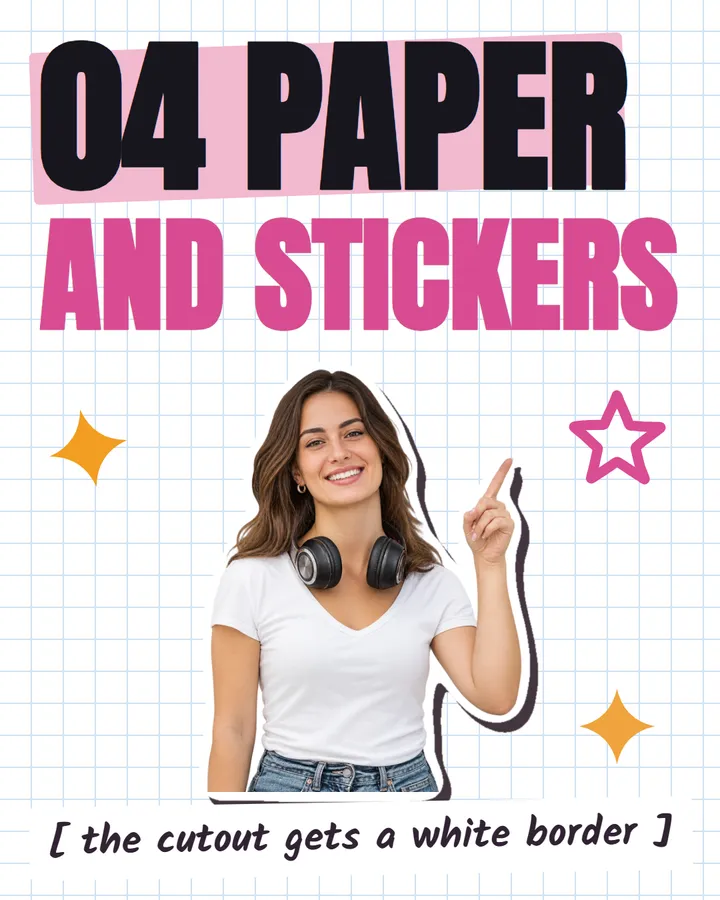
| Paper and stickers | The person cut out as a sticker, with a white border, on grid paper. | Lists, steps and posts people save. |
How to ask for it: the order matters
Ask for the carousel without typing @SocialMaker
Tell it the topic, how many slides and the style. Ask it to generate the images itself: realistic, with people and with no text on them.
Wait for the images
ChatGPT generates them in the same chat. Our 5 took about a minute.
Reply “Continue”
Type: “Continue: build the carousel in SocialMaker with these images”. ChatGPT uploads the images to your account and puts the text on top. For us it took about 3 minutes.
Ask for the touch-ups
“Make the headline bigger”, “swap the yellow for my brand color”. Each touch-up took us between half a minute and a minute. Or open it in the editor and change it yourself.
Copy these prompts, swap the topic for yours and paste them into ChatGPT in this order:
- Prompt for ChatGPTTrending carousel
Make me a 6-slide carousel for my plant shop: 5 mistakes people make with their plants in winter. Generate the images yourself: realistic, with people and no text on them, in the photo with doodles style. The text goes in separately, in SocialMaker. - Prompt for ChatGPTContinue
Continue: build the carousel in SocialMaker with these images, with a really big headline, and show it to me - Prompt for ChatGPTSchedule
@SocialMaker schedule that carousel for Thursday at 7 p.m. New York time, with a short caption and 5 hashtags - Prompt for ChatGPTAutomation
@SocialMaker when someone comments GUIDE on my latest post, DM them my plant care guide with a button: yoursite.com/guide

Beyond carousels: automate, schedule and build your link in bio
With the skill and SocialMaker connected, the carousel is just the start. Ask it to reply on its own to anyone who comments a keyword and send them your link by DM (this is how automations work), to leave the post scheduled for the time that suits you best or to build your link in bio with your buttons and your colors.
- ChatGPT asks you to confirm before each change, and new automations start turned off.
- Before posting, it shows you the account, the day, the time, the text and the content.
- What it creates stays in your Studio, and you edit it from your phone or your computer.

What the skill doesn't do
- It doesn't log in to your Instagram or ask for your password. The connection is the official one, through SocialMaker (we're a Meta Tech Provider), and you can remove it whenever you want.
- It doesn't turn anything on or post without your “yes”. You see what it's going to do first.
- It doesn't message people who didn't message you first, and it doesn't follow accounts or like posts for you.
- It doesn't promise followers or reach. It helps you post better and more often; the results come from your content.
ChatGPT or Claude?
The same skill works in both, with the same connector and the same permissions. In Claude you install it from Customize → Skills: we cover it in the Instagram skill for Claude. The difference is in the images: with ChatGPT they're generated in the same chat; with Claude, the carousel is built with your photos or with designs made of type, paper and doodles, like in Instagram carousels with Claude. And you can connect both.
What is a ChatGPT skill?
A folder with instructions and examples that ChatGPT checks when your request calls for it. You upload it once under Plugins, in the Skills tab, and it stays in your account.
Is the Instagram skill free?
Yes. It's free and open source, under the MIT license. On its own it writes scripts, captions and plans. For ChatGPT to create things in your account you need the SocialMaker connector, which comes with the Pro and Max plans.
Which ChatGPT plan do I need?
We tested it with ChatGPT Plus, which also generates the images. If the Skills tab doesn't show up on your plan, it isn't available to you yet.
Can the carousel text be edited?
Yes. ChatGPT generates the images with no text on them and SocialMaker puts each text on top as an element: you change words, font, color and size without generating the image again.
Does it use my SocialMaker AI credits?
No. The images come out of your ChatGPT plan, and what ChatGPT does with the connector doesn't use SocialMaker AI credits.
Does it work from my phone?
We installed the skill on the web, from a computer. The carousel that stays in SocialMaker you can open and edit from your phone.
Does ChatGPT post without asking me?
No. Before posting or scheduling, it shows you the account, the day, the time and the text, and waits for your answer. New automations start turned off.
Does the same skill work for Claude?
Yes. It's the same file: in Claude you upload it from Customize, under Skills.
Installing the skill takes a couple of minutes and it's free. For ChatGPT to also get it done, create your SocialMaker account and connect it. Still without Pro? You can build the “comment GUIDE and I'll send it to you” automation today on the free plan with the guide to automating Instagram for free.

Written byAndros BlandonSocialMaker