Your brand: logo, colors and fonts
Where to save your logo, colors, fonts and business tone so your AI carousels come out with your identity.
Setting up your brand is optional: you can use SocialMaker without doing it. When you fill it in, your AI carousels come out with your name, your colors, your fonts and the tone you use with your customers.
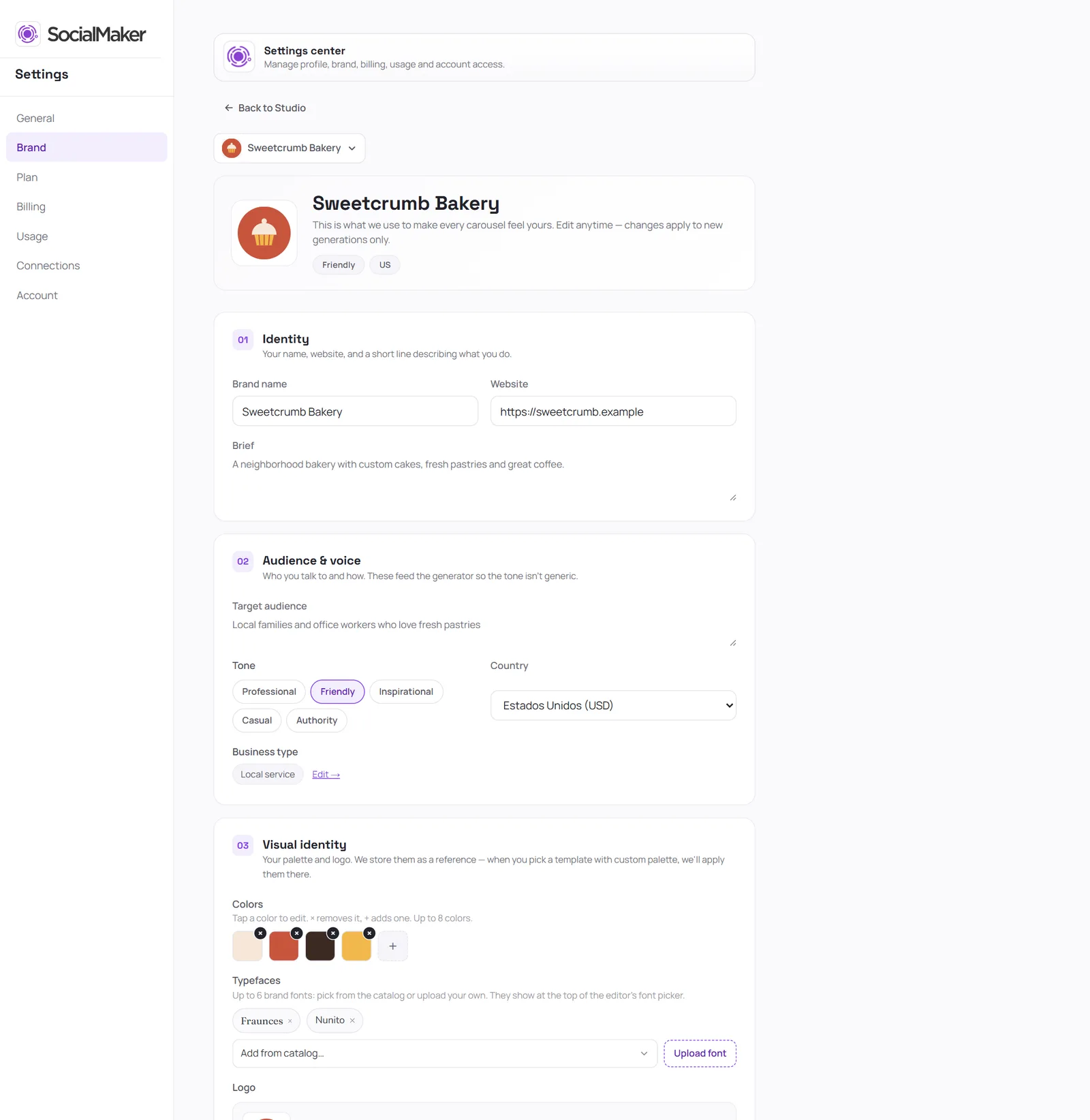
Open Settings → Brand
From your profile, at the bottom of the Studio menu.
Fill in your identity
Your brand name, your website and a short sentence describing your business.
Tell us who you're talking to
Your audience, tone, country and type of business. That way the copy doesn't sound generic.
Add your visual identity
Your colors, your logo and up to 6 fonts: pick them from the catalog or upload your own.
Tap “Save brand”
Was this article helpful?
You might also like
Welcome to SocialMaker: everything it does for your businessSocialMaker answers your comments and messages on Instagram, Facebook and WhatsApp, sells with your link in bio, fills your calendar, tells you which post brings you customers and creates your content. And with Claude or ChatGPT, you just ask in plain words. See everything it can do and where to start.How to write your requestThe formula for asking the AI for a carousel: topic, who it's for, one concrete detail, and the final action. No expert prompts needed.AI image carouselsTwo ways: in SocialMaker's Create with AI, from the Starter plan and with credits, or with ChatGPT connected (Pro and Max), which makes the images without using your SocialMaker credits.