Claude Design for Instagram: make carousels, posts and stories for free (that actually sell)
How to use Claude Design for free on Instagram: the real step by step, the exact sizes, how to export PNGs without glitches and how to make your posts sell.
Claude Design is the part of Claude that designs: you describe what you want and it builds it on a canvas, at the exact size, in your colors and with type that’s easy to read. Since November it lives inside any chat, including the free plan, and the standalone version (claude.ai/design) shuts down on December 14, 2026.
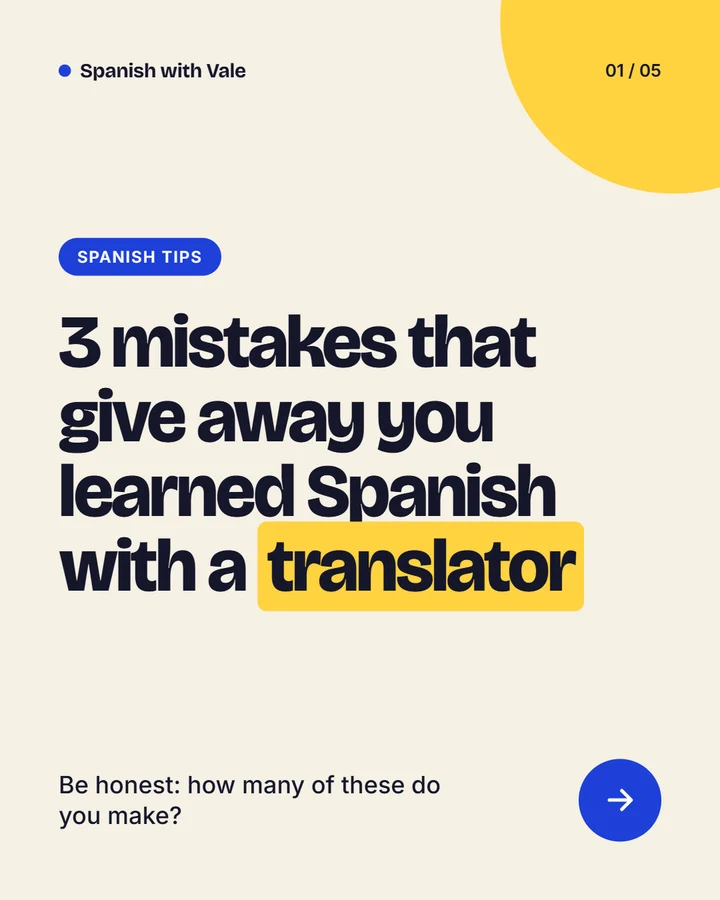
We tested it on November 23 with a real example: a carousel for a Spanish teacher. Claude built the 5 slides in about 3 minutes and we exported them as 1080 × 1350 PNGs, Instagram’s size. Everything is here: the real screens, the glitch we hit when exporting and how to make that carousel bring you customers.
What Claude Design is (and what changed in November)
Claude Design pairs a conversation with a canvas. On the left you talk to Claude; on the right your designs appear on artboards, one per slide and at the size you asked for. Then you change them by talking, commenting on a part or by hand, and you download them.
| Where to find it | How to open it |
|---|---|
| In Claude’s sidebar | Tap Design and, under “Make something new”, pick Design (there are also Slides and Whiteboard) |
| In any chat | Ask for a design, or choose Output > Design in the message box |
| In the mobile app | Ask for the design in a chat and view it full size in the Artifacts tab |
Claude Design uses the same limit as the rest of Claude, and designs with lots of back-and-forth use more. On the free plan there’s enough to try it and make a few designs; if you design every day, you’ll feel the limit.
The Instagram sizes you need to ask for
Claude Design makes the exact size you ask for, but it doesn’t guess which platform it’s for. Without a size, you may get a square or a landscape layout. Pick the format and copy the phrase for your request:
 Your profile crops these edges
1080 × 1350 px4:5
It takes up the most space in the feed. Your profile shows it slightly cropped on the sides (as 3:4), so keep text away from the edges.
in vertical 1080 × 1350 px format (4:5), with the text away from the edges
How to ask for the design so it comes out right the first time
A good request has six parts: the format, your business, the topic, the style, what goes on each slide and a closing that asks for something. Build yours:
Your business
What you want to post
The style
Design a 5-slide Instagram carousel in vertical 1080 × 1350 px format for my online Spanish school “Spanish with Vale”. Topic: “5 mistakes that give away you learned Spanish with a translator”. Style: cream background, big modern type, cobalt blue and yellow accents, lots of white space. Slide 1: a cover with a hook. Slides 2 to 4: the mistakes crossed out, each with the right way to say it underneath. Slide 5: a closing slide with “Comment CLASS and I’ll send you a free lesson”. Keep each phrase on a single line and the text away from the edges.
- The closing is what sells. “Comment CLASS and I’ll send you a free lesson” turns a pretty carousel into conversations with customers. Further down we show you how to answer every single person without being glued to your phone.
- Ask for one phrase per line. It was the only thing that broke in our test when exporting (you’ll see it below).
- Give it your brand if you have one. Attach a screenshot of one of your posts, or pick your colors and fonts under Choose design system before you ask.
Step by step: your first carousel with Claude Design
Here’s how we did it, exactly as you see in the recording at the top:
Open Design
In Claude’s sidebar, tap Design and, under “Make something new”, pick Design. You can also just ask for it in a chat.
Paste your request
In the Reply box, type or paste the request with the size, the style and the closing, and send it.
Watch it build
Following Claude shows up above the canvas: Claude’s purple cursor moves from artboard to artboard and draws each slide. Ours took about 3 minutes.
Check the result
Tap the little arrows on an artboard to see it full size. In the chat, Claude leaves you a caption idea.
Tweak and download
Change whatever you don’t like and download the slides as PNGs. We show you both below.
How to change the design without knowing how to design
Claude Design gives you three ways to change something. We tried all three with the same change: turning the keyword label from yellow to cobalt blue.
In the chat: for big changes or changes to the whole carousel: colors, fonts, order or a new version.
The comment was the easiest: there’s no need to explain where the label is, and Claude made the change in about 25 seconds.
How to export it as PNG for Instagram
At the top right, tap Share and switch to the Export tab.
At 1× each slide comes out at the exact size you asked for, in our case 1080 × 1350. At 2× it’s double (2160 × 2700): heavier, and it doesn’t look any better on Instagram. If you only want one, open it full size and tap the download arrow.
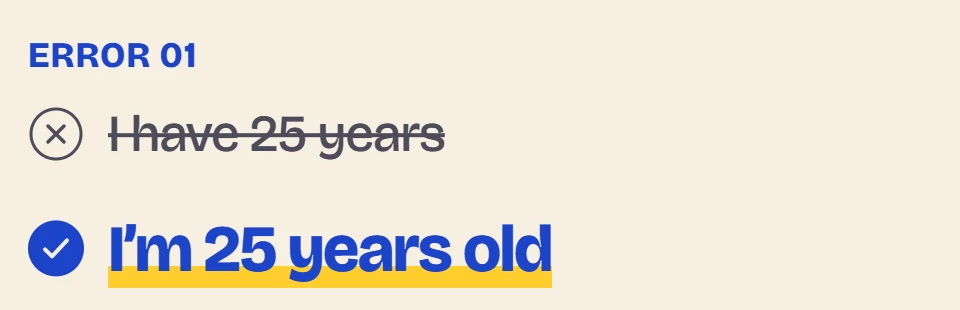
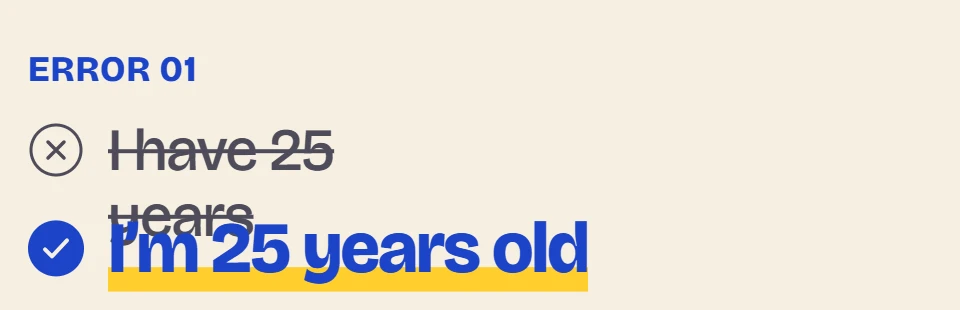
What we told ClaudeI exported the PNGs and the struck-through phrases break onto two lines and overlap the correct phrase (on the canvas they look fine). Keep each phrase on a single line and leave a bit more space between the struck-through one and the correct one.
You can also export as PDF (to print or send by email), as HTML (a web page), to Claude Slides, to Canva and to other apps under “More formats and apps”. For Instagram, PNG.
Claude Design and SocialMaker: the same carousel in both
We asked Claude for the same carousel twice: once in Claude Design and once with the SocialMaker connector, which gives Claude our editor (your photos, handwriting and pen strokes). Same request, same colors, same Claude. Swipe through the slides and see how it looks in each one:
Same request, same Claude, two canvases
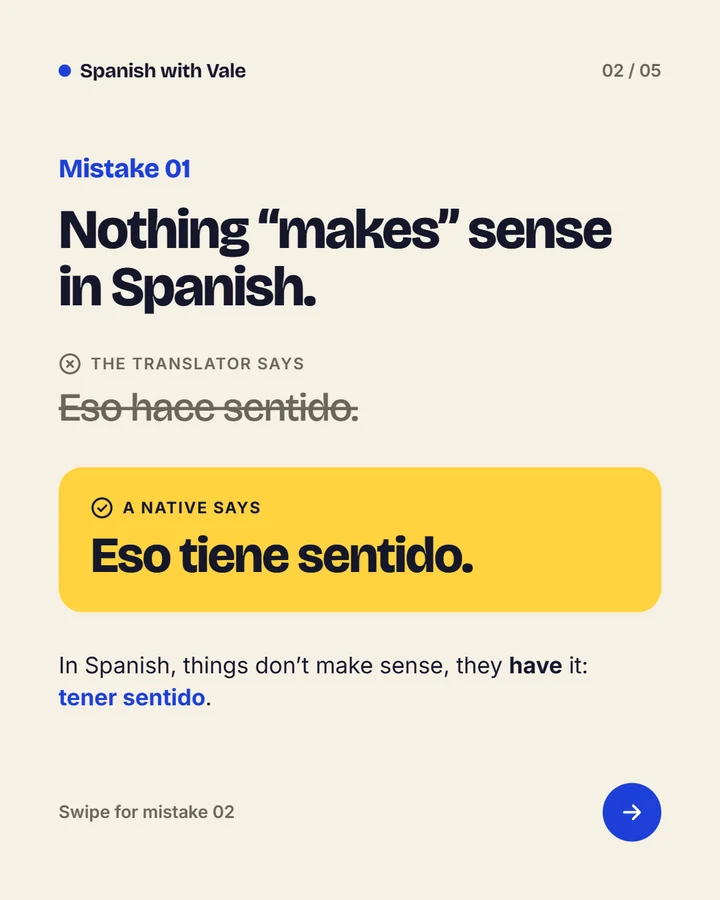
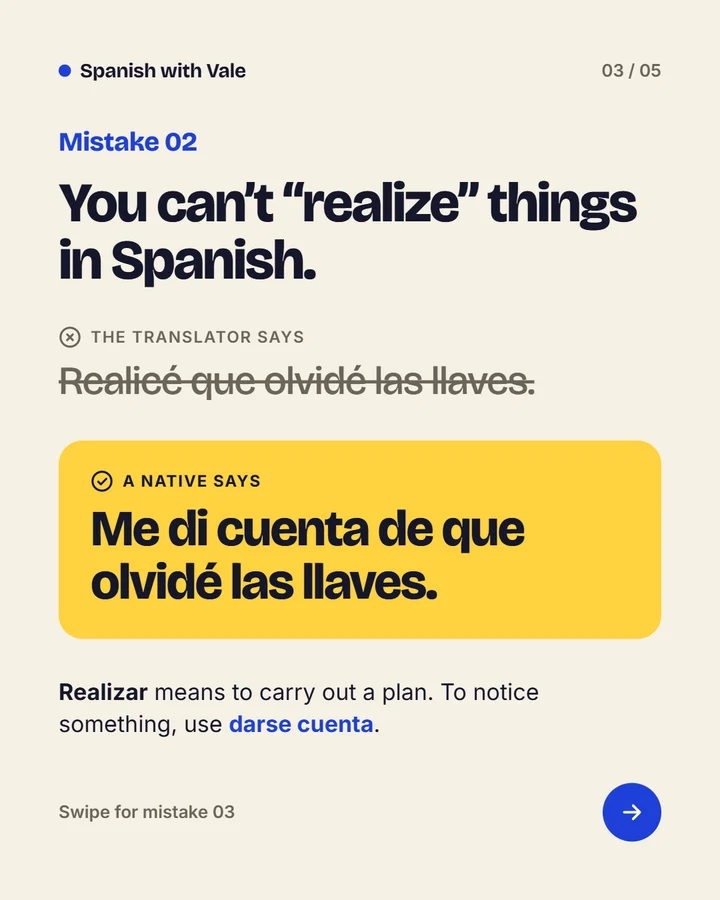
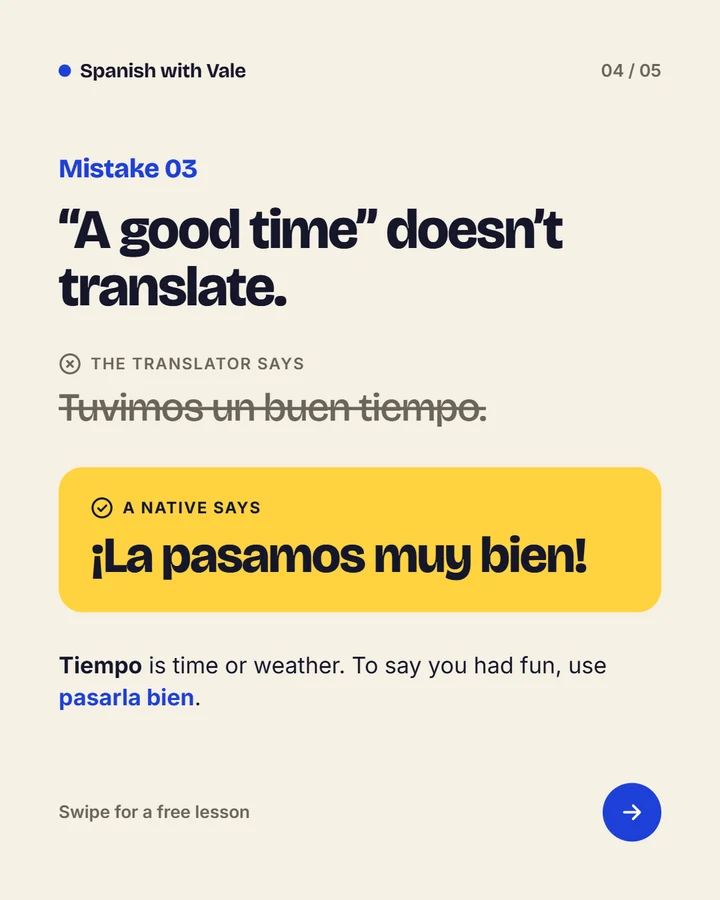
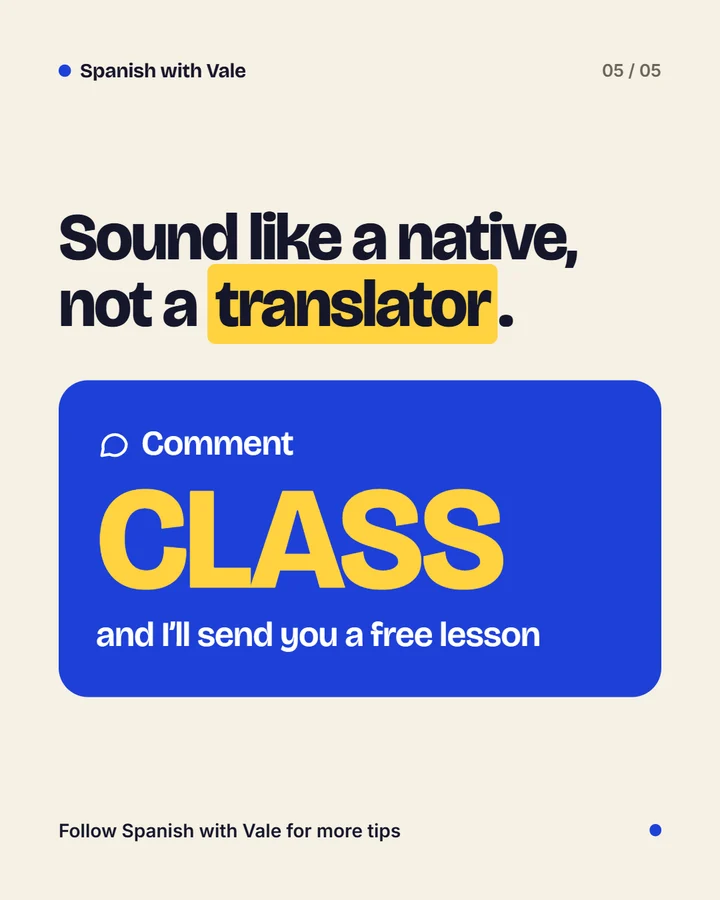
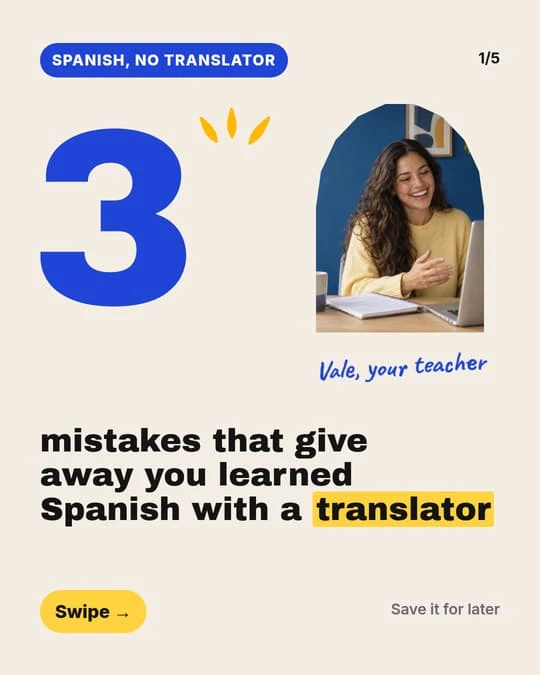
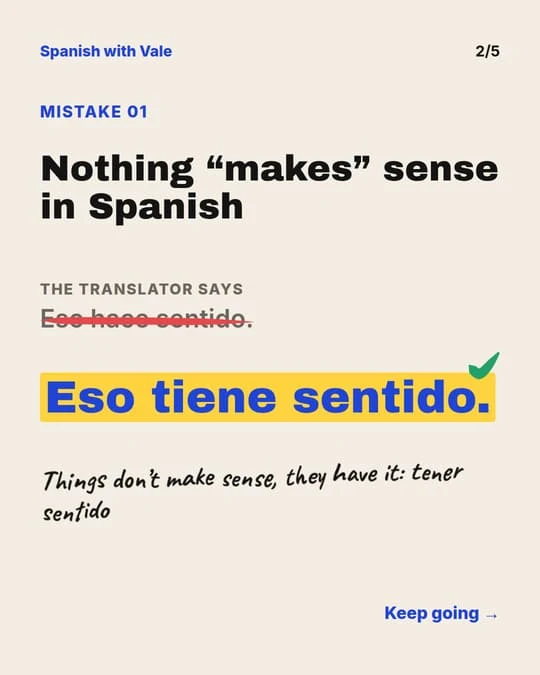
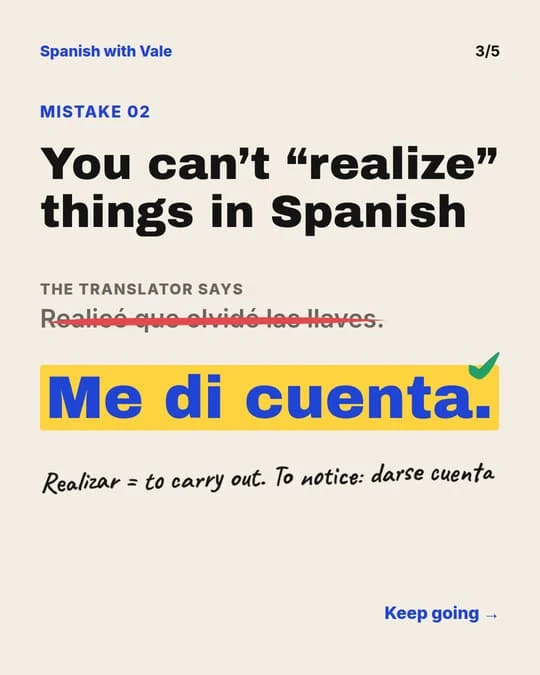
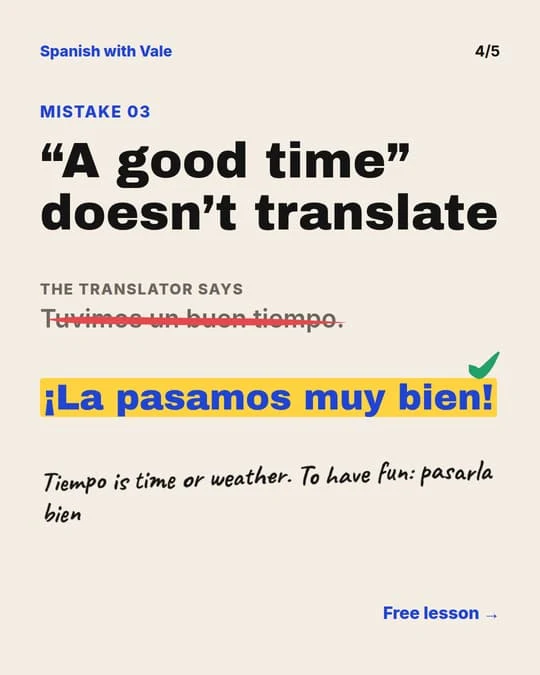
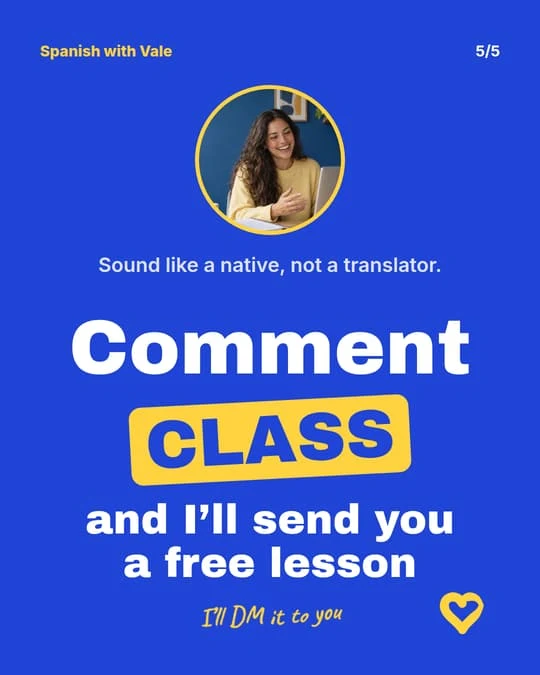
Claude Design
Great if you want
- Free-form design with a designer’s layout
- Any format: posts, stories, slide decks and more
- To tweak it by commenting on a part of the design
- To use it inside Claude, free plan included
SocialMaker
Great if you want
- To edit and customize every text, photo and color
- Your photo, handwriting and pen strokes
- To schedule and post it from the same place
- Automatic replies to everyone who comments your keyword
Use whichever you like, or both: in SocialMaker you edit, schedule and automate it all in one place.Try SocialMaker for free
Both turn out well and are good for different things. Claude Design gives you total design freedom, in any format. In SocialMaker you edit it your way, schedule it and automate the comments in the same place. You can use one, the other or both: for example, design in Claude Design and post with SocialMaker, or ask Claude for everything through the connector. And if you want to add Canva to the comparison:
| Claude Design | Canva | SocialMaker carousels | |
|---|---|---|---|
| How you start | You describe what you want | You pick a template | You ask a connected Claude or ChatGPT, or pick a design |
| How you change it | By talking, commenting or by hand | By hand | In the editor, with text you can change anytime |
| What you get | PNG, PDF or HTML | PNG, PDF or video | The carousel ready to schedule |
| Posts to Instagram | Yes, on its paid plans | Yes, and it answers the comments | |
| Price | Included in Claude, free plan too | Free or paid | From the Starter plan |
Our take: if you want a one-of-a-kind design and you like tweaking it by talking, Claude Design. If you want the carousel to stay editable and get scheduled without leaving the conversation, SocialMaker carousels, like we show in Instagram carousels with Claude. Either way, let the comments answer themselves.
From the canvas to your Instagram, and to your sales
A carousel that says “Comment CLASS” only works if everyone who comments gets their lesson. If 300 people comment and you answer by hand, half of them go cold before you get to them. With SocialMaker’s auto-replies, every comment gets its public reply and its DM, instantly:
Your carousel goes live, and everyone who comments CLASS gets their lesson instantly
- You post the carouselUpload the 5 PNGs to SocialMaker and post or schedule it.
- People comment CLASSEvery comment gets a public reply, on its own.
- It lands in their DMsThe free lesson arrives by direct message within seconds, day or night.


Here’s how to set it up, in a few minutes:
- Post the carousel. Upload the 5 PNGs to SocialMaker and post or schedule it for when your audience is online.
- Create the automation. Pick the post, the keyword (CLASS) and what gets sent by DM: the link, the PDF or the video of your lesson.
- Let it run. Every comment gets a public reply (several that take turns) and its DM, even if 300 come in within an hour.

If you’ve already connected Claude to SocialMaker, you can ask in the same chat: “create an automation for my latest post: if people comment CLASS, send them this link”. We cover it in how to connect Claude to Instagram.
What if you only have ChatGPT?
ChatGPT doesn’t have a design canvas like Claude Design, but with the free Instagram skill for ChatGPT it builds carousels with its own images and leaves the text editable in SocialMaker. If you have both, try the same request in each and keep the one you like best.
Is Claude Design free?
Yes. Since November 2026 it’s on every Claude plan, including the free one, and it’s turned on by default. It uses the same limit as your chats: on the free plan there’s enough to try it and make a few designs.
Where is Claude Design?
In Claude’s sidebar, under Design, and inside any chat: ask for a design or choose Output > Design in the message box. It also works in the mobile app.
What happens to claude.ai/design?
The standalone version shuts down on December 14, 2026. Your projects stay there until then; move them into Claude with the Move button in the Design section.
What size should I ask for on Instagram?
For posts and carousels, 1080 × 1350 px (4:5). For stories and reel covers, 1080 × 1920 px (9:16). Put it in the request: otherwise Claude may pick another size.
Does Claude Design post to Instagram?
No. It exports the images and you post them, or you upload them to a tool like SocialMaker to schedule them and have the comments answered for you.
How do I download the slides?
Tap Share, switch to Export and pick PNG. Choose 1× and Select all, then tap Export: you get a .zip with every slide as its own image.
Why does the PNG look different from the canvas?
Sometimes, when exporting, a line of text takes up a little more room and breaks onto two lines. Check every image and, if it happens, ask Claude to keep each phrase on a single line with more spacing.
Can I use my own photos and logo?
Yes: drag them onto the canvas or attach them in the chat. If you have brand colors and fonts, pick them under Choose design system.
Claude Design or Canva?
Claude Design builds the design from your description and you change it by talking; Canva starts from templates and you edit by hand. If you know what you want to say but not how to design it, Claude Design saves you more time.
Does it work on my phone?
Yes: ask for the design in the app and view it in the Artifacts tab. To share it or change who can see it, use a computer.
Got your carousel? Turn every comment into a customer: create your SocialMaker account and let your messages answer themselves.

Written byAndros BlandonSocialMaker