Link in bio: what to put in it, what it costs and how to sell without a website
What to put in your link in bio, what each option costs now that Meta charges for links, and how to build a page that sells without making a website.
On September 15, 2026, Meta launched Meta One and, with it, a change few people saw coming: adding a link to an Instagram post or Reel became part of a paid plan, with a monthly quota of links. The link in your bio is still free, and today it's the most important door you have to sell.
If you sell on Instagram or TikTok, one of these probably sounds familiar: you want to make money with your products or affiliate links but have no time to build a nice-looking profile, or you need to show your work like a portfolio and don't know how to build a website. In this guide you'll see what to put in your link in bio, what each option costs and how to build yours in minutes, from your phone.
What is a link in bio and what is it for?
A link in bio is a small, phone-first page that you add to the only place on your profile where a link can be tapped: your bio. It gathers everything you want visitors to do: message you on WhatsApp, buy, book, see your work or follow you somewhere else.
Instagram has allowed up to 5 links in your bio since April 2023, but they're five text links, with no photos, prices or design. A link in bio page shows your products with photos and prices, your buttons and your calendar, and you change it whenever you want.




The real pain points of people who sell on social media
It's not just a feeling. According to a GoDaddy survey in Mexico, 41% of small businesses run mainly on social media and only 12% use a website as their main channel; 52% say they struggle to turn followers into customers and 32% don't have time to post (GoDaddy, 2025). In Brazil, 82% sell through WhatsApp and 57% through Instagram, but only 10% have their own online store (Sebrae, 2026).
This is what people who sell on social media say, in their own words:
- “Videos with 500,000 views and almost no sales”: a travel affiliate with 17,000 TikTok followers kept saying “more info in my bio” and people never got to buy (Reddit).
- “They charge me on every sale”: people trying to sell digital products without a website find that several tools keep a percentage (Reddit).
- “Setting up my website is giving me a headache”: making it look good on phones and computers, with its own address for flyers (Reddit).
- “My link stopped working and a customer told me”: a business owner had their link in bio QR code printed on all their business cards and had no idea how long it had been down (Reddit).
- “DM me for listings” doesn't work: a real estate agent with a good audience felt he was losing clients with nowhere to show his listings (Reddit).
- “My portfolio stopped showing and I don't know since when”: someone in architecture found that their online portfolio was no longer accessible after a change in limits, and didn't want to pay US$21 a month to keep it (Reddit).
The pattern repeats: there's an audience, but the path from the video to the purchase is full of steps. A good link in bio shortens that path.
What changed in 2026? Links became a luxury
Social networks have been closing their doors to the outside for years, because they'd rather keep people inside. Here's how it happened:
- October 2021: Instagram opens the link sticker in Stories to every account.
- April 2023: Instagram allows up to 5 links in your bio.
- August 2023: YouTube stops allowing tappable links in Shorts.
- December 2025: Facebook tests a limit of 2 link posts per month for pages and professional profiles without Meta Verified.
- July 2026: ChatGPT starts building and publishing websites.
- September 15, 2026: Meta One arrives. Links in Instagram posts and Reels move to paid plans, with a quota, and Meta adds its own links page.
According to Meta's help center, the Advanced plan (from US$49.99 a month in the United States) includes 4 posts and 4 Reels with a link per month; Expert, 8 and 8; and Max, 12 and 12. The link can't be edited after posting and unused links don't roll over. Without paying you still have the 5 regular links in your bio; Meta's links page, with images, titles and its own address for up to 20 links, is part of the business plans, from US$14.99 a month. Prices vary by country.
| Network | Where to add a link for free | Keep in mind |
|---|---|---|
| Up to 5 links in your bio and the link sticker in Stories. | In posts and Reels, only with Meta One. | |
| TikTok | One link on your profile. | According to its help center, with 1,000 followers or a verified business account. |
| YouTube | Up to 14 links on your channel. | Links in Shorts can't be tapped. |
| Threads | Up to 5 links in your bio. | It shows how many clicks each one gets. |
| Your website in “Contact info”. | The custom profile button is for Premium Business plans. |
What should you put in your link in bio?
The rule that works best: one main action at the top and one or two secondary ones below. According to Linktree's 2023 Creator Report, links in the top three positions get on average 130% more clicks than the ones below. What comes first gets tapped.
| If you… | At the top | Below |
|---|---|---|
| Sell products (jewelry, clothing, food) | Your products with photos and prices, and a WhatsApp button. | Shipping, payment methods and your location. |
| Are an affiliate creator | The products you recommend, with their Amazon or store link. | Your latest video and your discount codes. |
| Offer appointments (nails, barbershop, consultations) | The “Book” button. | Prices, location and WhatsApp. |
| Are a real estate agent | Your listings with photos, price and bedrooms. | Book a showing and WhatsApp. |
| Are an architect, photographer or designer | Your online portfolio: your best work with photos. | Request a quote and contact. |
| Are a musician or podcaster | Your latest release or episode. | Dates, store and socials. |
Can you make money with a link in bio?
Yes, but it's worth having realistic expectations. In Stan's 2026 report, the average monthly sales of creators who use Stan were US$89 with fewer than 1,000 followers and US$273 with 1,000 to 10,000. And according to CreatorIQ, which surveyed 5,095 creators in 2026, 67% earn less than US$10,000 a year from their content and for 62% it isn't their main income.
A link in bio isn't magic: what drives sales is that people quickly find what they're looking for, see the photo and the price, and have a button to buy or message you. Three things that add up:
- Cards with photos and prices instead of text links: your page looks like a shop window.
- Your main offer at the top, not hidden among ten links.
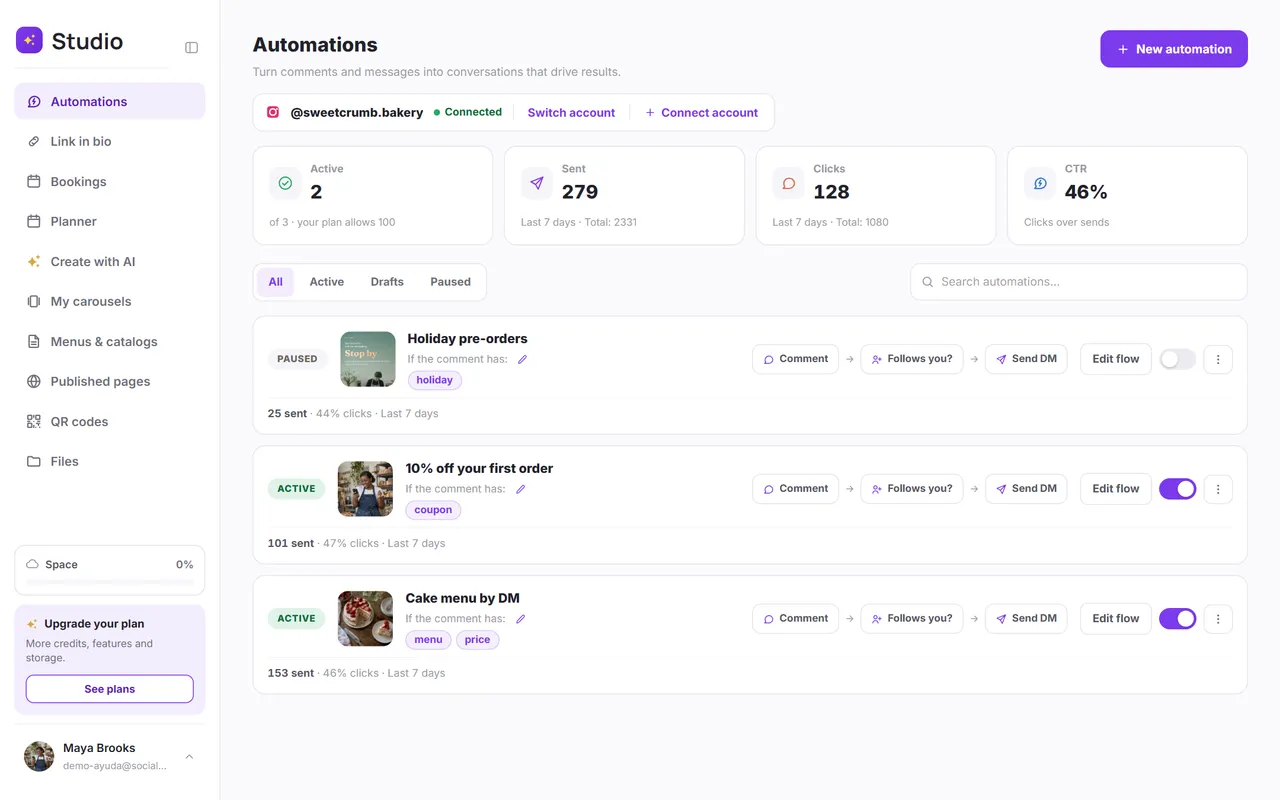
- Instant replies to people who comment or message you, with a direct link to the product.
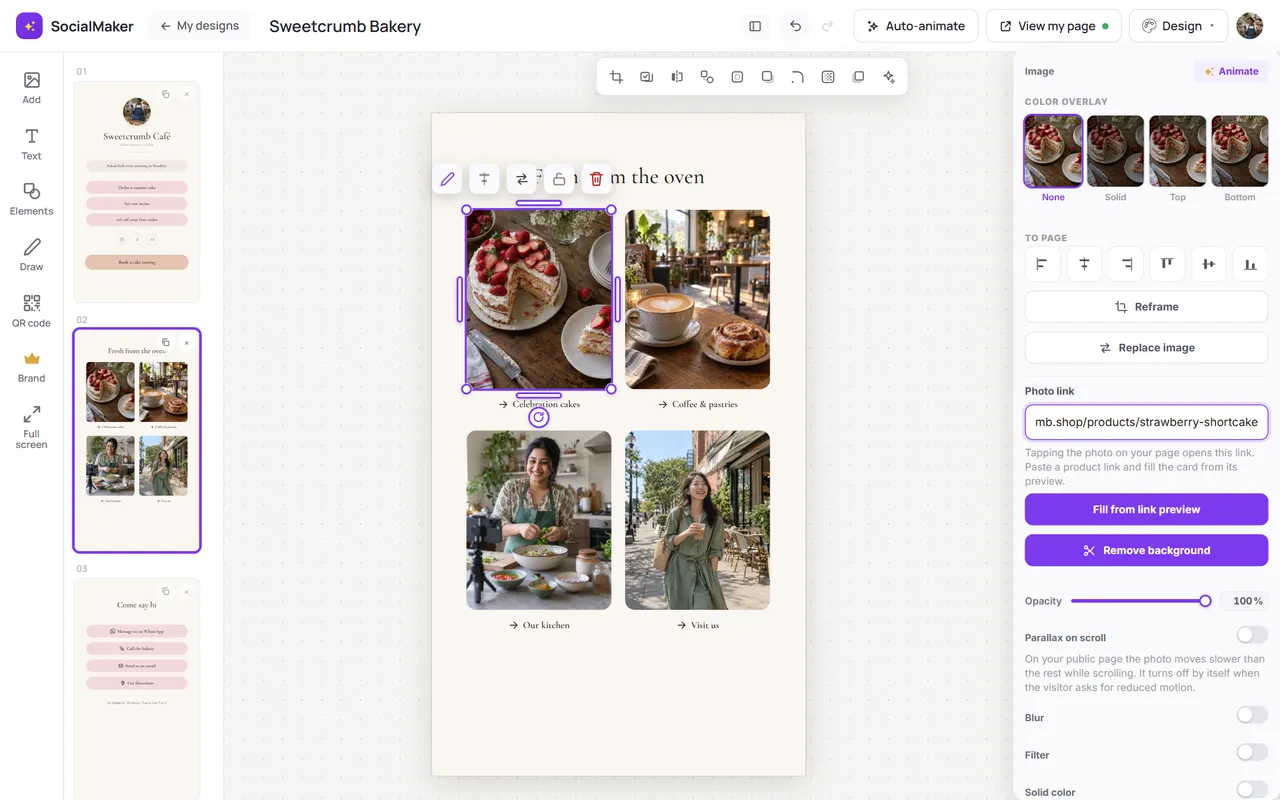
In your SocialMaker link in bio you paste a product link (from Amazon, Mercado Libre or your store) and the card builds itself with the photo, name and price:
 @mia.recommendsThings I use and love
And if someone comments on your post, you can send them the link by DM instantly, even when you're offline. See how to automate your Instagram DMs.


What if I ask ChatGPT to build the page?
Good question, because today you can. Since July 2026, ChatGPT Sites builds, hosts and publishes websites from a conversation, with visitor stats and the option to use your own domain. For something one-off, like an event page, it can be a great tool.
The problem shows up the next day, when you have to keep it up to date:
- You have to pay: Sites isn't on ChatGPT's free plan; you need Plus (US$20 a month) or higher.
- The domain is on you: you have to buy it separately and set it up yourself, because Sites doesn't register it for you.
- Every change is a conversation: changing a price or a photo means asking the chat and publishing again. In other AI tools, like Lovable, every change also uses up credits.
- It has usage limits: if your site goes over your plan's quota, it may stop being public until usage drops.
- It didn't launch everywhere: at launch, in July 2026, public publishing wasn't available in the European Union, Switzerland or the United Kingdom (OpenAI).
AI is excellent at the hardest part: the words. Ask ChatGPT for your product descriptions or your bio and paste them on your page. For the page itself, the practical choice is something you update with your thumb from your phone, in seconds.
How much does each option cost?
| Option | From | Keep in mind |
|---|---|---|
| 5 links in your Instagram bio | Free | Text only: no photos, prices or design. |
| Meta One links page | US$14.99 a month | Up to 20 links with images; the price varies by country. |
| Linktree | Free; Starter US$8 a month | Takes 12% of digital product sales on the free plan and 9% on Starter and Pro. Its logo can be removed from Pro (US$15 a month). |
| Stan Store | US$29 a month | No free plan; includes bookings and automated DMs. |
| ChatGPT Sites | ChatGPT Plus, US$20 a month | The domain is extra and every change goes through the chat. |
| SocialMaker | Free; Starter US$11 a month | No commission on sales: your buttons go to your store, WhatsApp or Amazon. Designs by industry, cards that fill themselves in and bookings. |
How to build your link in bio in minutes with SocialMaker
You don't need design or web skills: pick a design, change the text and photos by tapping them and share your address, socialmaker.ai/yourname.
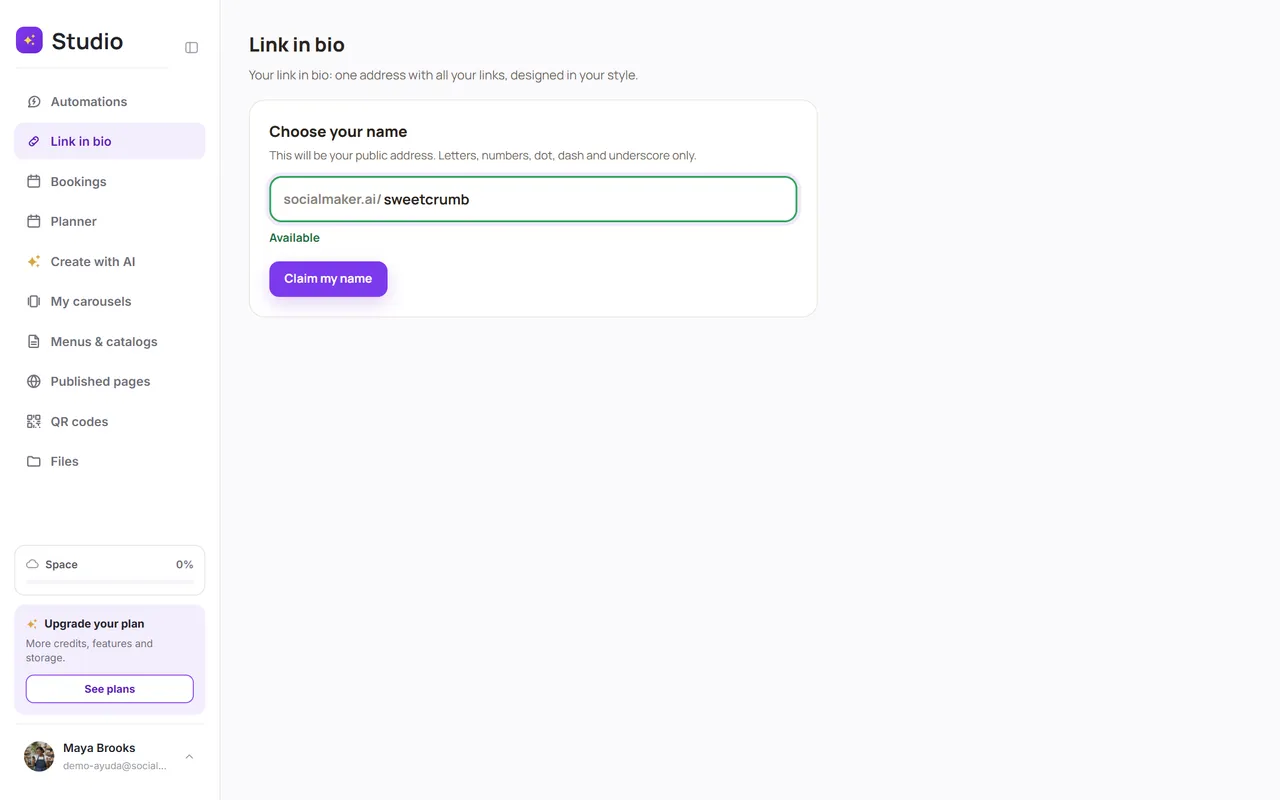
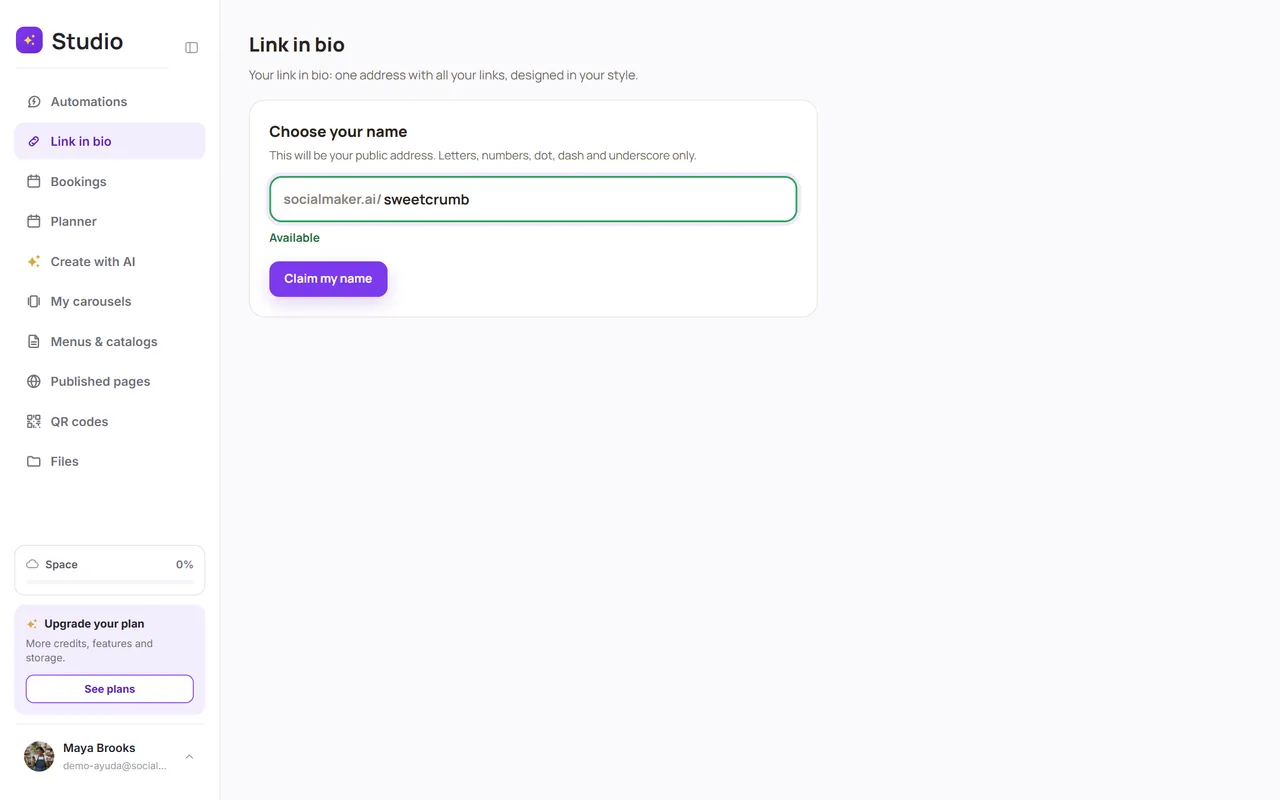
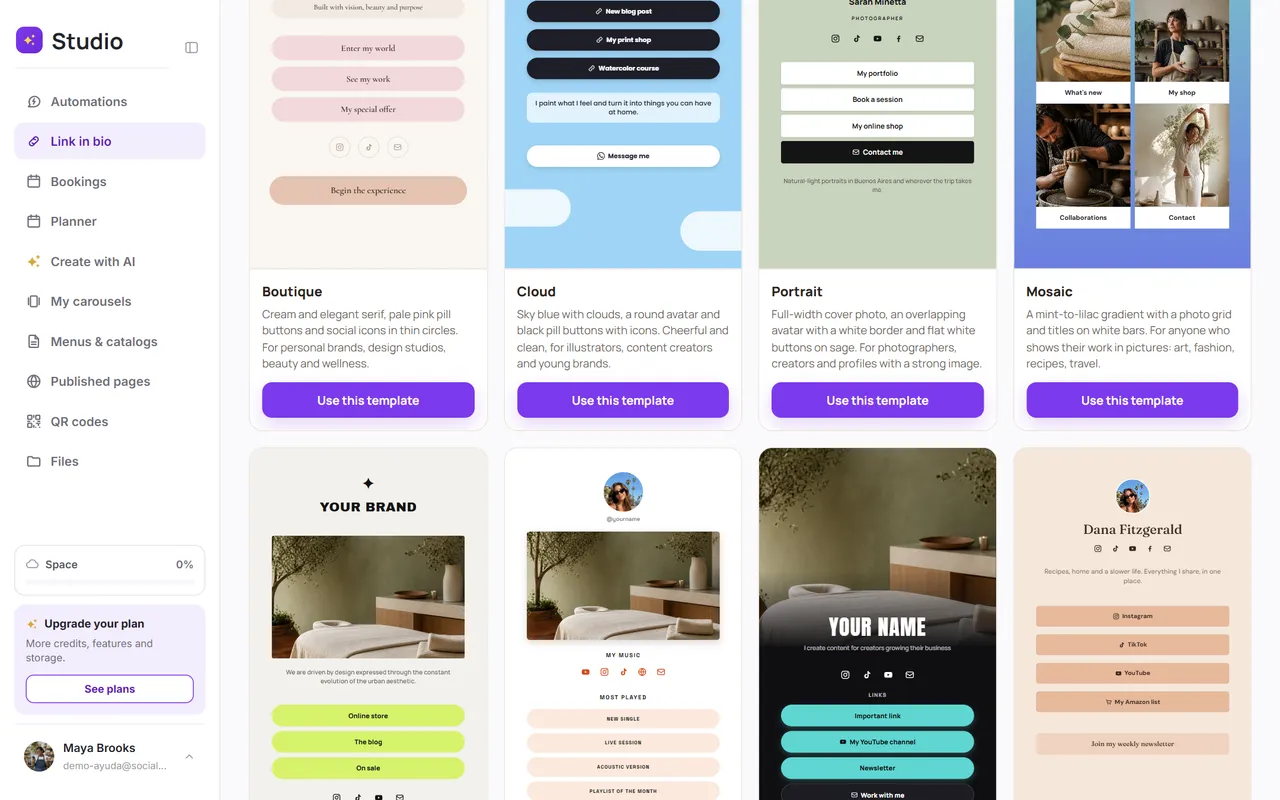
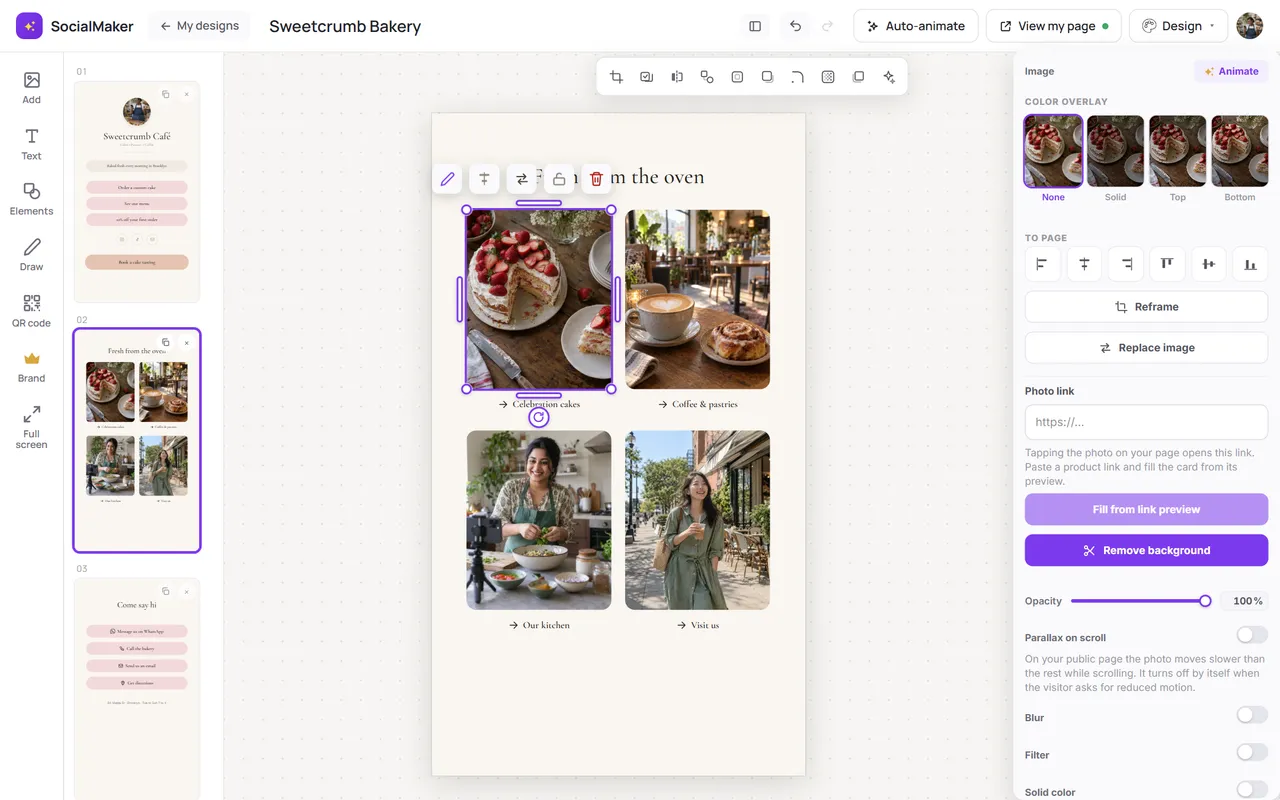
Then you change whatever you want by tapping it. For example, this is how you turn a photo into a product with its link:
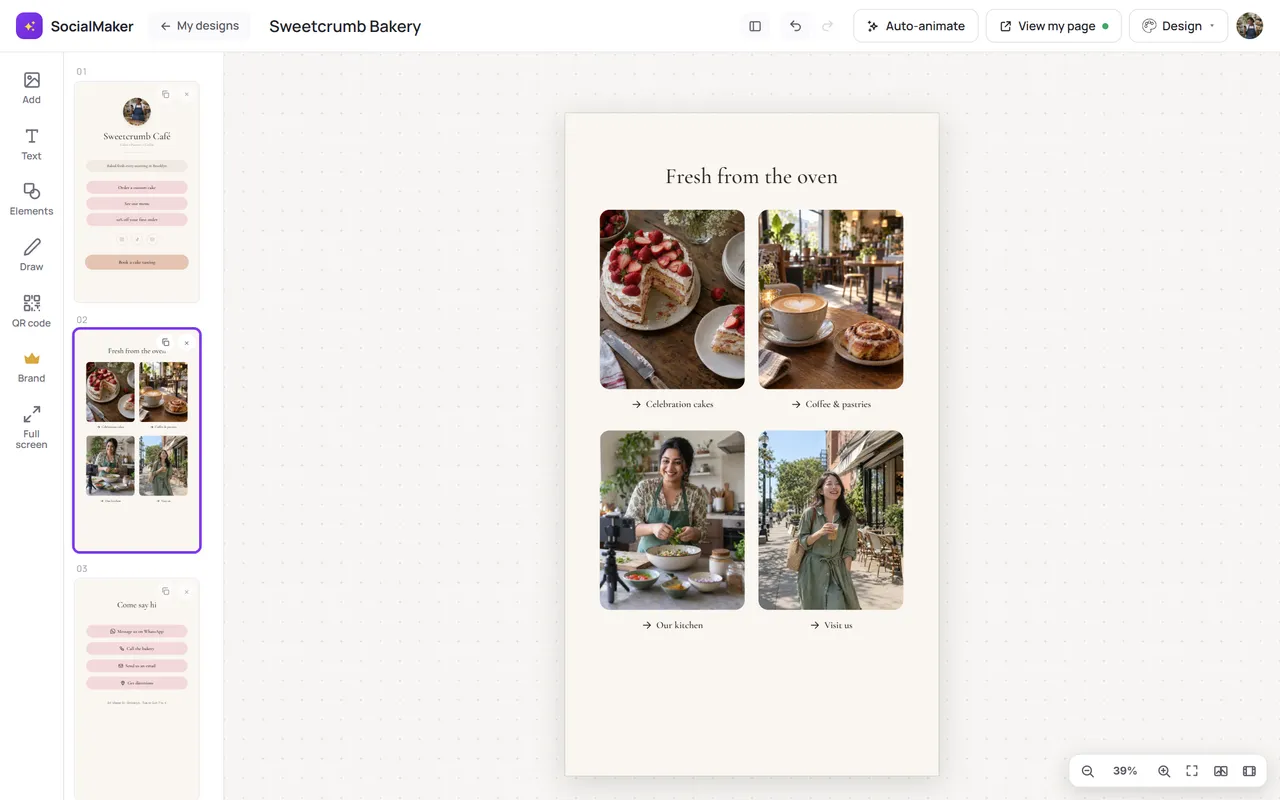
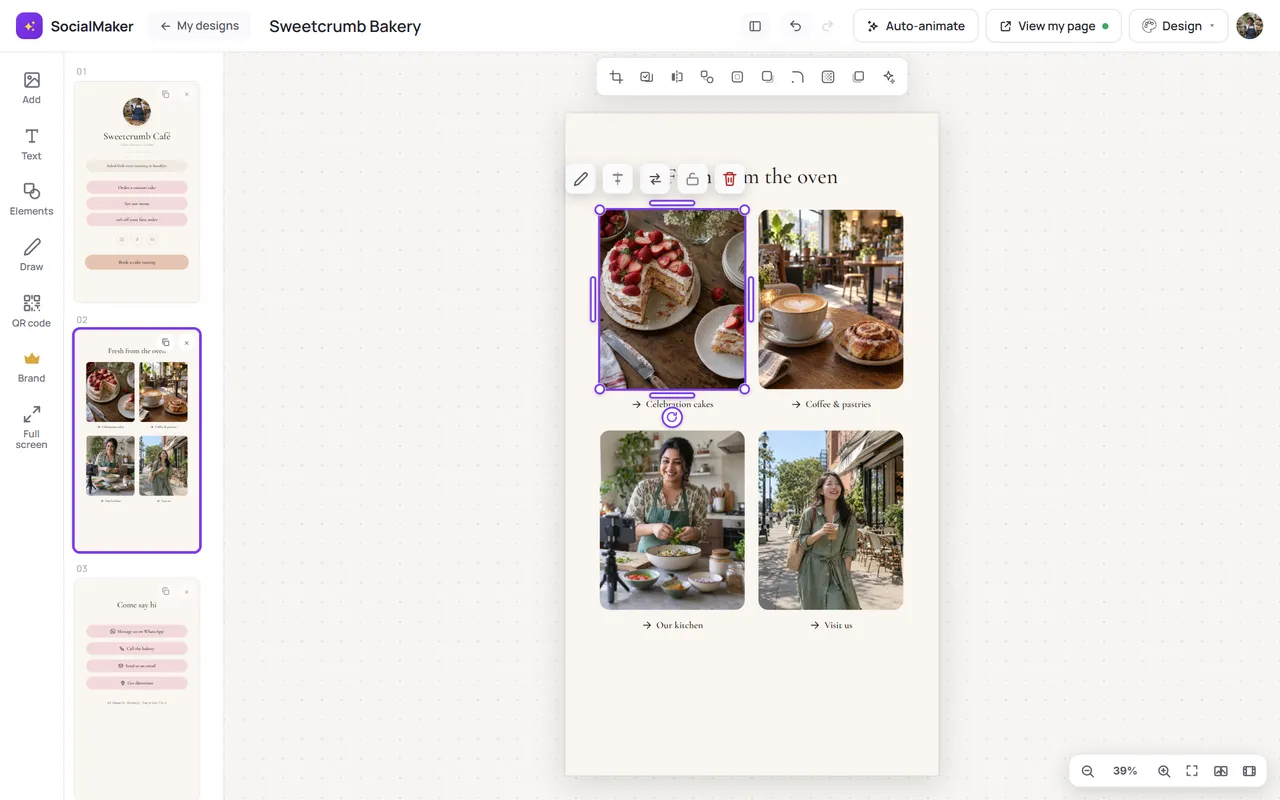
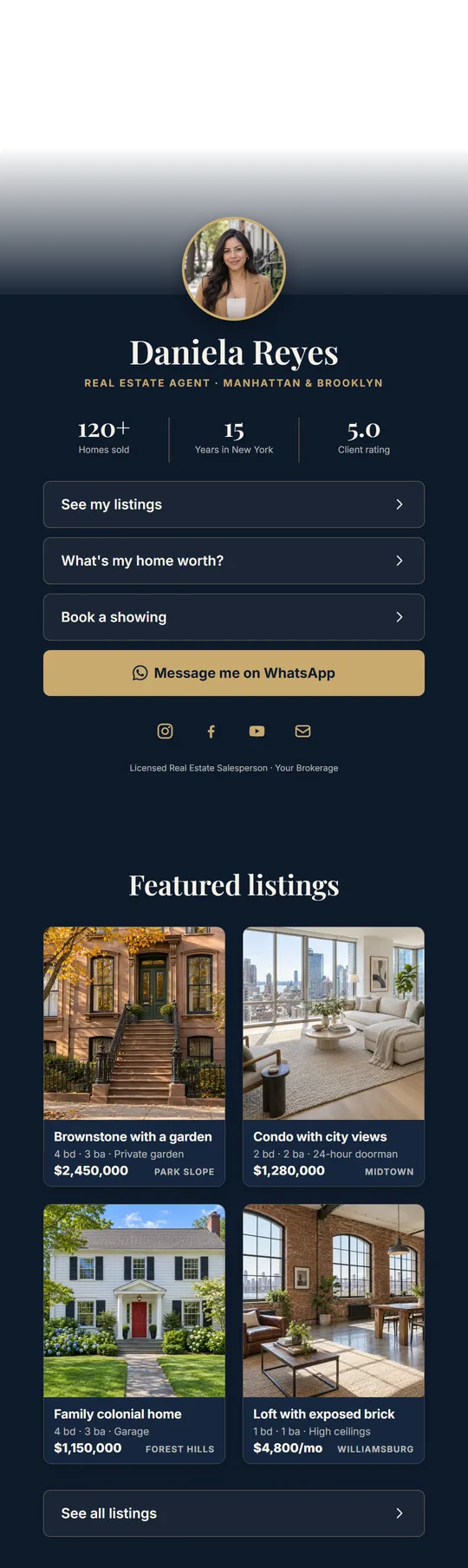
There are designs for each industry. Real estate agents get 15, with cards that bring the photo, price, bedrooms and size when you paste the listing link:
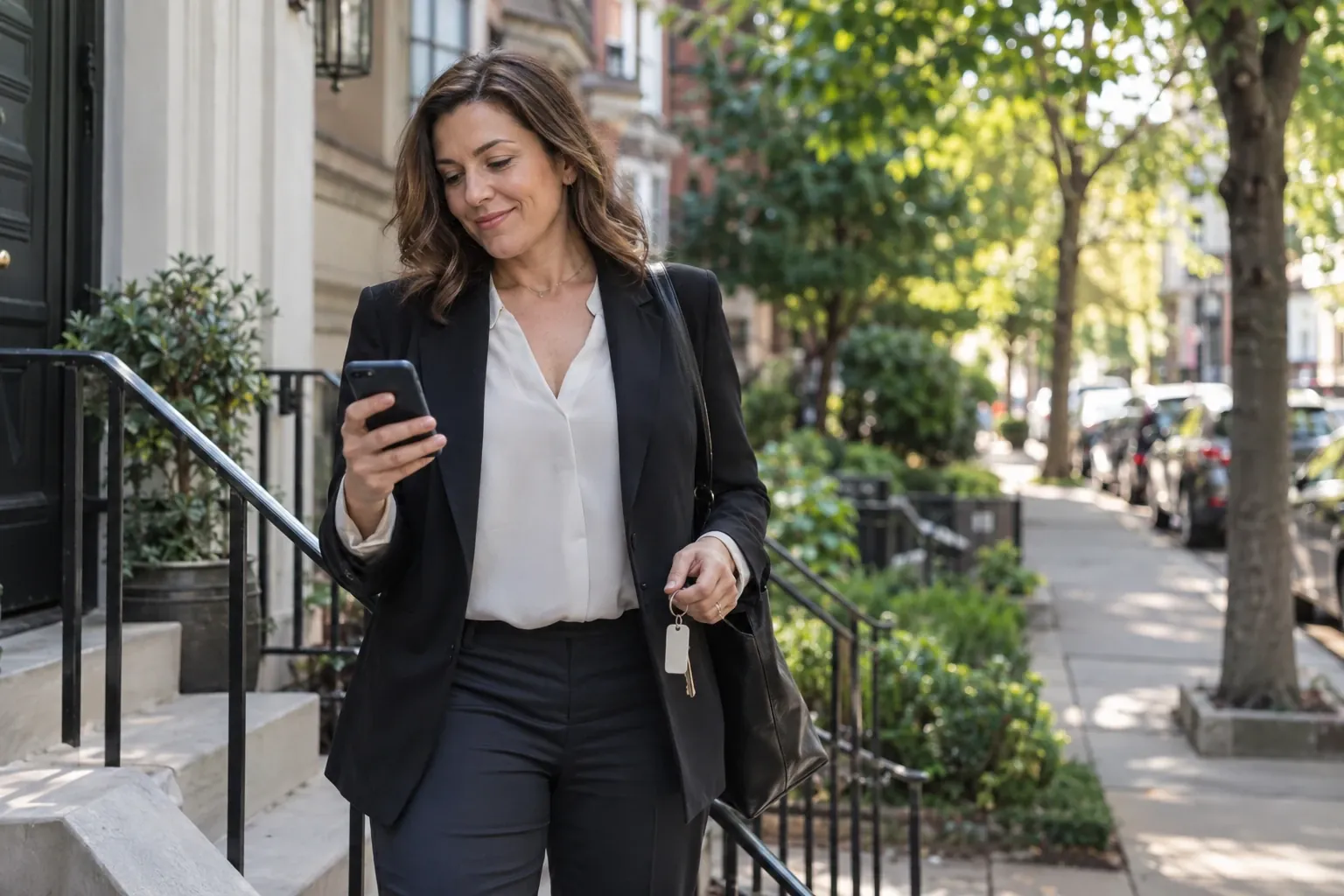
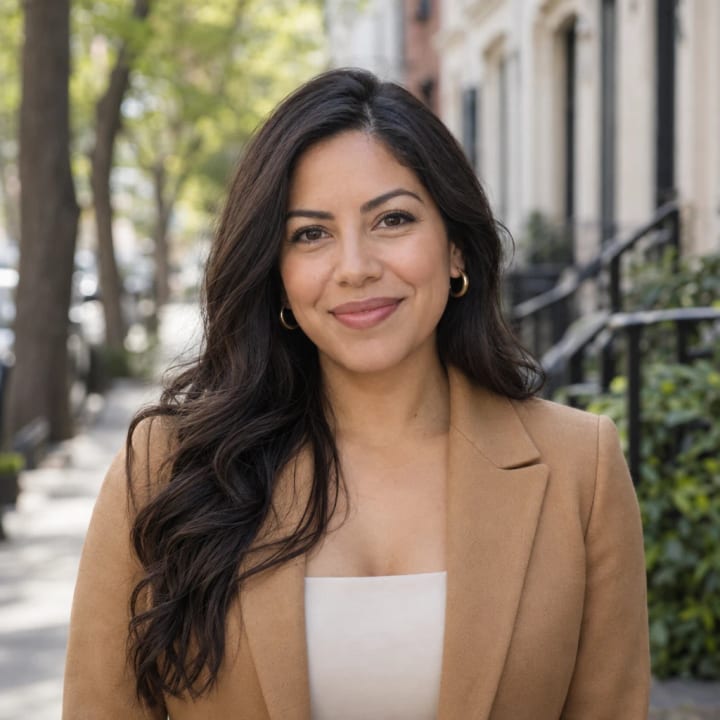 Daniela ReyesReal estate agent · New York
Featured listings

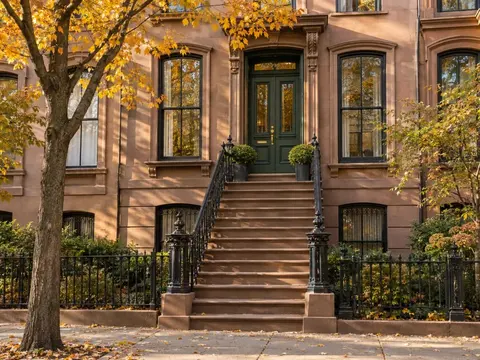
And for architects, photographers and designers, online portfolio designs to show your work with photos, size and year, and get inquiries on WhatsApp or by appointment. No website to pay for and no one to wait on.

- WhatsApp button that builds the link for you: pick the country and type the number.
- Calendly-style bookings so people can book you without back-and-forth messages.
- Video, map and gallery to show your work and where to find you.
- Scroll effects: the big photo and the headings move with style, and you can turn them off if you prefer something simpler.
- Analytics (Pro and Max): how many people visit, which link gets tapped most, which network and country they come from, and a heads-up when a link further down does better than the one above it.
7 common mistakes and how to fix them
- Your WhatsApp link doesn't open: use the wa.me format with the country code and no spaces or symbols, or a WhatsApp button that builds it for you.
- Too many links: if everything is important, nothing is. Keep one main action at the top.
- Old or broken links: check your page every time you change a price or a promotion ends.
- Not saying where it leads: in your posts and Stories, tell people what they'll find: “the catalog is at the link in my bio”.
- Waiting for the perfect website: a simple page published today sells more than the ideal website you never finish.
- Changing your bio link with every post: the links you already shared go stale and people who arrive later find something else. Keep your page address fixed and change what's inside it.
- Relying on a tool that can disappear: Bento shut down in February 2026 and its links moved to another brand (AlternativeTo). Keep your contacts and don't print a QR code you can't change.
Frequently asked questions
What does “link in bio” mean?
It's the link you add to the bio of your Instagram, TikTok or other social profile. By extension, it's also the name of the page that opens when people tap it, with all your links, products and buttons.
How many links can I add to my Instagram bio?
Up to 5 since April 2023, for every account. With a link in bio page, you add a single link to your bio and show everything you want inside it.
Can you add links to Instagram posts in 2026?
Since September 15, 2026, links in posts and Reels are part of Meta One's Advanced, Expert and Max plans, with a monthly quota. Your bio and the link sticker in Stories are still free.
Does Linktree take a commission on sales?
Yes, on the digital products and courses you sell through its store: 12% on the free plan and 9% on Starter and Pro, plus the payment processor's fee, according to its help center.
Can ChatGPT build my link in bio?
It can create and publish a page with ChatGPT Sites if you pay for Plus or higher, and the domain is extra. Where it helps most is with the words: your bio and your product descriptions.
Do I need a website or is a link in bio enough?
To sell on social media, a link in bio is usually enough: it shows your products, takes bookings and leads to WhatsApp or your store. A full website makes sense when you need many pages or want to be found on Google for many topics.
How do I add a link to my TikTok profile?
According to TikTok's help center, the profile link is available with at least 1,000 followers or a verified business account.
Is there a free link in bio with no commission?
Yes. With SocialMaker you build your link in bio for free and it takes no commission on your sales, because your buttons go straight to your store, WhatsApp or Amazon. From Starter you remove the branding and use every design.
The link in your bio is worth more than ever: it's the free door you have left to sell. Give it a page that looks good, shows what you sell and updates in seconds. If you want to keep going, see how to take bookings on Instagram without losing them in your messages.
Written byAndros BlandónSocialMaker