Menus, catalogs and portfolios
Create your menu, catalog or portfolio with AI, from an example or from scratch, pick from 21 designs and share it with its own page and QR code.
In Menus & catalogs you create three kinds of pages: a menu (restaurants, cafés and bars), a catalog (products with WhatsApp ordering) or a portfolio (your projects or services). All three are created and edited the same way.
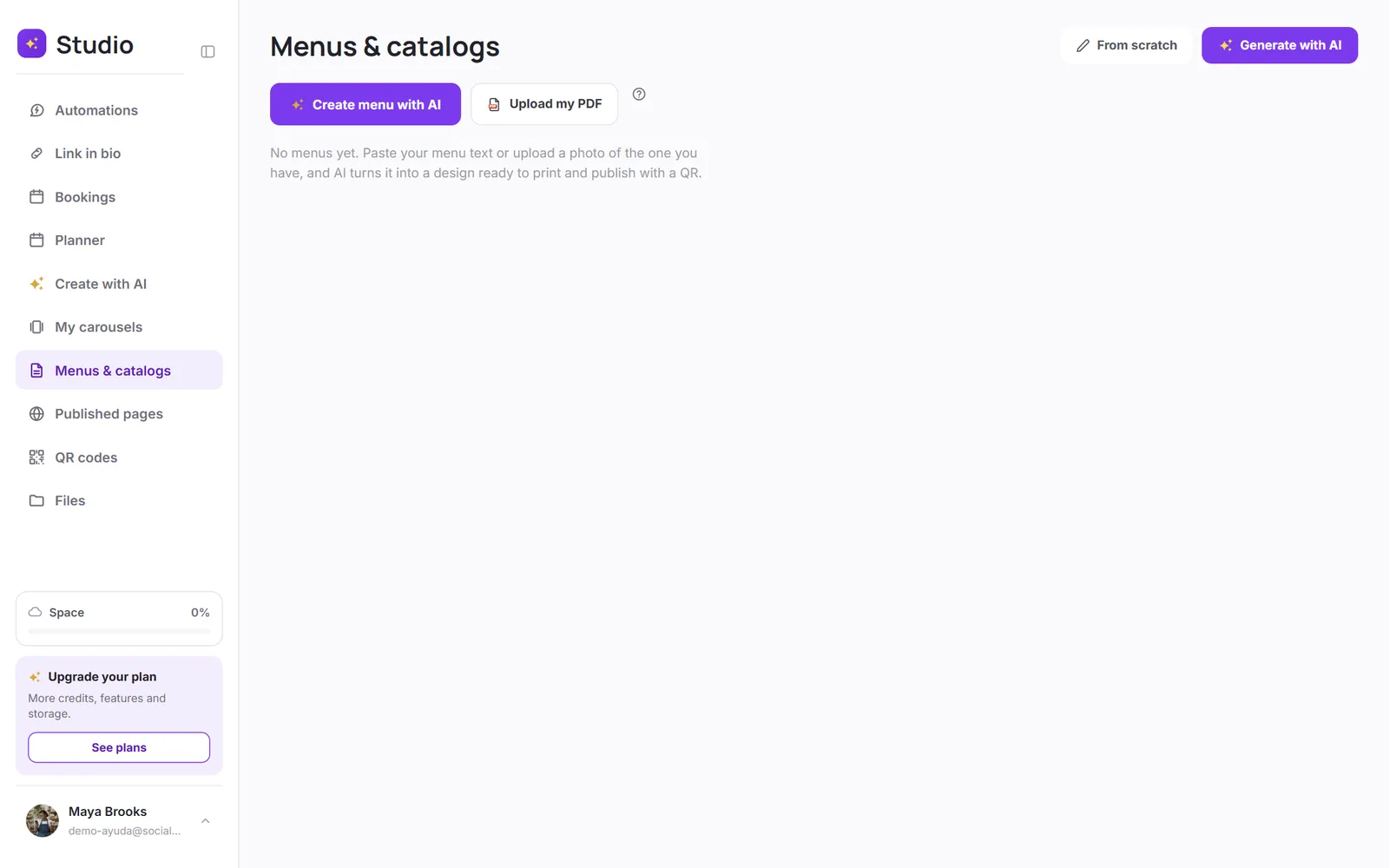
Create it
Choose what to create
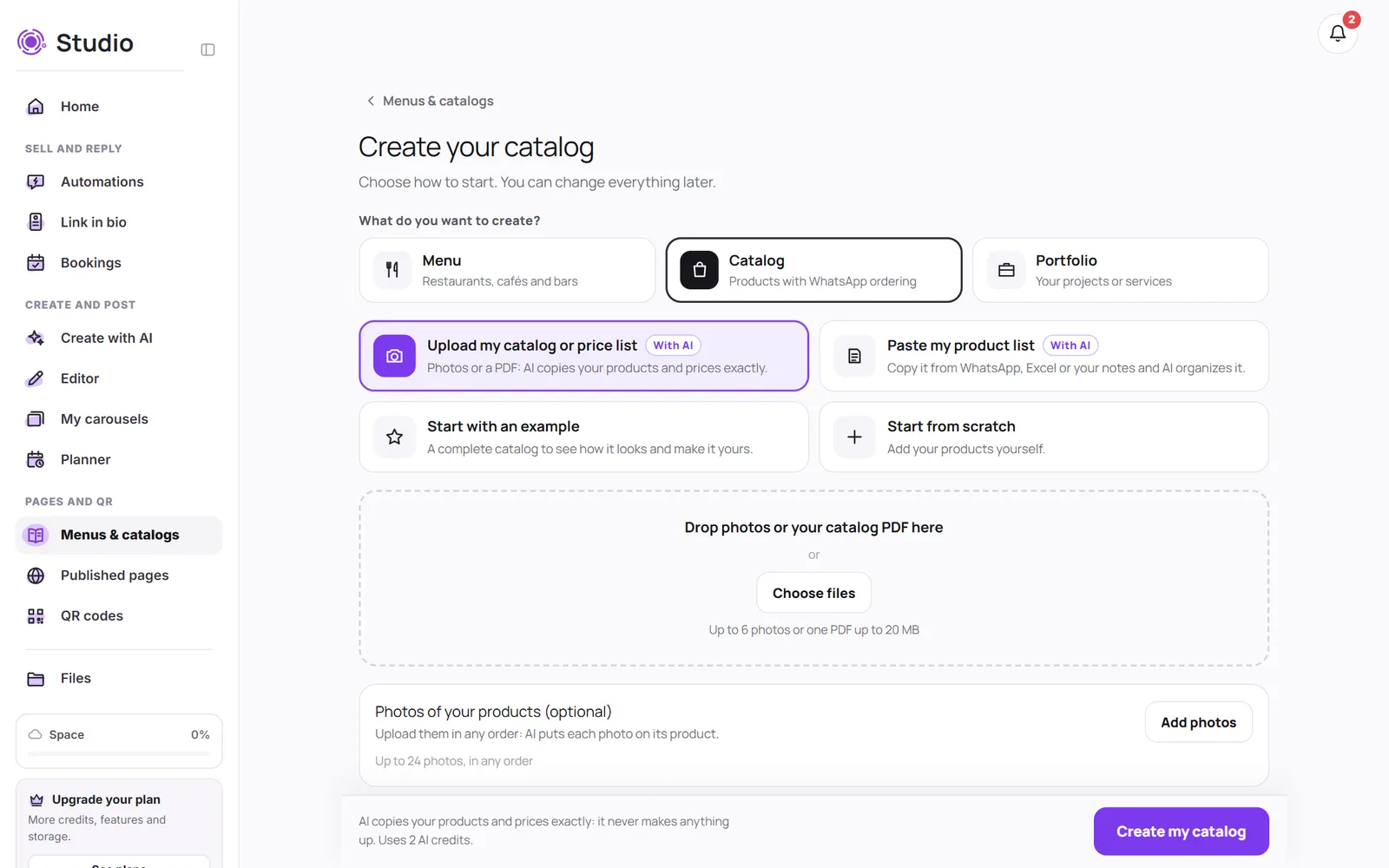
Tap Create menu, Create catalog or Create portfolio. If you pick the wrong one, switch the type at the top of the screen.
Choose how to start
With AI: upload photos or the PDF of what you already have, or paste your list. AI copies names, descriptions and prices exactly and never makes anything up. You can also Start with an example or Start from scratch.
Choose a design
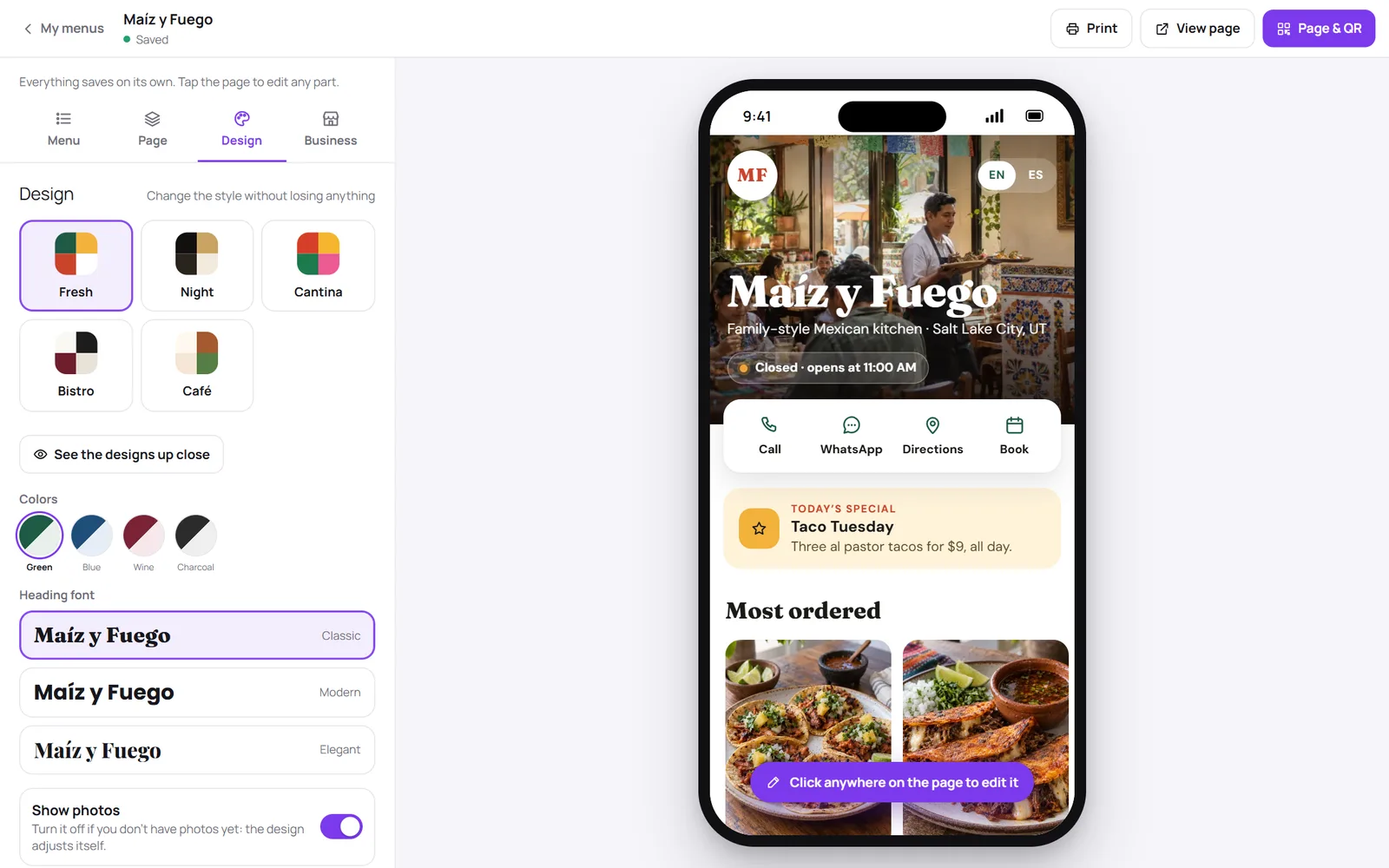
You see each design with a real example; tap Preview to see the whole page on a phone and flip from one to the next. Change it later whenever you want, without losing anything.
Edit it
The editor shows your page on a phone. Tap any part to edit it: the name, a category, a dish or a product. Everything saves on its own.
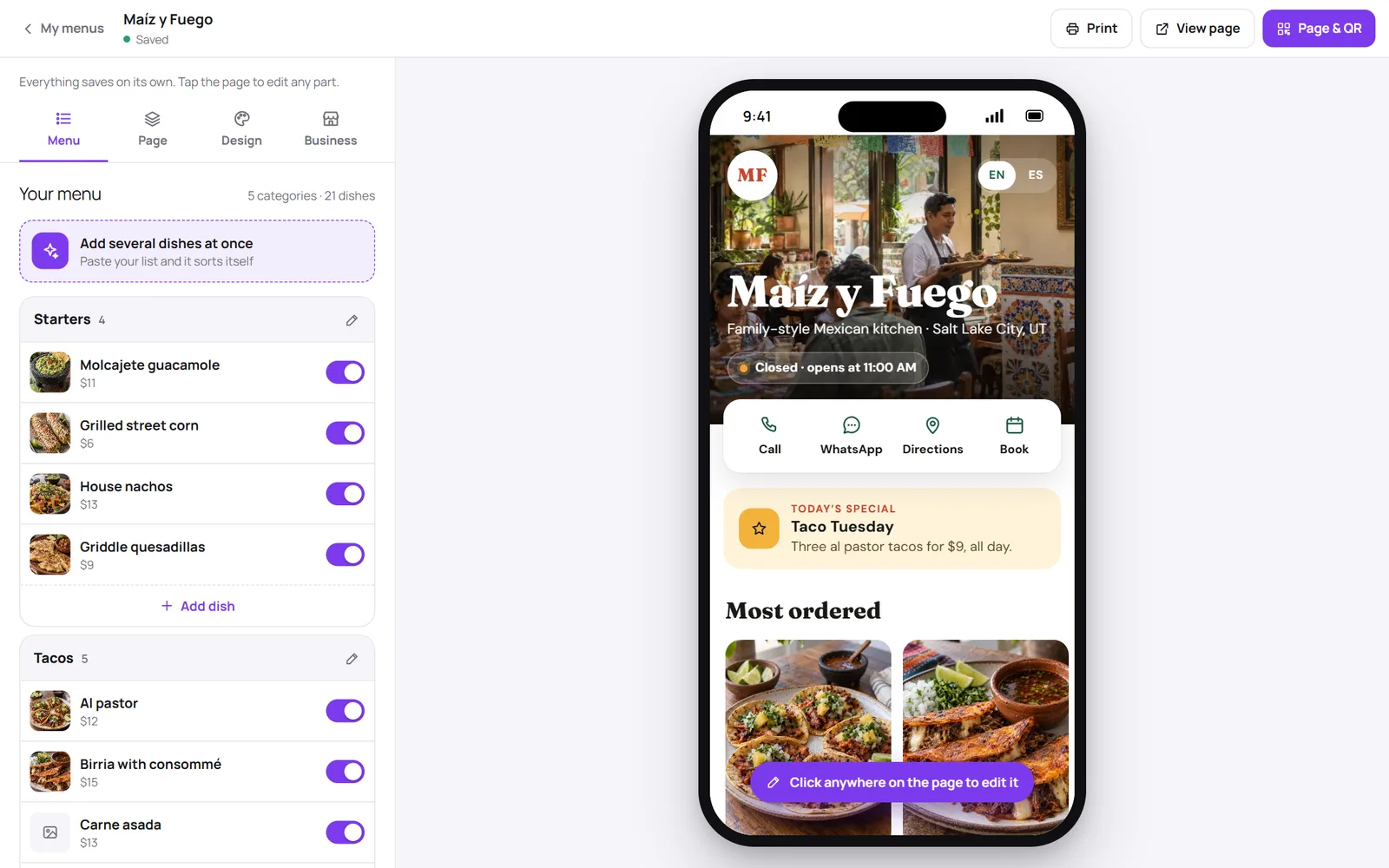
- Menu (or Products, or Projects): your categories and what you offer, with a photo, price and labels. The switch on each one marks it as sold out.
- Page: the blocks on your page, like the buttons, today’s special, the gallery or “How to order”. Add them or hide them.
- Design: the design (with See the designs up close you flip through them with your own content before you pick), the colors, the title font and a second language. Once you pick it, Translate with AI fills in the missing translations (uses 2 AI credits).
- Business: your name, phone, WhatsApp, address, hours and social accounts.
Catalogs: orders on WhatsApp
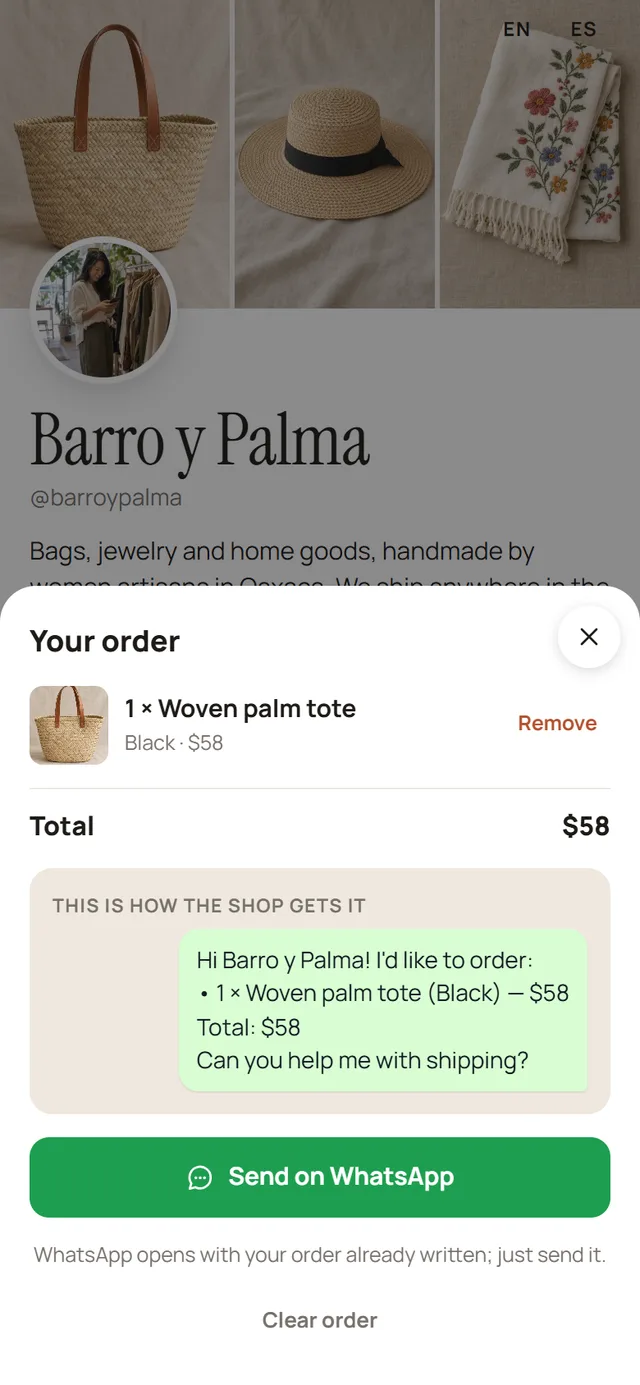
In a catalog, your customers tap a product, pick a color, size or other option and the quantity, and build their order. When they send it, WhatsApp opens with the order already written out and the total. You arrange payment and shipping your way.
Publish and share it
Tap Publish and your page gets its own link. In Page & QR you download its QR code for your tables, counter or bags, and copy the link for your link in bio or your messages.
Want it on paper? Tap Print at the top of the editor: you get a Letter or A4 sheet, in one or two columns, with your page’s QR code, ready to print or save as a PDF.
Already have your menu designed as a PDF? With Upload my PDF you publish it exactly as it is, with its own page and QR code.
What each plan includes
On the free plan you have one menu, catalog or portfolio at a time, with one design of each type, SocialMaker branding and no QR code. From Starter you get all 21 designs, no branding and a QR code that goes to your page. Pro and Max also add the editable QR code from QR codes.