Hours and days off
Set when you're available, how much advance notice clients need to book, and block off vacations or holidays.
In Bookings → Hours & blocked dates, you decide when people can book you. SocialMaker only offers the open slots that fit within those hours.
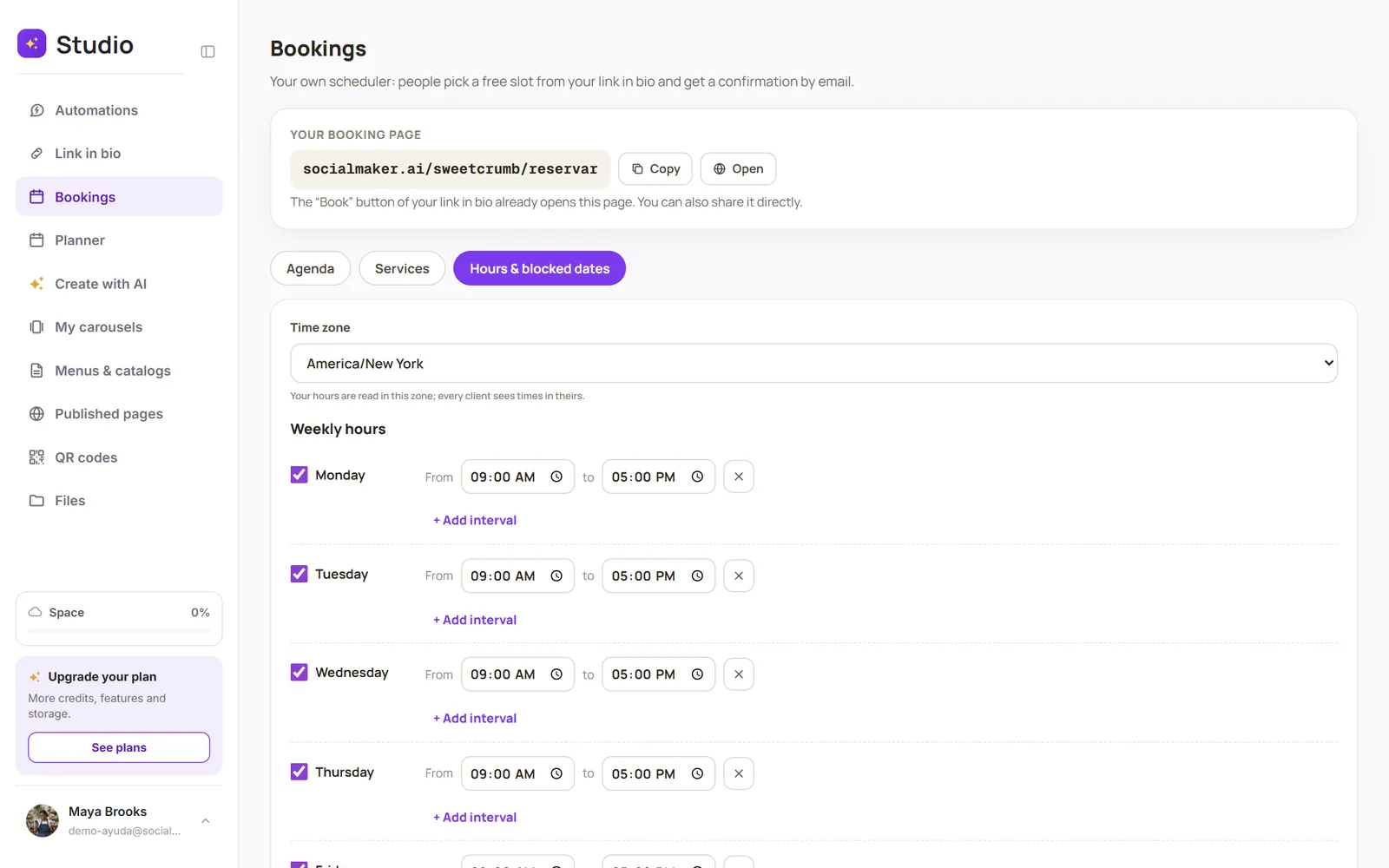
Weekly hours
For each day, mark the time blocks when you're available (for example, 9:00 to 13:00 and 15:00 to 19:00). If you don't work a day, leave it as Unavailable. Tap Save hours when you're done.
Booking rules
- Time zone: your hours are read in your zone; each client sees the times in theirs.
- Minimum notice: nobody can book with less notice than this (for example, 12 hours).
- Book up to: how many days ahead people can book (for example, 60 days).
Blocked dates
For vacations, holidays or a day you can't work, add a block with From and To (and a reason if you want). Those days won't be offered.
Was this article helpful?
You might also like
Create your servicesBuild your online booking calendar: each service with its duration, price and location. Your clients book from your link in bio.How your client booksWhat your client sees: they choose a service and time, leave their details, and get a confirmation with the appointment for their calendar.