How your client books
What your client sees: they choose a service and time, leave their details, and get a confirmation with the appointment for their calendar.
Go to your booking page
From the Book button in your link in bio, or directly at socialmaker.ai/yourname/reservar.
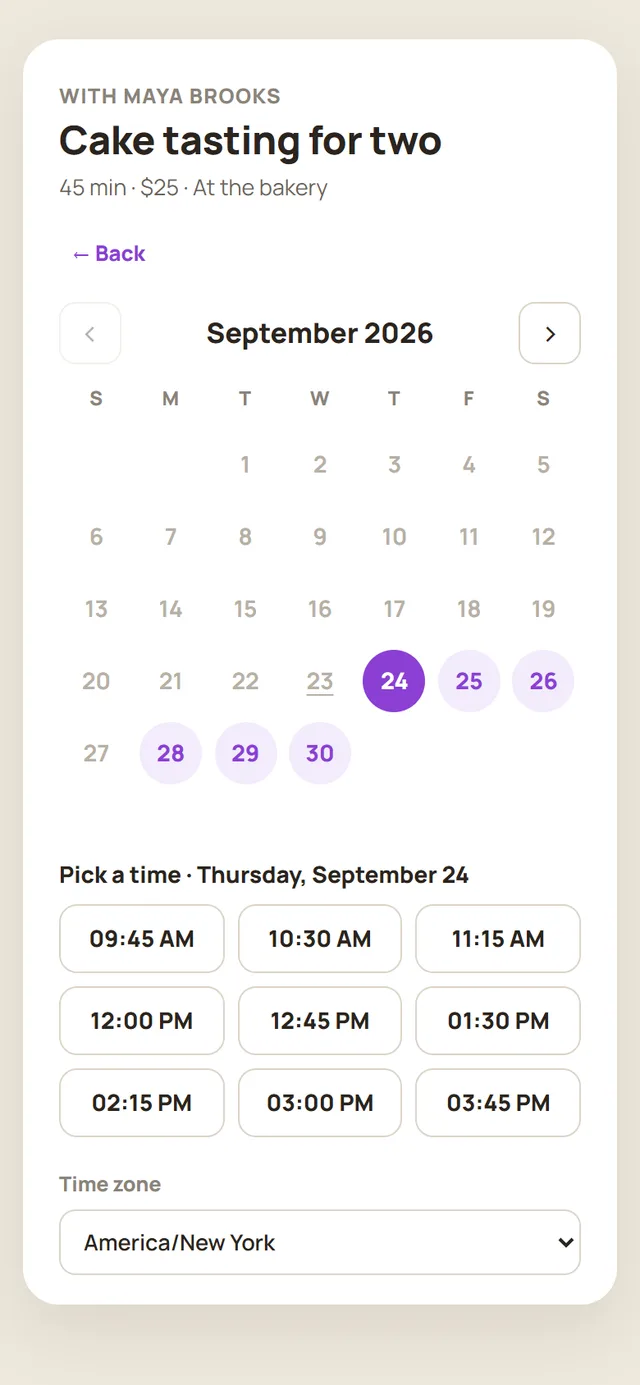
Choose the service, day and time
They only see open slots, in their own time zone.
Leave their details
Name, email and, if they want, phone number and notes.
Get the confirmation
They get an email with the details, the appointment to add to their calendar (Google, Apple or Outlook), and a link to cancel if they need to.
What you receive
You get an email for every new booking, with the client's details and the appointment for your calendar. If you reply to that email, you write directly to your client. The appointment also shows up in your Agenda.
Was this article helpful?
You might also like
Create your servicesBuild your online booking calendar: each service with its duration, price and location. Your clients book from your link in bio.Manage your appointmentsSee your upcoming appointments, cancel one, and check past ones from the Agenda.I'm not getting bookingsCheck your link in bio name, your services, your hours, and your spam folder.