Automation templates
17 ready-made automations to sell, book appointments, get leads and help customers. Pick one, adjust your details and activate it.
When you tap New automation, the template gallery opens. Each one comes with the messages written and the buttons and follow-ups built: you only change what's specific to your business. Filter by goal to see the ones that fit you.
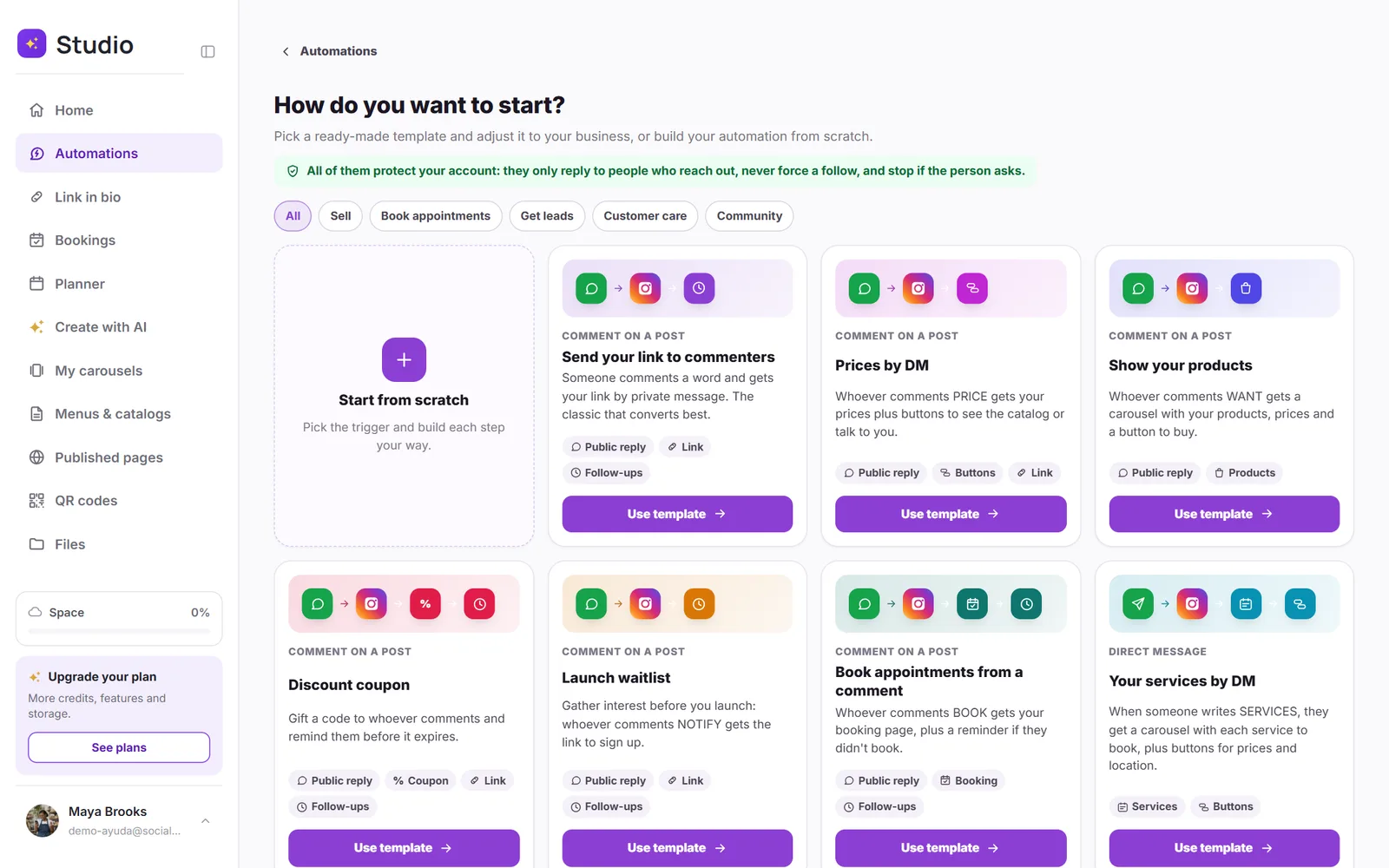
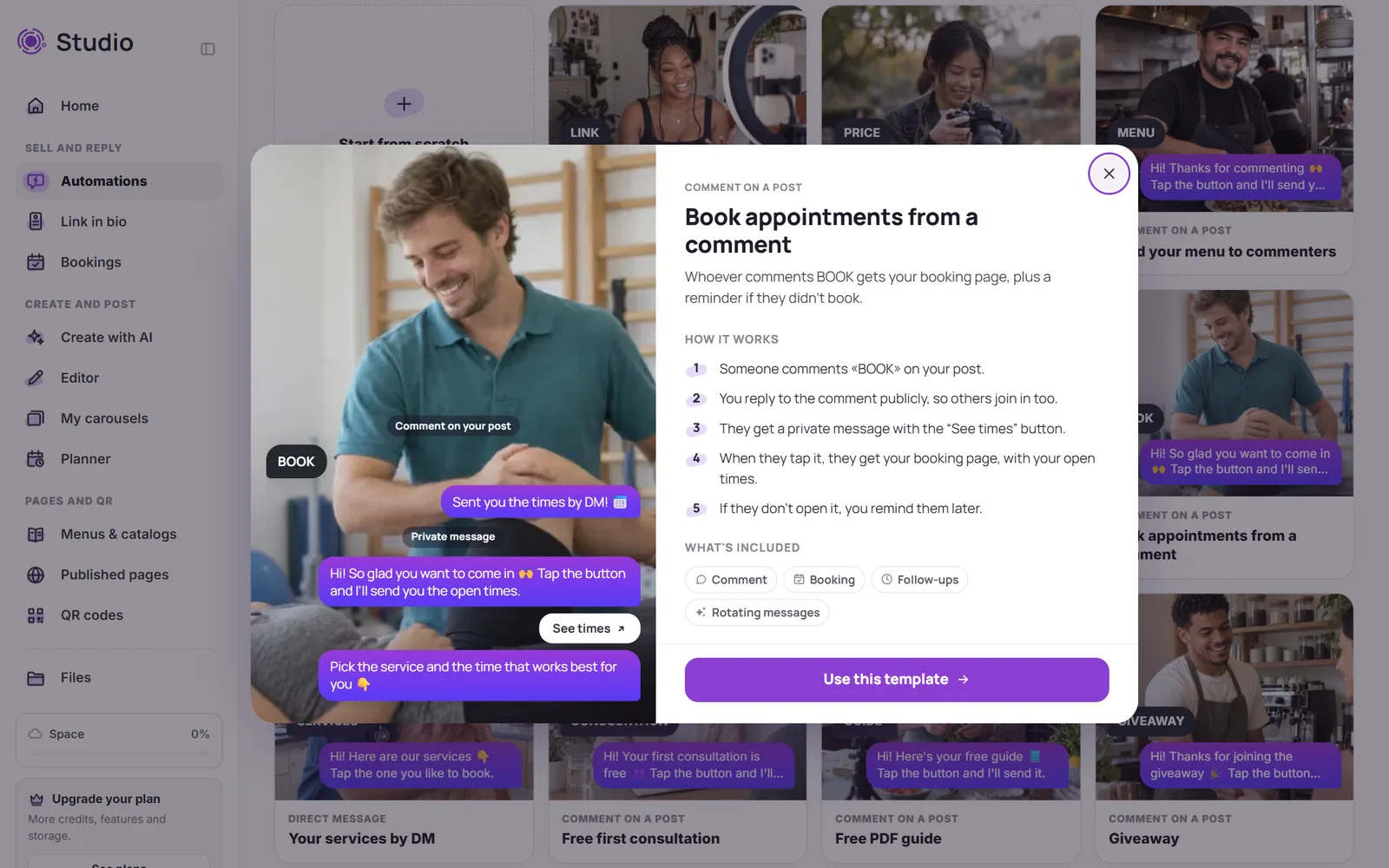
Each template shows, with a photo, what the person writes and what you reply. Tap it to see the whole conversation, How it works step by step and What's included; if it fits, tap Use this template.
The 17 templates
| Goal | Templates |
|---|---|
| Sell | Send your link to commenters · Prices by DM · Send your menu to commenters · Show your products · Discount coupon · Launch waitlist |
| Book appointments | Book appointments from a comment · Your services by message · Free first consultation |
| Get leads | Free PDF guide · Giveaway · Free class or event |
| Customer care | First-message greeting · Frequently asked questions · Options menu |
| Community | Thanks for the mention · Story replies |
Complete what's missing
When you use a template, the top of the screen shows what's left before you can activate it: Pick the post, Add your link, Upload your PDF, Set up your calendar or Pick your products, depending on the template. Each item turns green when it's done.
They all protect your account
- They only reply to people who commented or messaged you first.
- They never force a follow: the follow request is an invitation, and the delivery arrives either way.
- They stop if the person writes “stop.”
- In the comment templates, your reply comment comes with several versions that rotate, so it doesn't repeat the same thing every time.
- On Pro and Max they also come with versions of the private message, the “typing…” pause and the heart turned on and, in the lead templates, the step to ask for their email or phone.