How automations work
What an automation is, what triggers it and what your customer receives, explained with a real example.
An automation replies for you when someone interacts with your account. It has two parts: the trigger (what the person does) and the flow (what SocialMaker replies with).



What can start it
| Trigger | When it replies | Where |
|---|---|---|
| Comment on a post | Someone comments a word (or anything) on a post or reel. | Instagram and Facebook |
| Direct message | Someone sends you a word or phrase by DM. | |
| Story reply | Someone replies to your story. | |
| Story mention | Someone mentions you in their story. | |
| First message | Someone writes to you for the first time: they get a greeting, only once. | Instagram, Facebook and WhatsApp |
| Messenger message | Your page receives a word through Messenger. | |
| WhatsApp message | Someone sends a word to your WhatsApp Business. How to set it up. | WhatsApp (from Starter) |
What you can send
- A message with a button so the person confirms they want it (this is what lets Instagram allow you to keep messaging them).
- Your link, which SocialMaker turns into a trackable link so you can see the clicks.
- Reply buttons: options the person taps instead of typing, each one with its own reply.
- An appointment card that opens your booking page, or your services and products in a carousel.
- Up to 10 attachments: images, videos, audio or PDFs. You can also record a voice note right there.
- A card with buttons, with an image, title and subtitle.
- A request for them to follow you before delivering (it's delivered either way if they don't follow you, because Instagram requires it).
- Up to 3 follow-ups for people who didn't reply, within 24 hours.
- A question to ask for their **email or phone** before delivering (Pro and Max).
- Up to 15 comments and several message versions that rotate on their own.
- Pauses with “typing…” and a heart on the stickers and photos people send you (Pro and Max).
Two ways to build the flow
You can see the same flow in two ways and switch whenever you like:
- Canvas: each step is a card connected to the next one. Drag a tool onto a step to add it, and tap a step to edit it in the side panel.
- Step by step: the flow as a list, with a phone next to it that shows the conversation exactly as your customer will see it.
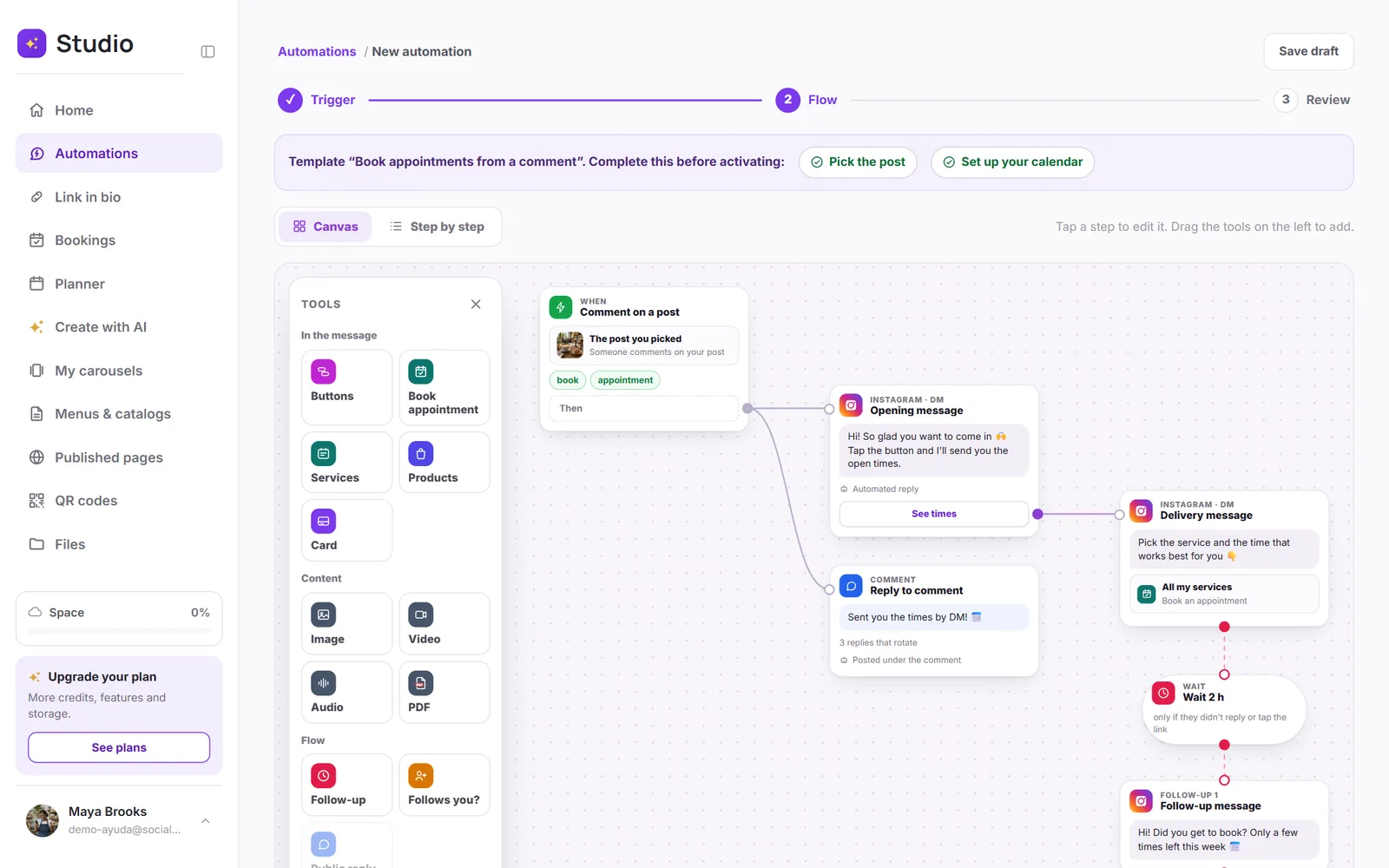
Not sure where to start? There are 17 ready-made templates to sell, book appointments, get leads and help your customers.
The rules Meta sets
Instagram and Facebook only let you message someone who interacted with you first, within the following 24 hours. That's why automations reply to comments, messages and mentions, and never to strangers. “Automated reply” is added at the end of the first message, as Meta's rules require. On the Free plan it comes with “Made with SocialMaker”; from Starter on, just the notice.