Ask for their email or phone, and your contact list
Before delivering what you promised, ask for the person's email or WhatsApp and build your contact list to download for Excel. On Pro and Max.
With the Ask for a detail step, the automation asks the person for their email or their WhatsApp before sending them what they asked for. That way, you're not just gaining followers: you're building your own contact list.
Step by step
Add the step
In the flow, tap the + before the delivery message and choose Ask for email or phone, or drag it from the tools.
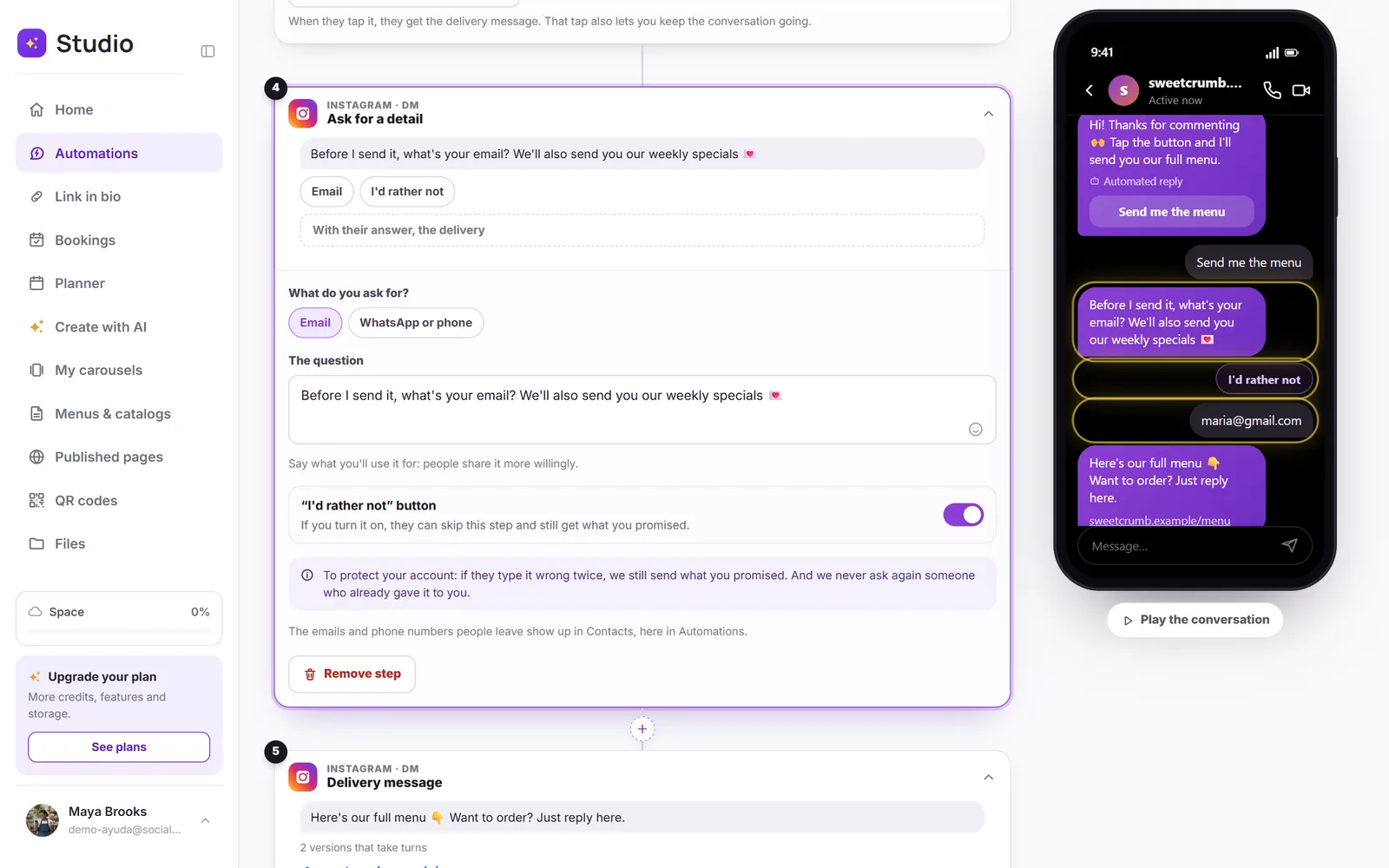
Choose what to ask for
Email or WhatsApp or phone. The question comes already written; change it to say what the person gets, for example “I'll send you this week's deals.”
Decide whether they can skip it
With the “I'd rather not” button turned on, the person can keep going without leaving their details and still gets what you promised.
What protects them and your account
- If they type their details wrong twice, they still get what you promised.
- People who already left their details aren't asked again.
- On Instagram, the phone number fills in with one tap; the email has to be typed. On Messenger, both fill in with one tap.
- If they write “stop,” they aren't asked anything else.
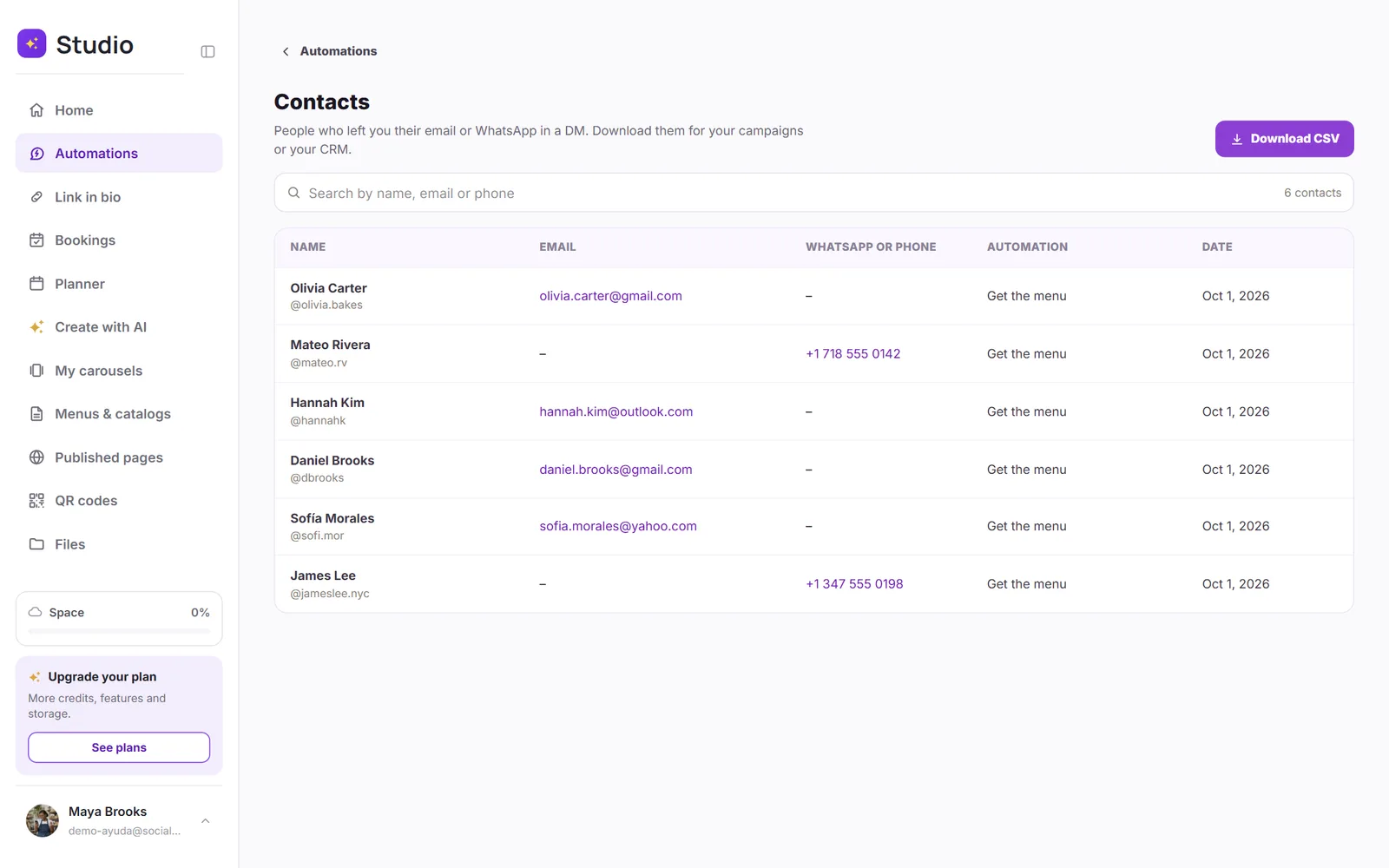
Your contact list
In Automations, tap Contacts. You'll see the name, the username, the email or phone, the automation and the date. Search by name, email or phone, and tap Download CSV to open the list in Excel or upload it to your email tool.