Comments and messages that rotate
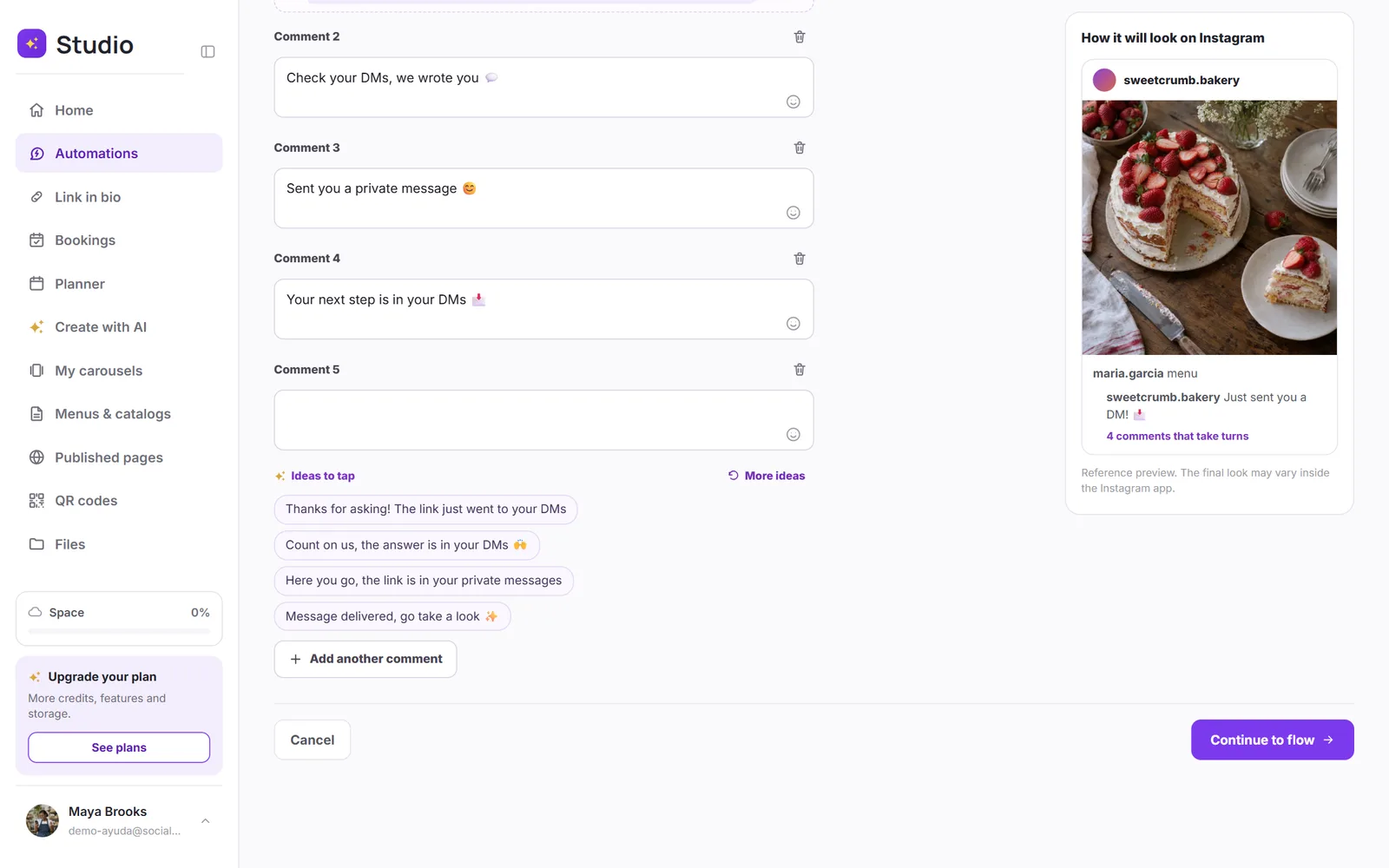
Reply with several different comments (up to 15, depending on your plan), use the ideas to tap and try several versions of the private message.
When an automation replies to hundreds of comments with the same text, Instagram may see it as spam. That's why you can write several different comments that rotate on their own: each person sees a different one, and your account looks natural.
How many comments you can add
| Plan | Rotating comments |
|---|---|
| Free | Up to 2 |
| Starter | Up to 5 |
| Pro | Up to 10 |
| Max | Up to 15 |
Step by step
Write your reply comment
In step 1 of the automation, under the keywords, write the main comment, like “Just sent you a DM! 📩”.
Tap “Add another comment”
Comment 2 shows up. Keep adding until you reach your plan's limit. Each one has its own emoji button on the right.
Tap an idea if you're not sure what to write
Under each empty comment you'll see Ideas to tap: 4 at a time, different in each field. Tap one and it writes itself; to see others, tap More ideas. There are more than 500 in your language, and it doesn't suggest the ones you've already written in another field.
Ideas for your messages too
The first message, its button text, the delivery and the follow-ups come with ideas to tap as well, matched to what you deliver: a link, a coupon, an appointment, a guide… Tap one, it writes itself, and then change it however you like.
Versions of the private message (Pro and Max)
You can do the same with the first message and the delivery message: write up to 5 versions and they rotate at random. In each message's step, tap Add another version. Besides protecting your account, it tells you which one works best: you'll see it in the A/B tests.