Appointments, services and products by DM
Send your booking page, a carousel with your services, or your products right inside the chat, and see how many bookings each automation brings in.
An automation can do more than send a link: it can take the person straight to booking, or show them what you sell, without leaving the chat.
Book an appointment
Add the Book appointment tool. It sends a card with a button that opens your booking page. You choose whether people book from All my services or from one in particular.
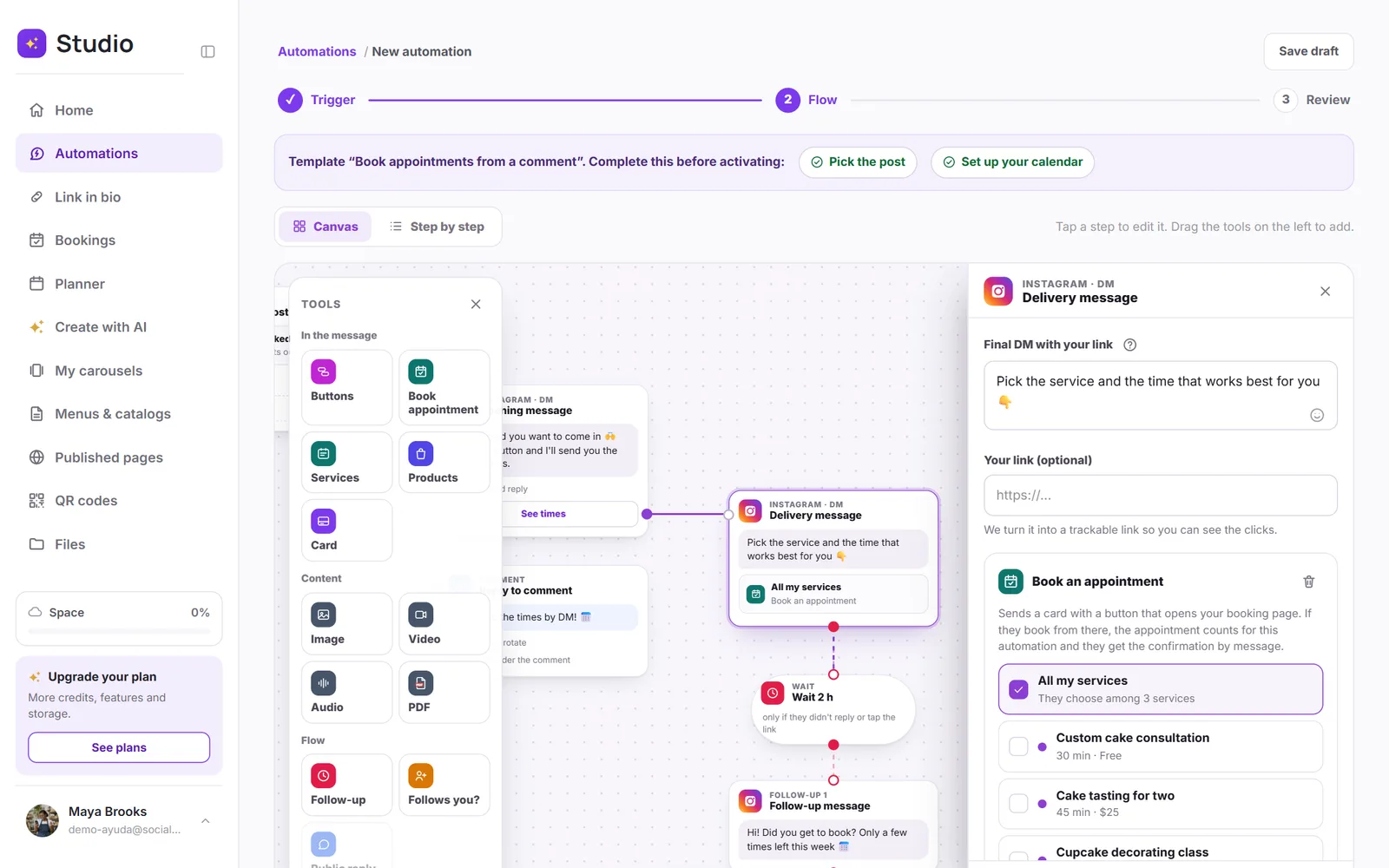
- If the person books from that button, the appointment counts for the automation: you'll see it under Bookings in the panel.
- They also get a confirmation by DM, with the service, the day and the time.
Services to book
The Services tool sends a carousel: each card shows a service with its length and price, plus a button to book that exact service. Up to 10 services.
Products
The Products tool sends a carousel with a photo, a price and a button for each product, up to 10. Pick them from the products in your link in bio or add them manually.
Inside reply buttons
Each reply button can carry its own appointment, services or products. For example, a menu with “Book,” which sends your booking page, and “See products,” which sends your catalog.