The funnel and A/B tests
See step by step where people drop off, from comments to bookings, and which version of your message works best. On Pro and Max.
In the Automations list, each one has View funnel. There you'll see how many people went through each step and, if your message has several versions, which one works best.
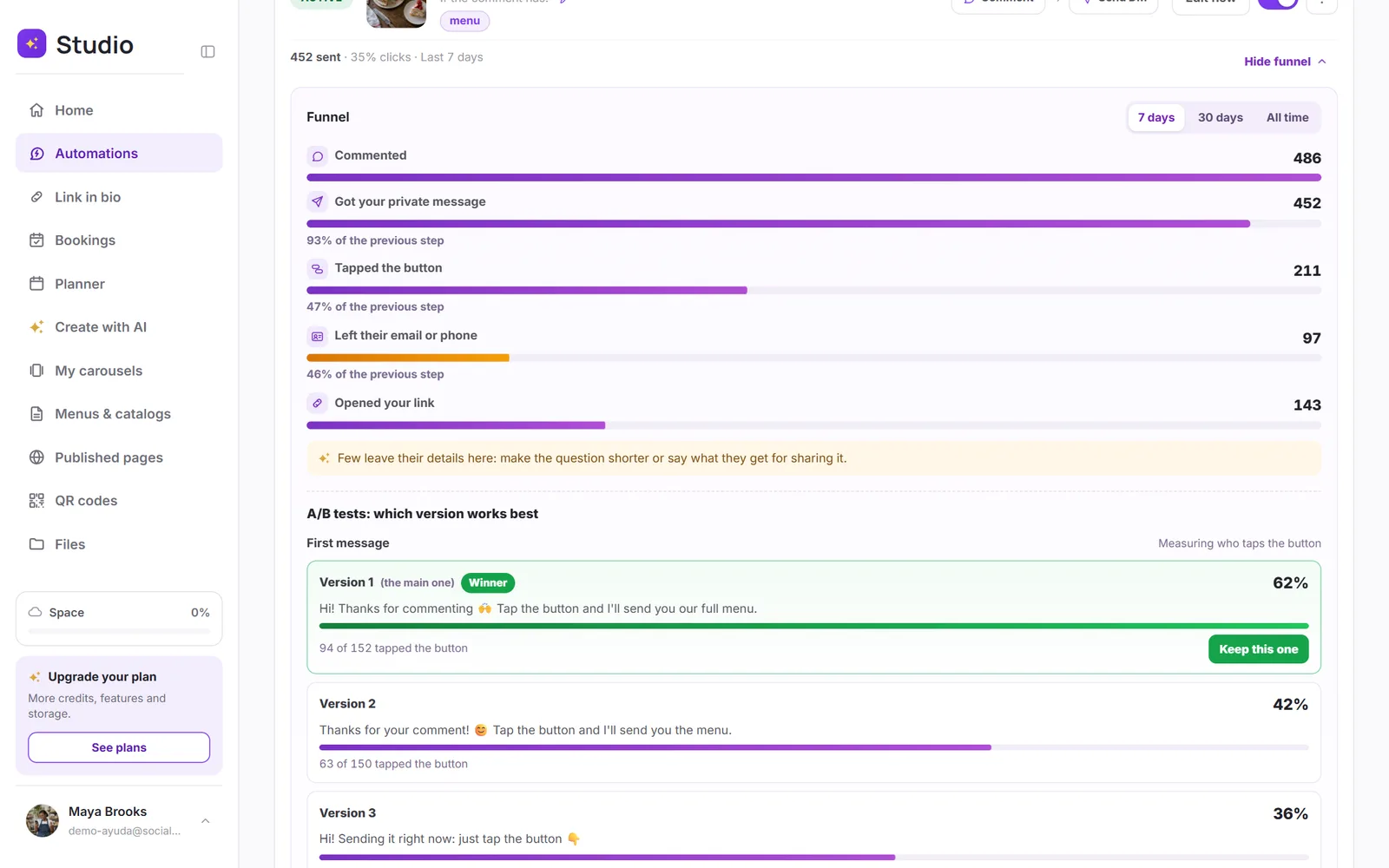
The funnel steps
| Step | What it counts |
|---|---|
| Commented | Comments that triggered the automation. |
| Got your private message | People who got the first message. |
| Tapped the button | People who tapped the button in the first message. |
| Left their email or phone | If the automation asks for it. |
| Opened your link | People who opened your link: if someone opens it three times, it counts once. |
| Booked | Appointments booked from the automation. |
Under each step, you'll see what percentage made it from the previous one. Choose 7 days, 30 days or All time. Steps your automation doesn't have don't show up; in direct message, story or mention automations, the funnel starts at Got your reply.
A/B tests: which version works best
If your first message or your delivery message has several versions that rotate, below the funnel you'll see how each one is doing: for the first message, what percentage tapped the button; for the delivery, what percentage opened your link.
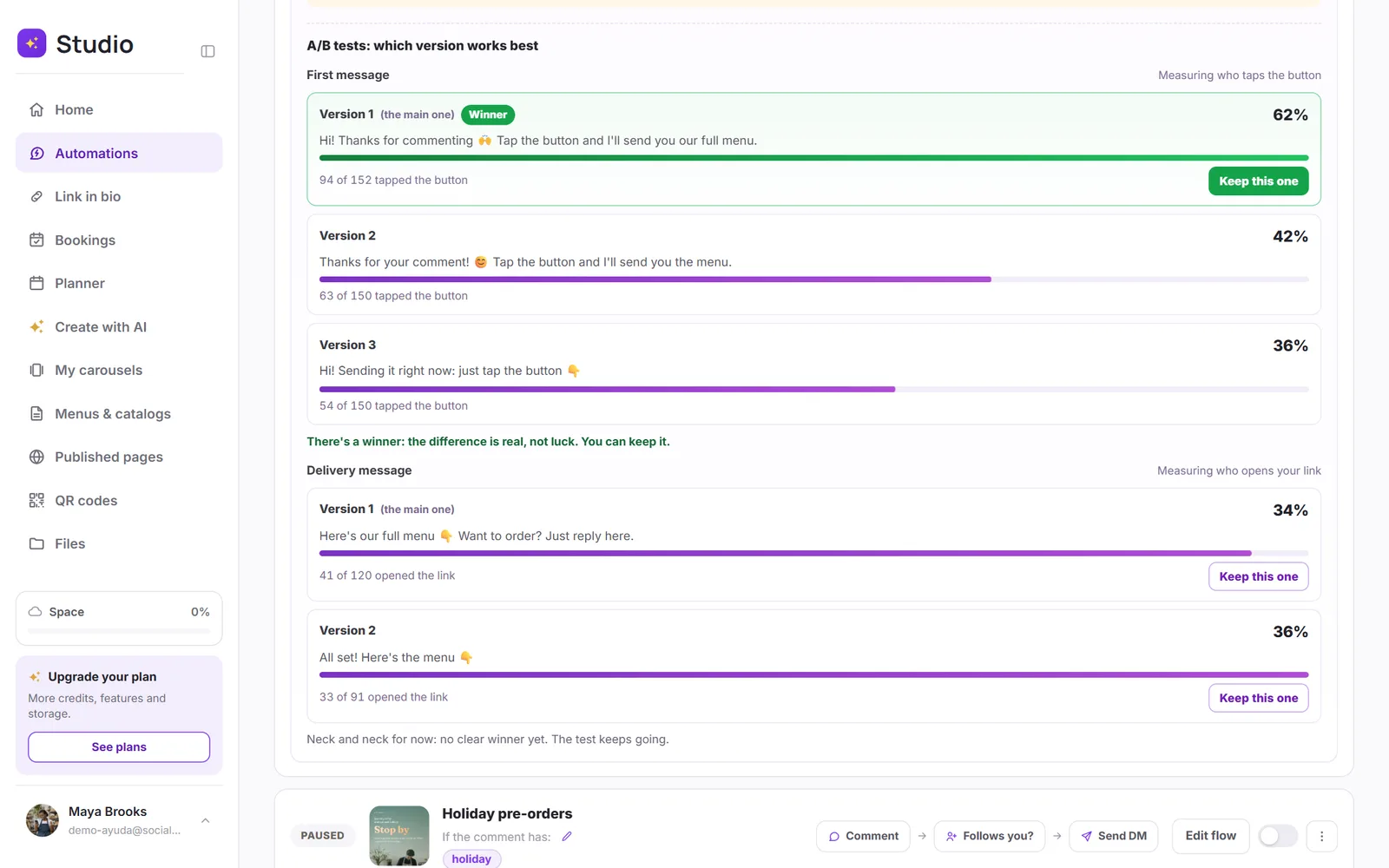
- Winner: shows up when the difference is real and not luck (at least 30 sends per version and a statistical test at 95%).
- No winner yet: there isn't enough data yet, and it tells you how many sends are left.
- Neck and neck: there's data, but no version clearly wins. Let the test keep going.
Tap Keep this one and, after you confirm, only that version is sent. You can add versions again anytime to keep testing.