Reply to DMs, story replies, mentions and Messenger
The other triggers: words sent by direct message, replies to your stories, mentions, and messages to your Facebook page.
Besides comments, an automation can start in five other ways. You choose these in the first step, What will start this automation?
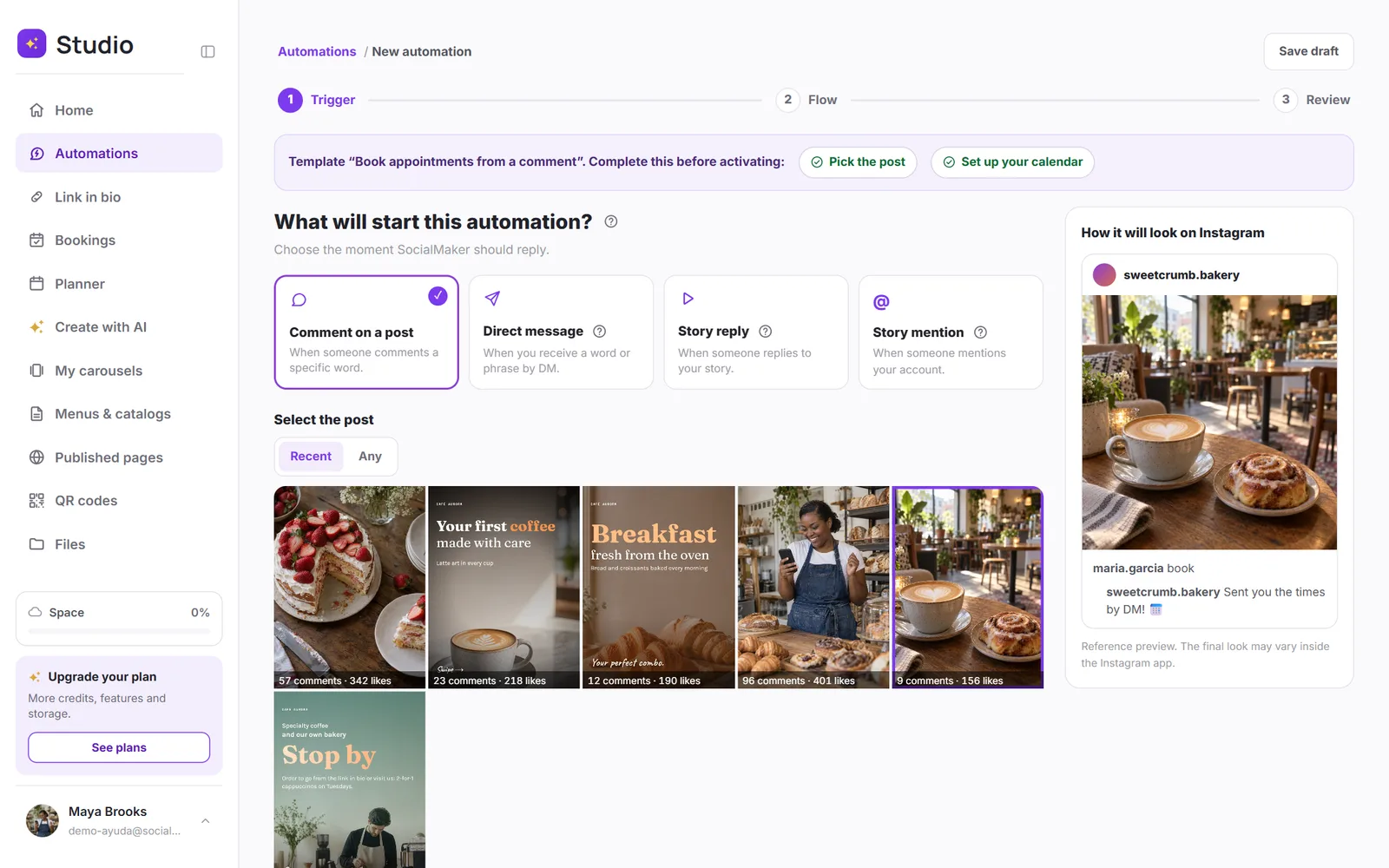
Direct message
Replies when someone sends you a word or phrase by DM, like HOURS or PRICES. To avoid overloading people, each person gets the delivery at most once every 24 hours.
Choose “Direct message”
In What will start this automation?.
Type the words people will send you
For example HOURS, PRICES or CATALOG. In direct messages a keyword is required.
Build the reply
Tap Continue to flow and add whatever you want: text, buttons, your link, your products or the booking card.
Turn it on
Tap Review and activate, then Activate automation.

First message
Greets people who write to you for the first time, even without a keyword. Each person gets it only once, and people who were already talking to you before you connected SocialMaker don't get it. The greeting can include reply buttons, your link, your products or the card to book, like any automation. If the first message has another automation's keyword, that one replies.
Choose “First message”
No keyword needed: it replies to people writing to you for the first time.
Write your greeting with buttons
For example Prices, Hours and Talk to someone. Each button has its own reply (how).
Review and turn it on
Tap Review and activate, then Activate automation.
Story reply
Replies when someone responds to your story. You can reply to any response, or only to the ones with your keyword.
Choose “Story reply”
Choose who it replies to
Type a keyword, like WANT or 🔥, or turn on Reply to any story reply to answer everyone.
Build the message and turn it on
In the flow, add your link, a coupon or the booking card, and finish with Review and activate.
Say it in your story
Tell people what to reply: “Reply with a 🔥 and I'll send you the link”.
Story mention
When someone mentions you in their story, SocialMaker thanks them by DM, and can send them a gift, like a coupon.
Choose “Story mention”
No keyword needed: it replies to everyone who mentions you.
Write a thank-you and add a gift
A coupon, a link or a file. That's what makes people want to tag you again.
Turn it on and ask to be tagged
Tap Review and activate. Then invite people in your stories or at your shop: “Tag us in your story and get a gift”.

Messenger messages
With your Facebook page connected, it replies when someone sends a word through Messenger. It works just like Instagram direct messages.